

Wasl Registration in Saudi Arabia: Prepare, Connect & Verify Your Fleet
A Wasl rollout can look simple on a checklist and still become an operational headache once live vehicles are involved. One mismatched plate number, an outdated driver assignment, an incorrectly mapped IMEI, or a sensor connected to the wrong asset can create delays that are difficult to diagnose after go-live. For fleet managers, operations teams, HSE leaders, and IT teams, the real challenge is not only completing Wasl registration in Saudi Arabia; it is making sure the fleet data behind that registration is accurate, connected, and testable.
This guide explains how to register a company with Wasl through the applicable official route, prepare company and fleet records, connect vehicles to Wasl, distinguish registration from Wasl provider integration, and test the data flow before relying on it in live operations. It also shows where Safee’s documented Wasl tools fit into the workflow, so your team can separate authority-side requirements from provider-side configuration and build a repeatable process for monitoring exceptions after launch.
What does Wasl registration in Saudi Arabia involve?
Wasl registration in Saudi Arabia is best treated as a sequence of related checkpoints rather than one administrative task. Your team needs the correct company and activity context, consistent vehicle and driver records, the relevant device or sensor configuration, and a way to verify that expected data is being received, transmitted, and monitored.
At Safee, we document Wasl Service workflow in which a partner assigns the Wasl Service license to a company. From the company’s Wasl website, users can select the company type, enter company and manager information, and choose the relevant activity. Safee also supports multiple registrations for one company, such as separate registrations for different branches.
For an operations team, the practical sequence is straightforward:
- Confirm the applicable official transport activity and registration route.
- Prepare the company, manager, and activity information.
- Reconcile vehicle and driver records before configuration.
- Identify the tracking-device and sensor scope that applies to the activity.
- Configure the provider-side Wasl environment.
- 6. Check registration and synchronization status.
- Test the data received from the vehicle and the data transmitted onward.
- Assign ownership for ongoing monitoring, corrections, and exceptions.
The key distinction is simple: registration, technical connection, and successful message delivery are connected, but they are not the same checkpoint. Treating them separately makes it easier to identify where a problem actually sits.
If your team needs the broader role and data-requirement picture before starting this workflow, read our guide to Wasl Platform in Saudi Arabia.
If your fleet is approaching Wasl onboarding, contact us to review your company structure, vehicle records, activity scope, and technical setup before live operations begin.
Register company with Wasl through the official route
Before connecting your fleet to Wasl, first confirm that your transport activity requires the connection and complete the applicable official registration and subscription steps. The official Wasl guidance directs establishments to check the initial requirements with the Transport General Authority and then proceed with the required linking and subscription process.
At Safee, we support the next operational and technical stage. Once the Wasl Service is enabled for your company, you can configure the company profile, select the appropriate company type and activity, enter the required company and manager details, and manage the Wasl setup from within the Safee platform. Safee also supports multiple registrations for the same company where different branches or activities need to be managed separately.
For your fleet team, the process is easier to manage when you keep two responsibilities clear:
- Official registration: confirming the applicable activity, licensing requirements, and Wasl subscription and linking requirements with the relevant authorities.
- Safee configuration and monitoring: setting up the correct company and activity, connecting vehicle and driver records, maintaining the relevant tracking and sensor data, and monitoring Wasl status and message activity.
This is where Safee adds practical value to the Wasl registration in Saudi Arabia workflow. We help your Operations and Fleet teams keep the company, vehicles, drivers, tracking devices, and applicable sensor data organized in one environment, while our Wasl tools provide visibility into the data and messages being exchanged with the platform. Safee supports vehicle and driver registration as well as real-time transmission of location, weight, temperature, and humidity data where applicable.
This separation also makes troubleshooting clearer: if a vehicle, driver, device, activity, or message does not match what your team expects, you can identify the operational issue without confusing it with the official licensing or approval process.
For Safee’s current Wasl setup, registration, monitoring, and management capabilities, see our Frequently Asked Questions.
Why Wasl provider integration differs from registration
Wasl provider integration is the technical and operational layer that connects the fleet’s relevant data environment to the Wasl workflow. Registration establishes the company and activity context; provider integration is where the team has to prove that the right asset, device, driver, and sensor data are associated correctly and that the expected messages can be reviewed.
This is where operations and IT teams start asking the questions that matter after registration:
- Is the platform receiving current vehicle data?
- Is the expected data being transmitted to Wasl?
- Is the correct tracking device associated with the correct vehicle?
- Is the expected IMEI or other device identifier recorded correctly?
- Can the team see message status or acknowledgement information?
- Can a failed, delayed, stale, or inconsistent message be investigated?
- Are the relevant sensor values available for the activity being configured?
- Is the current driver associated with the vehicle where driver data applies?
At Safee, we provide several tools to help your team monitor the operational side of the Wasl connection. Wasl Explorer gives you detailed visibility into registered vehicles, device information, sensor data, and recent Wasl messages. Wasl Vehicle Messages Report helps you review message status, timestamps, location, speed, weight, and related driver data.
For a wider operational view, Wasl Dashboard brings together company, vehicle, driver, and message information, while Latest Message Monitoring and Vehicle Status in Wasl help your team verify the latest transmitted data and review the vehicle’s current Wasl status.
For more detail on those tools, see Safee Wasl Integration in Saudi Arabia.
This is why a fleet should not reduce readiness to “the company is registered.” A registration can exist while one vehicle has the wrong device mapping, a driver association is outdated, a sensor is misassigned, or a message stream still needs investigation.
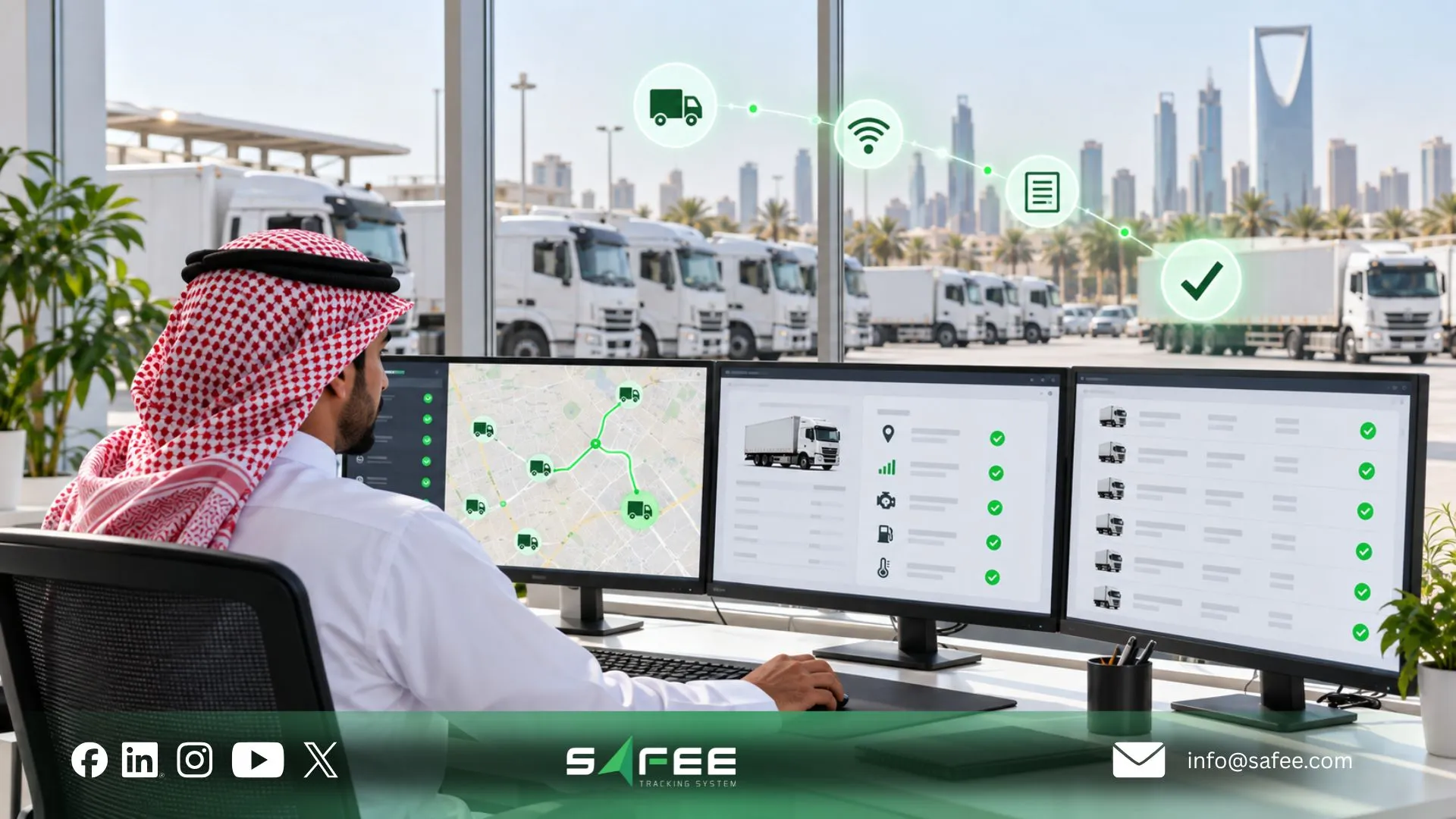
Connect vehicles to Wasl with consistent fleet records
Before you connect vehicles to Wasl, standardize the records used to identify each asset. If the same truck has one identity in a spreadsheet, another in the tracking platform, and a third in the registration workflow, the team needs a documented way to reconcile those records before the connection goes live.
At minimum, review the fields that matter for the applicable vehicle and activity:
- Plate number.
- Transport activity.
- Internal fleet asset ID.
- Vehicle type or category.
- Company or branch assignment.
- Sensor identity where applicable.
- Driver association where applicable.
- Registration or synchronization status.
- Chassis number or VIN, where used.
- Device IMEI or other technical identifier.
The business reason for this cleanup is not cosmetic. Reports, driver attribution, sensor readings, message status, and exception handling all depend on the underlying asset relationships being trustworthy. Safee’s Wasl tools become more useful after that reconciliation because the team can review company, vehicle, sensor, and message information against a consistent operating record.
For a deeper framework on authoritative IDs, assignments, source data, and ownership, see Fleet Data Management: Can You Trust the Data Behind Your Reports?
Register Company with Wasl using matching identity data
When teams register a company with Wasl, company identity data should match the organization they are actually configuring and operating. This sounds basic until a fleet has several branches, subsidiaries, transport activities, or operating units and different teams maintain different versions of the same information.
Before configuration, decide which record is authoritative and answer the following questions internally:
- Who is authorized to edit company information?
- Who is authorized to edit company information?
- Which manager details belong to that registration?
- Which activity applies to the company registration?
- Is the registration associated with the correct branch?
- Who reviews a change before it affects live operations?
- Which legal entity owns or operates the relevant activity?
- Are the vehicles assigned to the same organizational structure?
Our FAQs state that multiple registrations can be maintained for a company, including by branch, and documents functions such as Details, Inquiry, Edit, Delete, and Re-Synchronization for managing registration records.
Those functions matter when a company changes information, reorganizes branches, corrects an activity, or investigates a synchronization issue. They are most effective when the fleet has already defined who owns the authoritative company record.
A practical governance rule is to keep one controlled source for the company and branch structure, then make sure downstream vehicle records inherit the correct organizational context.
Connect vehicles to Wasl with accurate driver records
For activities in which driver data is relevant, driver records deserve the same discipline as vehicle records. Before teams connect vehicles to Wasl, they should know whether the driver association shown in the fleet environment reflects the actual operating situation.
That means being able to answer:
- Is this the correct driver record?
- Is the driver assigned to the correct vehicle?
- Who updates the record when drivers rotate?
- Is the assignment static or operationally changeable?
- Does the current system reflect the active assignment?
- Can the fleet reconstruct which driver was associated with a vehicle when investigating an event?
Safee’s broader Driver Management capability supports static and dynamic driver assignment, while Driver Explorer and driver-related reports provide additional visibility into driver records and activity. This is particularly useful for fleets with shift changes, shared trucks, replacement drivers, and vehicles that move between operating teams.
Not every Wasl activity should be assumed to require the same driver fields. The operational requirement is to keep accurate driver records wherever the applicable activity and configured workflow require them, rather than copying another fleet’s setup.
Wasl provider integration and shared responsibilities
A dependable Wasl provider integration works best when ownership is explicit. Safee can provide the supported platform configuration, connectivity, visibility, reporting, and monitoring tools, but the fleet still owns critical source data and business decisions.
A practical responsibility model looks like this:
| Responsibility | Fleet operator | Safee / provider-side support |
| Correct legal company information | Own and verify | Configure using supplied data |
| Correct transport activity | Confirm against applicable official requirements | Configure the corresponding platform scope |
| Vehicle identity | Own and validate | Map and display vehicle information |
| Driver information | Own and maintain | Configure and monitor where applicable |
| Tracking device identity | Verify the physical asset and assignment | Configure the supported device connection |
| Sensor association | Confirm installation and vehicle assignment | Configure and monitor applicable data |
| Wasl message monitoring | Review operational exceptions | Provide monitoring and reporting tools |
| Record corrections | Approve business-data changes | Support platform-side corrections |
| Government approval or issuance | Follow the applicable official route | Safee does not replace the issuing authority |
At Safee, we document Wasl Companies Explorer, Wasl Explorer, Wasl Vehicle Messages Report, Wasl Violations Report, and Wasl Dashboard as tools for the monitoring layer. This gives operations teams a place to inspect what is happening technically without confusing a platform status with an official authority decision.
Talk to us about your activity, fleet size, current tracking devices, driver-data workflow, and sensor requirements so both teams can define what the fleet owns and what Safee supports during setup and monitoring.

How to prepare Wasl registration in Saudi Arabia and test data
A robust Wasl registration in Saudi Arabia process should end with evidence that the data path works, not simply with completed data entry. The preparation sequence has three gates: first confirm registration readiness, then validate record consistency, and finally verify transmission and status. If one gate fails, investigate it before treating the connection as operationally ready.
The exact configuration depends on the activity, vehicle type, device architecture, sensors, and current applicable requirements. A setup that works for another fleet is not automatically the right model for yours, even if both businesses operate vehicles in Saudi Arabia.
For teams building a broader launch plan around vehicles, drivers, alerts, reports, and Wasl-related workflows, our Fleet Management System in Saudi Arabia Launch Guide provides a useful complementary checklist.
Confirm the official company registration route
Before importing vehicle records or configuring hardware, confirm the official route that applies to the company and activity. The purpose is to avoid solving a technical problem before the team has confirmed the business and regulatory context the technical setup is supposed to support.
Verify the current answers to questions such as:
- Which legal entity or branch is being registered?
- What transport activity is being performed?
- Are driver records relevant to the workflow?
- Which technical-provider workflow applies?
- Which company or branch should own the registration?
- Which documentation is currently required by the official process?
- What platform status indicates a successful provider-side setup?
- Does the activity require vehicle tracking or specific transmitted data?
- What evidence should the company retain for its own operating records?
- Are weight, temperature, humidity, passenger, or other data types applicable?
The important point is to verify these items for the actual activity instead of treating one generic checklist as universal. Safee’s own FAQ distinguishes multiple Wasl activity types, so company, driver, sensor, and operational requirements can differ by use case.
That makes activity confirmation the right place to start before the fleet spends time correcting or configuring records that may not belong to the intended workflow.
13 things to check before you connect vehicles to Wasl
Use this checklist before moving from registration preparation into live connection:
- Confirm the company registration context. Make sure the setup is being completed for the correct legal entity or branch.
- Confirm the transport activity. Determine which activity applies before configuring vehicles or sensors.
- Validate company and manager information. Correct inconsistent information before it is repeated across additional records.
- Verify the vehicle plate number. Compare it with the authoritative vehicle record used by your business.
- Verify the chassis or VIN where used. Do not rely only on an internal nickname or unit number.
- Confirm the vehicle category. The operating classification should match the intended activity context.
- Match the tracking device to the vehicle. Verify the device identifier, including IMEI where applicable.
- Check the driver record where applicable. Confirm identity and vehicle assignment before testing.
- Check required sensors. Where the activity uses weight, temperature, humidity, or another supported measurement, confirm that the correct sensor is associated with the correct asset.
- Confirm the device is sending current data. Installation alone is not proof that the data path is working.
- Review the data being sent toward Wasl. Check that expected vehicle, location, time, driver, and applicable sensor values are represented correctly.
- Review status, acknowledgements, and exceptions. Investigate rejected messages, stale records, missing acknowledgements, or other inconsistencies visible in the supported tools.
- Assign an owner for ongoing monitoring. Decide who investigates failures, updates source records, and escalates unresolved issues after go-live.
Our Wasl Explorer and related reports are especially useful in the later checks because the operating team can inspect vehicle status and message-level information instead of assuming that a configured connection is functioning correctly.
Test the transport data link before live operation
A proper reception test should prove more than “the tracker is online.” The test should follow the whole operating path: begin with the vehicle and device, confirm that Safee is receiving current information, review what is transmitted to Wasl, inspect the available status or acknowledgement, and make sure an owner can act on any exception.
At Safee, we document several tools that support this validation. Wasl Explorer can be used to examine registered vehicle status and associated information. Latest Message Monitoring compares recent data received from the tracking device with what has been transmitted to Wasl. Wasl Message Reports provide message logs and acknowledgement information, while Vehicle Status in Wasl and Wasl Dashboard add status and monitoring views.
For a fleet test, review evidence across several areas:
| Test area | What to verify |
| Vehicle identity | The data belongs to the intended vehicle |
| Device identity | The expected tracker is associated with that vehicle |
| Location | Current location data is being received |
| Timestamp | Messages are current rather than stale |
| Driver | The correct driver context appears where applicable |
| Weight | Expected weight information appears where applicable |
| Temperature/humidity | Relevant sensor values appear where applicable |
| Message status | Transmission and available status can be reviewed |
| Exceptions | Missing or inconsistent data can be identified and investigated |
| Ownership | A named team or role is responsible for correcting the issue |
Do not test only the happy path. A useful go-live test also checks whether the team can detect a missing or incorrect assignment. For example, if a device is replaced or mapped to the wrong vehicle, the process should make the inconsistency visible and give the team a clear route for investigation.
Our Wasl Integration in Saudi Arabia article provides additional detail on the monitoring workflow and Wasl message tools.
Request a Safee implementation discussion if you need to map company registration data, vehicle/device associations, message checks, and go-live testing into one controlled deployment plan.

Safee: Best WASL setup support for your fleet
A successful WASL setup does not end when your company or vehicles are registered. Your operations team also needs to know that the right vehicle is connected to the right device, that the required data is reaching WASL, and that any transmission or configuration issue can be identified before it affects daily operations.
At Safee, we bring the setup and monitoring layers together. We support WASL-related company registration, vehicle and driver registration, and the transmission of applicable fleet data such as location, weight, temperature, and humidity. This gives your team one environment for managing the records behind the connection and monitoring what happens after the setup goes live.
Our WASL tools give your team practical visibility into that process:
- Wasl Explorer helps you review registered vehicles, device information, sensor data, vehicle status, and recent WASL messages.
- Wasl Companies Explorer provides visibility into registered companies, their information, and activities.
- Wasl Vehicle Messages Report lets your team review message status, timestamps, vehicle data, and related information.
- Latest Message Monitoring helps compare recent data received from the tracking device with the data transmitted to WASL.
- Vehicle Status in Wasl helps your team check the current WASL status of individual vehicles.
- Wasl Dashboard brings company, vehicle, driver, and message information into a broader monitoring view.
The value for your fleet is not simply that the connection exists. We help your team see what is happening behind it. If a vehicle is linked to the wrong device, a message is delayed, sensor data is missing, or a registration needs to be reviewed, your operations team has tools to investigate the issue instead of relying on assumptions that the integration is working correctly.
For fleets preparing Wasl registration in Saudi Arabia, this creates a more controlled path from setup to daily operation: organize the company and fleet records, configure the applicable connection, verify the transmitted data, monitor vehicle and message status, and investigate exceptions from the same operational environment.
Explore our WASL-ready vehicle fleet management software or contact Safee to discuss your fleet, devices, activities, and WASL setup requirements.
Safee vs registration without data checks
| Evaluation dimension | Registration without structured data checks | Documented Safee scope | Evidence to require from any alternative provider |
| Official registration | Teams may confuse data entry, technical setup, and government approval | Safee documents a Wasl Service registration workflow through the partner/company environment; official authority requirements remain a separate responsibility | Ask the provider to state clearly what it performs and what remains part of the official process |
| Record quality | Company, vehicle, driver, device, and sensor records may be entered without reconciliation | Safee exposes company, vehicle, driver, sensor, and Wasl-related information through dedicated tools | Require a demonstration of record matching, correction, and re-synchronization workflows |
| Connection setup | A tracker may be installed but associated with the wrong asset | Safee supports Wasl-oriented configuration and monitoring across vehicles and applicable sensors | Require proof of device-to-vehicle mapping and confirmation of supported hardware/data requirements |
| Reception tests | Teams may assume an online tracker means data reached its intended destination | Wasl Explorer, Latest Message Monitoring, Vehicle Status in Wasl, Wasl Vehicle Messages Report, and related tools provide status and message visibility | Require message-level evidence, timestamps, available acknowledgement/status information, and a failure-investigation process |
| Support | Responsibility may be unclear when data stops or records become inconsistent | Safee provides tools for Inquiry, Edit, Re-Synchronization, reporting, and monitoring; implementation responsibilities should still be agreed before deployment | Require a named support scope, escalation path, correction ownership, and post-go-live monitoring process |
The value of a structured setup is not a guarantee of government approval. It is the ability to determine whether the records and technical connection under the fleet’s control are consistent and functioning, and to see where intervention is needed when they are not.
That distinction becomes more important after deployment. A registered company with a large active fleet needs a repeatable operating process for stale devices, incorrect assignments, failed or inconsistent messages, and source-record changes—not only a one-time onboarding event.
How Safee helps you verify your WASL setup
Completing registration does not automatically mean your WASL setup is ready for daily fleet operations. Before relying on the connection, your team should verify that the correct vehicles, devices, drivers, and applicable sensor data are associated properly and that current information is reaching WASL as expected.
At Safee, we give your team visibility into that process instead of asking you to rely on registration status alone. Wasl Explorer helps you review registered vehicles, device information, sensor data, and WASL status. Latest Message Monitoring lets you compare recent data received from the tracking device with the data transmitted to WASL, while Wasl Message Reports provide message history, status, timestamps, and acknowledgement information.
A practical post-setup check should confirm four things:
- The correct vehicle is linked to the correct tracking device.
- Current location and applicable sensor data are being received.
- Expected information is being transmitted to WASL.
- Failed, delayed, or inconsistent messages can be identified and investigated.
Vehicle Status in Wasl and Wasl Dashboard give your Operations team additional visibility into vehicle status, company data, drivers, and message activity. This makes it easier to identify where an issue sits and take action without treating every WASL problem as a new registration issue.
For fleets completing Wasl registration in Saudi Arabia, our value continues after the initial setup: Safee helps you monitor the connection, review message-level information, and investigate operational exceptions as your fleet continues to run.
Learn more about our WASL-ready vehicle fleet management software.
FAQs about Wasl registration in Saudi Arabia
Who handles official WASL registration requirements?
Your company is responsible for meeting the official licensing and activity requirements that apply to its operation. At Safee, we support the platform side of the process by helping you configure your company, activity, fleet records, and applicable WASL connection.
What should I prepare before connecting vehicles to WASL?
Prepare your company and activity details first, then verify the vehicles, tracking devices, drivers, and applicable sensors. Matching these records before connection helps prevent incorrect vehicle-device assignments and data issues later.
How can I check that my WASL connection is working?
Use Safee’s Wasl Explorer, Latest Message Monitoring, Vehicle Status in Wasl, message reports, and Wasl Dashboard to review vehicle status and transmitted data. These tools help your team identify missing, delayed, or inconsistent information instead of relying only on a tracker showing as online.
Does completing WASL registration cover every transport activity requirement?
No. WASL requirements can vary by transport activity and operating model. Confirm the requirements that apply to your specific activity before configuring vehicles, drivers, devices, or sensors.
Planning Wasl registration in Saudi Arabia? Contact Safee to discuss your fleet, activity, devices, and WASL setup requirements.
Ready to improve your fleet operations?
Tell us what you would like to improve. A Safee specialist will reply by email.
Usually replies within one business day • No sales spam
Your details are used only to respond to your request. Privacy Policy