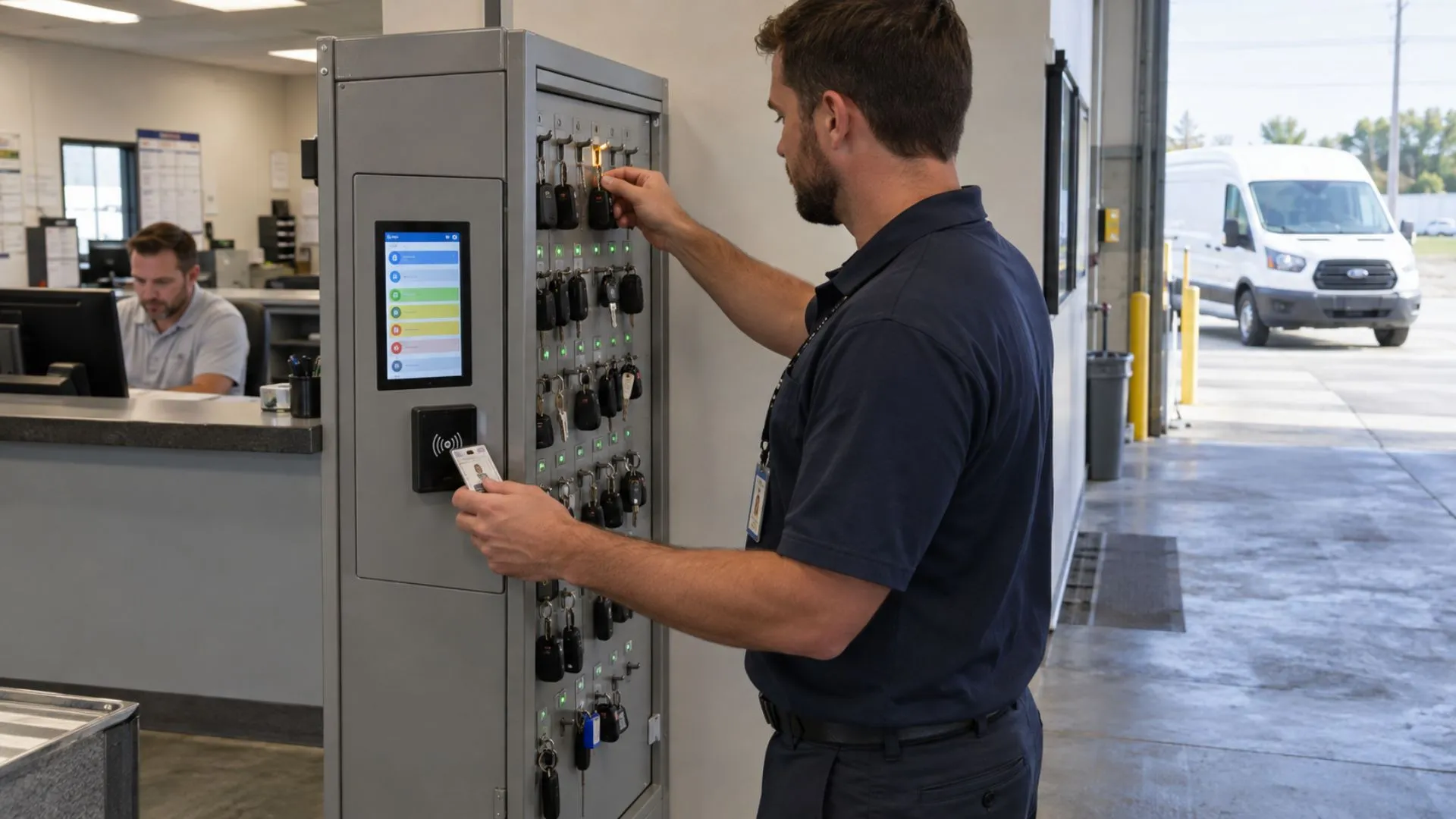
Fleet Key Management System: Handover, Access and Custody
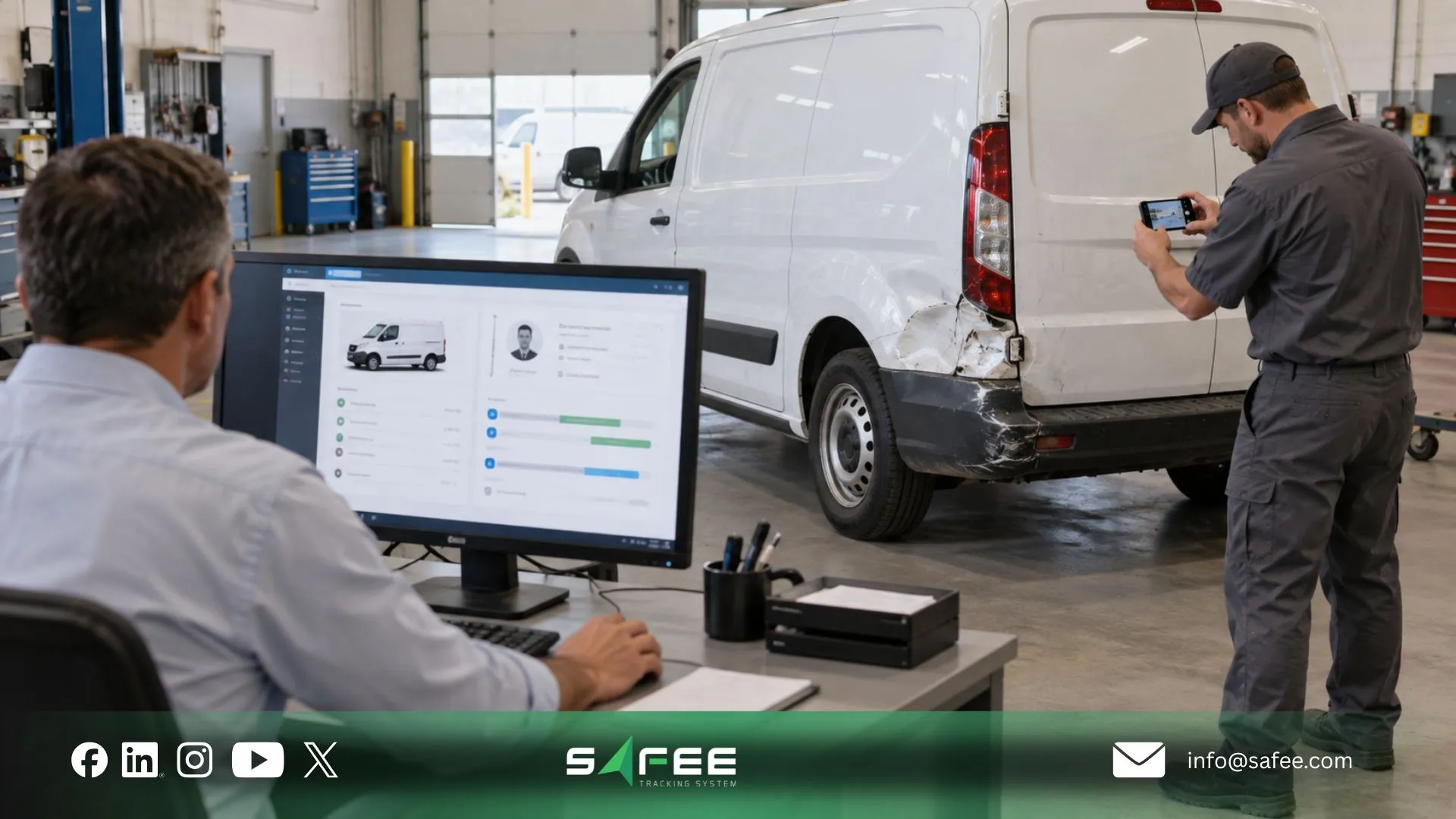
When a shared fleet vehicle comes back damaged, receives a violation, or appears in an exception report, the difficult question is often not where the vehicle was; it is who was responsible for it at that exact time. A fleet key management system should make that responsibility traceable across every handover instead of leaving Operations to reconstruct it from a cabinet log, calls, and memory.
In this guide, Safee explains how fleet key management connects physical key custody with driver identity, authorization, vehicle assignment, operational activity, and historical review. We also show where Safee’s Modules can strengthen the digital accountability layer, while keeping physical key cabinets and true Phone-as-a-Key access clearly separated from capabilities that Safee does not publicly document.
What fleet key management actually solves
Fleet key management is not fundamentally about storing keys neatly. It is about controlling the transition of responsibility from the fleet organization to an authorized driver and then back again.
Consider a shared-vehicle depot. Ten drivers may use different vehicles depending on route, shift, payload, availability, or maintenance status. If the operating process records only that a key left a cabinet, Fleet Operations may still struggle to establish:
- Who should investigate an incident;
- Whether the driver was authorized;
- Which driver actually used the vehicle;
- When responsibility began and ended;
- Which trip or event belongs to that driver;
- Whether an assignment changed during the shift;
- Whether a vehicle was used outside its approved workflow;
- Whether an operational action was performed by an authorized user.
Safee’s Driver Identification System addresses part of that accountability problem by associating a driver with a unique identifier such as RFID, iButton, BLE, or fingerprint ID where the selected configuration supports it. The identifier can then be linked with the vehicle through the telematics workflow, allowing driver–vehicle assignments and related activity to be recorded more accurately.
The important distinction is that digital identity is not automatically the same thing as physical-key custody. A fleet may still maintain mechanical keys, spare keys, workshop keys, or emergency keys outside the telematics platform.
A mature process therefore asks two related questions:
- Physical custody: Where is the vehicle key, and who received it?
- Operational responsibility: Who was authorized and identified as operating the vehicle?
For multi-driver fleets, those records should reinforce each other rather than exist as disconnected processes.
Want to map driver authorization and vehicle assignment around your existing handover process? Request a Safee demo and review the required Driver Identification System, Driver Management, and Fleet Control configuration with the Safee team.
Fleet key management vs fleet vehicle key management
Fleet key management and fleet vehicle key management are often used interchangeably, but an operational distinction is useful.
- Fleet key management can describe the broader governance process around credentials and custody. That may involve physical vehicle keys, spare keys, electronic identifiers, approval rules, driver permissions, assignment records, and incident investigation.
- Fleet vehicle key management is narrower. Its focus is the individual vehicle and the person responsible for it during a defined operating period.
A fleet manager evaluating the process should therefore avoid reducing the requirement to a cabinet purchase. The real control model has several layers:
| Layer | Operational question |
| Physical custody | Who collected or returned the physical key? |
| Driver identity | Who is the driver? |
| Authorization | Is this driver permitted to use this vehicle? |
| Assignment | Which driver is associated with this vehicle now? |
| Vehicle activity | What happened while the assignment was active? |
| Exception response | What happens if use is unauthorized or the credential must be revoked? |
| Historical review | Can the organization reconstruct responsibility later? |
Our documented Dynamic Driver Assignment is particularly relevant where drivers rotate between vehicles. Safee distinguishes Dynamic Drivers from Static Drivers and can associate authorized drivers with multiple vehicles rather than permanently tying one driver to one asset.
This is where fleet key management systems should be judged operationally: not by how sophisticated the key cabinet looks, but by whether the process preserves trustworthy identity, authorization, assignment, and activity context.
Fleet vehicle key management
The central question in fleet vehicle key management is not simply “who signed out the key?” It is “who was responsible for the vehicle during the period being reviewed?”
That distinction matters after:
- A route deviation;
- A fuel discrepancy;
- A customer complaint;
- Unauthorized movement;
- A collision or safety event;
- Damage discovered after a shift;
- A dispute over vehicle condition;
- Use outside an approved schedule;
- A speeding or harsh-driving event;
- A maintenance issue reported between drivers.
At Safee, we document the ability to associate driver identity with vehicle activity through its Driver Identification System and Dynamic Driver Assignment. Our platform can then maintain driver–vehicle context for trips and recorded events where the required configuration is deployed.
This creates a more useful operational record than vehicle location alone. Knowing that Vehicle 42 travelled a route is one level of visibility. Knowing which authorized driver was associated with Vehicle 42 during that activity provides another layer of accountability.
The same principle applies to access governance. Safee documents the ability to authorize or deauthorize drivers and manage permissions for specific vehicles or across the fleet through its driver-identification and assignment workflow.
However, fleet teams should define their own custody boundary clearly. Driver identification does not by itself prove that a specific physical metal key changed hands. If physical-key custody itself is material—for example in a secure depot—the physical handover process should remain controlled and reconciled with the digital operating record.
Also read: Fleet Accident Management: The Incident-to-Claim Playbook explains how driver, vehicle, location, and event context support a stronger evidence trail after a road incident.
Fleet key management systems
Fleet key management systems can range from a simple locked cabinet with a paper register to digitally controlled handover processes connected with driver identification, vehicle assignment, access rules, and operational history.
The right architecture depends on the control problem the fleet actually needs to solve.
A fleet with fixed drivers and vehicles may need little more than secure spare-key governance. A government pool fleet, rental operation, service fleet, airport fleet, or multi-shift logistics operation may need a much stronger record because vehicle responsibility changes repeatedly.
Digitalization can improve the process, but the procurement question should not be “Which technology sounds most advanced?” It should be “Which control must be proven at each handover?”
Useful evaluation criteria include:
- Driver identity;
- Vehicle identity;
- User permissions;
- Exception handling;
- Revocation process;
- Authorization status;
- Handover timestamp;
- Site or operational context;
- Historical assignment retrieval;
- Integration with vehicle activity;
- Reporting and investigation workflow.
- Return timestamp or assignment end;
Our architecture addresses several of these areas through driver identification, driver assignment, remote vehicle controls, user permissions, tracking, and operational history. It should not, however, be described as a physical electronic key cabinet unless that separate component is explicitly included in a proposed deployment.
Cabinets, lockers and access logs in fleet key management systems
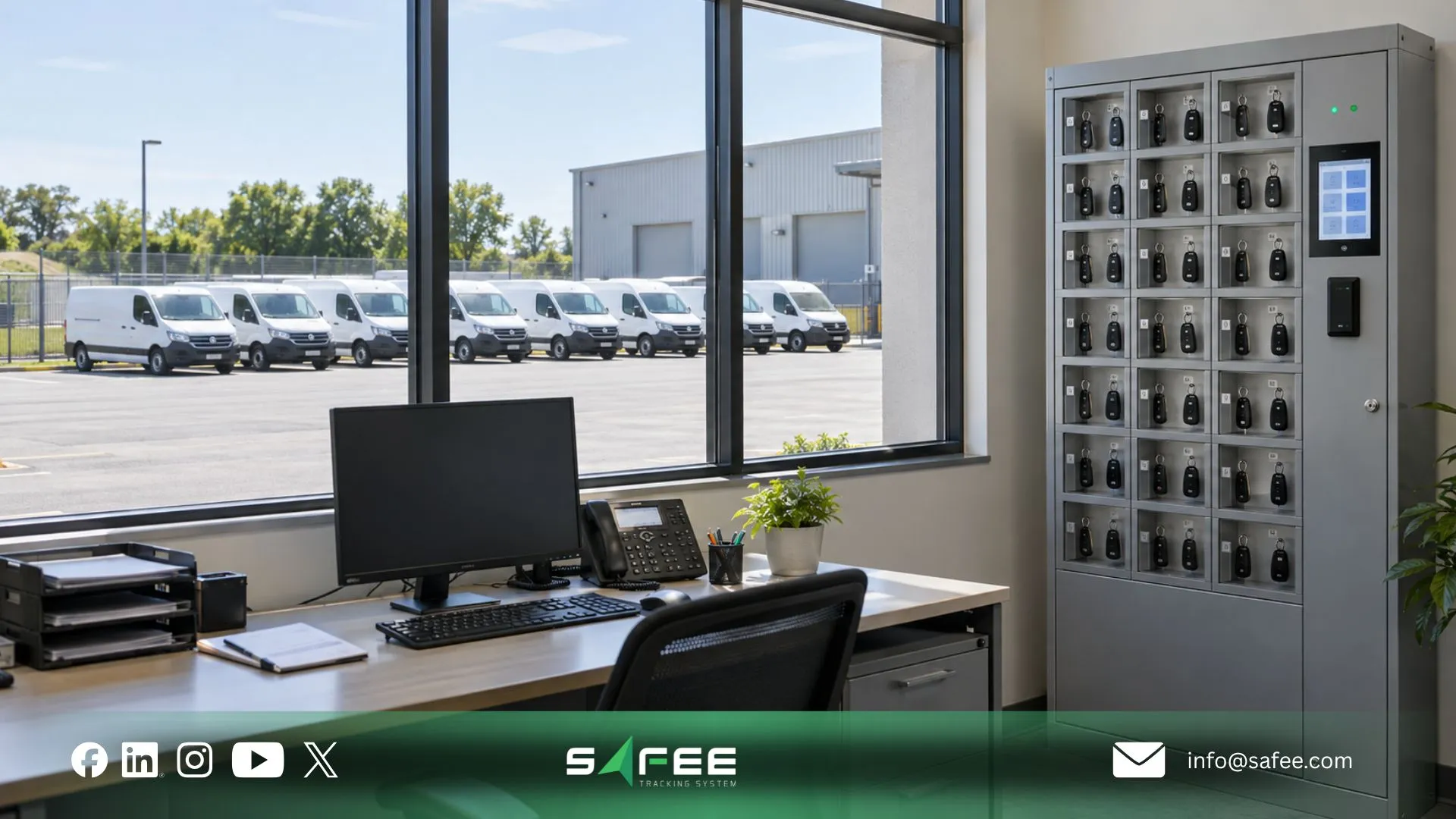
Physical cabinets and electronic lockers solve an important but bounded problem: controlling access to the physical key.
A basic cabinet can establish where keys should be stored. A controlled locker may add identity or access records. But neither automatically proves who ultimately operated the vehicle unless the handover workflow is connected with the driver and vehicle record.
That gap is what fleet teams should test during evaluation.
Suppose Driver A collects a key but gives it to Driver B. A key-cabinet record may still point to Driver A. If the vehicle itself can identify Driver B through the configured driver-identification workflow, the fleet has another data point that can expose the mismatch.
Conversely, digital driver identification does not necessarily tell the organization which person physically removed a mechanical key from a cabinet. For higher-control environments, the two systems may need to be reconciled rather than treated as alternatives.
When assessing fleet vehicle key management systems, ask:
- Is authorization checked before use?
- Is the end of responsibility recorded?
- Can historical assignments be retrieved?
- Can records be exported where required?
- Can an unauthorized driver be restricted?
- What happens when drivers switch vehicles?
- Who can change assignments or permissions?
- Does the record establish when responsibility starts?
- Does the handover identify both the driver and vehicle?
- Can vehicle activity be reviewed in the same time window?
- Are administrator actions relevant to the workflow logged?
- How are physical spare keys controlled outside the digital system?
Our Command Service provides a relevant control layer because it documents Driver Authorization, Vehicle Immobilization, and command history recording the targeted vehicle, command type, execution time, and response or result.
Those documented logs should not be generalized into a claim that every user action or key-related event across the platform has identical audit-history behavior. Where formal audit requirements exist, the required fields, retention period, permission history, and export format should be verified during deployment planning.
How digital handover works for fleet management
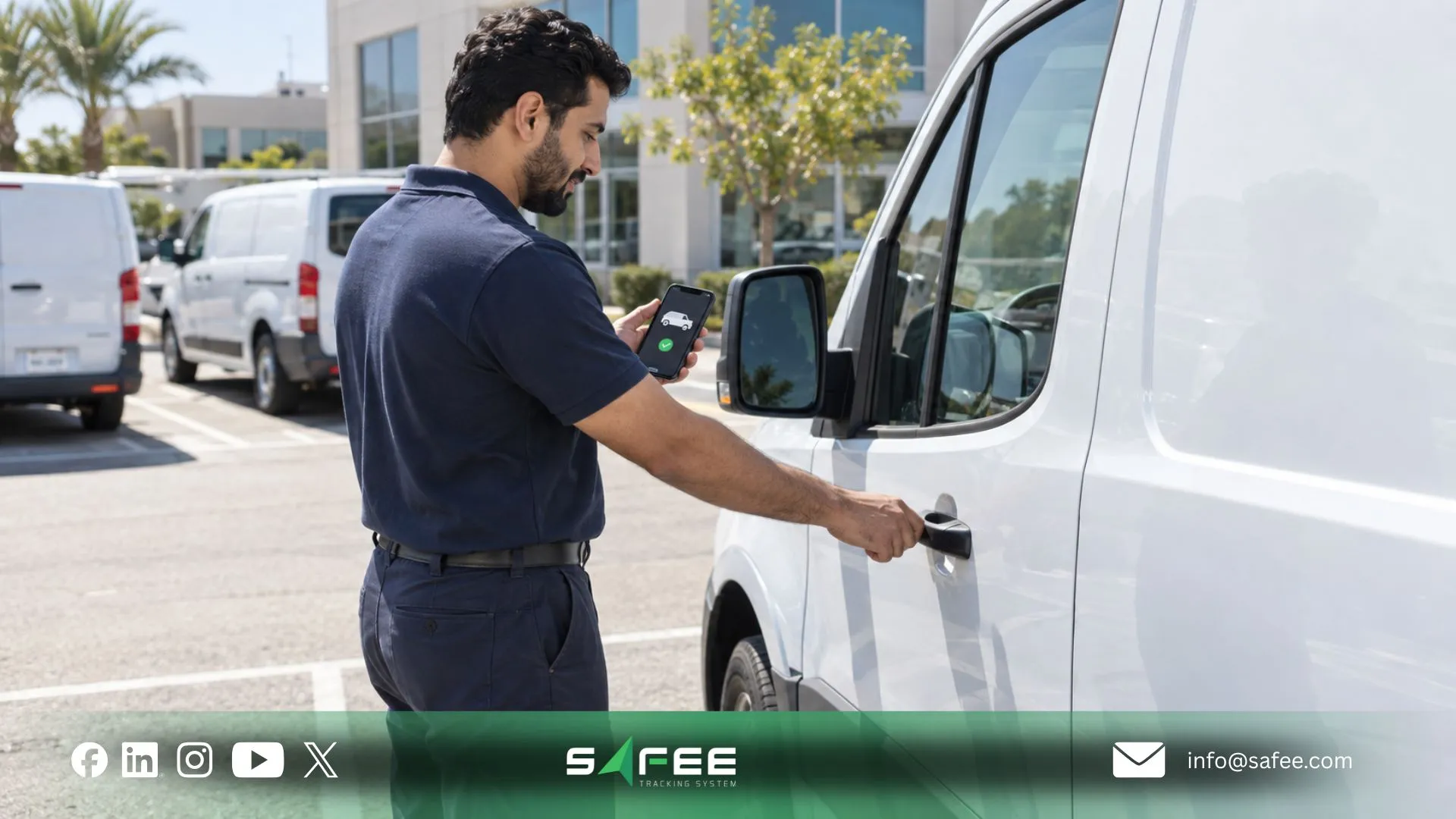
Phone as a key for fleet management is a useful procurement concept because it moves the credential from a shared physical object toward an individually controlled digital workflow. In a true phone-as-key implementation, the mobile device would function as part of the vehicle-access credential rather than merely showing fleet information.
The distinction is important when assessing Safee.
At Safee, we publicly document both our Mobile App and Driver App. The Mobile App extends authorized fleet visibility, alerts, reports, Geofences, and driver information to managers, while Safee’s Driver App supports driver workflows such as assigned journeys, assigned vehicles, navigation, notifications, and trip start/end processes.
Our platform also documents BLE as one supported identifier technology within its Driver Identification System.
However, these facts should not be interpreted as proof that a smartphone currently replaces a vehicle’s physical key, unlocks the doors, or starts the vehicle. Safee’s public pages reviewed for this article do not document that specific Phone-as-a-Key capability.
If phone-based vehicle access is a procurement requirement, verify these items directly:
- Whether the target vehicle or retrofit hardware supports mobile credentials;
- Whether the phone can unlock the vehicle, authorize ignition, or only identify the driver;
- Whether authorization works through Bluetooth, network connectivity, or another mechanism;
- What happens when the phone is offline;
- What happens when the phone battery is depleted;
- How a lost or stolen phone credential is revoked;
- Whether credentials are bound to a particular user and device;
- Whether temporary access can be issued;
- Whether access can be restricted by vehicle, site, time, or role;
- What handover and access events are actually logged;
- Whether the workflow integrates with Safee’s documented Driver Management and vehicle-control capabilities.
This avoids confusing three different functions: mobile fleet access, driver identification, and an actual digital vehicle key.
If Phone-as-a-Key is mandatory for your project, contact Safee with the target vehicle models, existing tracking hardware, driver-identification method, and required access workflow so compatibility can be verified rather than assumed.
Related reading: Fleet Management App: 15 Requirements Before Rollout separates manager-facing mobile visibility from driver-facing workflows and gives buyers a practical mobile-app evaluation checklist.
Implementing a fleet key management system
Implementing a fleet key management system should begin with operating policy rather than hardware procurement.
The fleet first needs to define when responsibility begins, who may authorize access, how drivers are identified, how vehicle assignments change, and what evidence must remain available afterward.
Only then should the organization map that policy to cabinets, identifiers, telematics hardware, mobile workflows, driver assignment, remote commands, and reporting.
For Safee deployments, the relevant architecture may involve:
- · Driver Management for driver records and assignment workflows;
- · Driver Identification System for supported identifiers;
- · Dynamic Driver Assignment where drivers rotate among vehicles;
- · Fleet Control and Command Service for documented remote controls such as Driver Authorization and Vehicle Immobilization;
- · Live Vehicle Tracking for vehicle movement and historical context;
- · Alarms and Alerts for configured fleet exceptions;
- · Administration Panel permissions for controlling access to fleet information and workflows;
- Fleet Reporting where recurring operational review is required;
- Mobile App and Safee Driver App for the applicable mobile workflows.
The exact combination should be scoped around the fleet rather than assumed to apply identically to every deployment.
How to implement a fleet key management system
Teams searching how to implement a fleet key management system should treat implementation as a custody-and-authorization project rather than an isolated software setup.
A practical rollout sequence is:
- Define the custody event. Specify exactly when responsibility transfers. Is it when a key is collected, when a driver authenticates, when a vehicle assignment becomes active, when ignition starts, or another agreed operational event?
- Classify drivers. Separate fixed assignments from shared-vehicle use. Safee supports Static Drivers as well as Dynamic Drivers who can be authorized for multiple vehicles.
- Define the approved driver-to-vehicle matrix. Decide who may use which vehicles, groups, sites, or vehicle classes.
- Select the identification workflow. Safee documents driver identifiers including RFID, iButton, BLE, and fingerprint ID. Actual hardware compatibility should be checked against the chosen tracker and vehicle configuration.
- Configure assignments and permissions. Establish who can create drivers, change assignments, authorize users, review history, and issue vehicle commands.
- Connect the identity record with vehicle activity. A handover becomes substantially more useful when the identified driver can be linked with trips and recorded events rather than stored as an isolated sign-out entry.
- Define exception rules. Examples may include an unauthorized driver, vehicle movement without the expected assignment, use outside an approved workflow, or a credential requiring revocation.
- Establish the physical-key procedure. If vehicles retain conventional keys, define where they are stored, who controls spares, and how physical custody is reconciled with digital driver identity.
- Test driver changes. Shared fleets should validate shift changes, reassignment, replacement vehicles, workshop movements, and temporary drivers—not only the normal one-driver/one-vehicle case.
- Test revocation and incident response. The team should know exactly what occurs when authorization is withdrawn. Safee publicly documents Driver Authorization, deauthorization within the Driver Identification workflow, and Vehicle Immobilization within Command Service, subject to the configured deployment.
- Confirm records and retention requirements. Determine which assignment, command, activity, and permission records are needed and for how long. Do not assume a particular retention period without verifying the proposed environment.
- Review operational reports after launch. The objective is not merely successful authentication. Review whether the resulting data actually helps Operations, HSE, Security, Fleet Management, and management investigate and manage shared vehicles.
A pilot should therefore test the full chain of responsibility: identify the driver, validate authorization, activate the vehicle assignment, connect activity to that assignment, record reassignment or the end of custody, and confirm that authorized users can reconstruct the history later. That is much more meaningful than confirming that an identifier was recognized once.
For the control layer behind these steps, review our Fleet Control documentation for Driver Authorization, Vehicle Immobilization, remote commands, and Command Service history.
Responsibility per handover in fleet vehicle key management system
A fleet vehicle key management system needs a clear responsibility model around every transfer.
For each handover, define at least four roles:
| Role | Responsibility |
| Driver | Accepts the vehicle assignment and operates within authorized policy |
| Dispatcher / Operations | Allocates the appropriate vehicle and validates operational readiness |
| Fleet administrator | Maintains drivers, vehicles, groups, permissions, and configuration |
| Supervisor / HSE / Security | Reviews exceptions, incidents, or unauthorized-use cases according to policy |
Not every fleet needs those responsibilities assigned to four separate people. The point is to separate the functions even when one employee holds multiple roles.
The same principle should govern system permissions.
A dispatcher who needs to assign vehicles does not automatically need full administrative access. A driver does not need the same fleet-wide view as a supervisor. Safee documents role-based access structures and driver-specific workflows that can help align platform access with operational responsibility.
For each handover, the fleet should therefore be able to answer:
- Did an exception occur?
- When did it end or change?
- Who requested the vehicle?
- Was that driver authorized?
- Which vehicle was assigned?
- Who approved or assigned it?
- When did responsibility begin?
- Who was identified as the driver?
- Who reviewed or resolved the exception?
- What vehicle activity occurred during that period?
That is the operational chain of custody. The physical key is one object within it, not the complete record.
12 things a fleet key management system should log
A useful fleet key management system should give the organization enough context to reconstruct responsibility without collecting meaningless data for its own sake.
- Driver identity
- Vehicle identity
- Assignment start
- Assignment end
- Identification method
- Authorization status
- Assignment changes
- Relevant vehicle activity
- Exceptions or unauthorized-use events
- Administrative action
- Revocation or access change
- Investigation context
Do not assume that every field above is automatically generated in every platform configuration. During procurement, convert the list into explicit acceptance criteria and confirm the source, retention, permissions, and exportability of every required record.
Need to turn your custody requirements into an implementation checklist? Talk to Safee about your driver rotation, vehicle groups, identification hardware, permission structure, and incident-review requirements before deployment.
Related reading: Fleet Data Management: Can You Trust Your Data? covers ownership, record quality, retention, and the controls that sit upstream of reporting and analysis.
Safee: The best fleet key management system for multi-driver fleets
The best fleet key management system is the one that fits the fleet’s actual custody, authorization, assignment, security, and investigation requirements—not a universal product ranking.
For a fleet whose only requirement is storing three spare keys securely, a connected telematics workflow may solve a much broader problem than required. For a multi-driver fleet in which vehicles change hands repeatedly, the more important question is whether driver identity, authorization, vehicle assignment, fleet activity, access governance, and historical investigation can work together.
This is where Safee’s documented architecture is relevant.
Our Driver Identification System can associate drivers with identifiers such as RFID, iButton, BLE, or fingerprint ID. Dynamic Driver Assignment supports environments where drivers rotate among vehicles. Driver Management maintains the driver-vehicle relationship, while Fleet Control provides documented capabilities including Driver Authorization, Vehicle Immobilization, and logged Command Service activity.
At Safee, we also connect that identity and assignment context with broader fleet information. Its public documentation describes driver assignment history, trip/event context, Live Vehicle Tracking, alerts, reporting, mobile access, and platform permissions across relevant modules.
For a multi-driver fleet, that means the evaluation can extend beyond “Where is the key?” toward the operational questions that usually matter more:
Who is authorized? Who is assigned? Which vehicle are they responsible for? What happened during that assignment? And can the fleet reconstruct the relevant record later?
Safee should therefore be evaluated against the fleet’s required custody workflow, hardware environment, vehicle compatibility, security policy, and reporting requirements—not on an unsupported claim that one configuration is universally best for every fleet.
Safee vs a physical key cabinet alone
The original procurement comparison needs one important qualification: a physical cabinet controls physical-key custody, while Safee’s documented capabilities primarily address digital driver identity, authorization, assignment, vehicle activity, and remote control. A Safee deployment should not be represented as replacing a physical-key cabinet unless the proposed solution explicitly includes that workflow.
| Capability | Physical Key Cabinet Alone | Safee |
| Handover log | Can record physical key collection through paper or the cabinet’s own access method | Driver Identification System and Dynamic Driver Assignment can create driver–vehicle assignment context; confirm the exact handover record required for the proposed workflow |
| Phone-as-key option | Not inherent to a conventional cabinet | Not publicly documented as a Safee Phone-as-a-Key capability; verify separately if required |
| Chain-of-custody for incidents | Physical sign-out records may need to be reconciled manually with vehicle activity | Driver identity and vehicle assignment can be reviewed alongside available trip, event, tracking, and fleet context where configured |
| Multi-site key control | Depends on the cabinet system and how sites are administered | Safee can centrally manage relevant vehicles, drivers, groups, assignments, and permissions within the platform; physical-key custody at each site remains a separate requirement unless integrated |
| Lost-key incident response | Physical-key procedure depends on the vehicle and key system | Safee documents driver authorization/deauthorization and Vehicle Immobilization for applicable configured workflows; it does not publicly claim to re-key or digitally revoke a conventional physical vehicle key |
Safee’s Command Service records the targeted vehicle, command type, execution time, and response or result, providing specific operational history around supported remote commands. Its Driver Identification documentation also describes remote authorization and deauthorization of drivers.
This is more precise than equating remote driver authorization with physical-key revocation.
Related reading: Fleet Management Information System: How Fleet Data Flows explains how permissions, operational records, reporting, and supported integrations fit together without assuming that every platform action has the same audit history.
Where to find fleet key management software inside Safee
If your procurement team is asking, “where can I find fleet key management software?”, do not expect to find a Safee menu item carrying that exact name.
Based on Safee’s current public product documentation, the relevant capability is distributed across several connected areas:
- Driver Identification System — identifies the person operating the vehicle through supported identifiers such as RFID, iButton, BLE, or fingerprint ID.
- Driver Management — manages driver records and supports Dynamic Driver Assignment and Manual Driver Assignment.
- Fleet Control / Command Service — provides documented remote functions including Driver Authorization, Vehicle Immobilization, Status Inquiries, Remote Configuration, and Command Service history.
- Administration Panel — structures users, vehicles, drivers, sites, groups, configurations, and role-based permissions, providing the governance layer around who can access and manage fleet workflows.
- Live Vehicle Tracking — provides operational movement and historical context needed when an assignment must be investigated against actual vehicle activity.
- Mobile App — extends authorized tracking, alerts, reports, Geofences, and fleet information to managers away from the desktop.
- Safee Driver App — supports driver-facing journeys, assigned vehicles, vehicle details, navigation, notifications, and trip workflows.
- Fleet Reporting and other monitoring tools can then support recurring review where the required underlying data is available.
In other words, Safee’s contribution to fleet vehicle key management is not a single virtual key cabinet. It is the connected digital control layer around who the driver is, which vehicle the driver is associated with, whether access is authorized, what the vehicle does, and which supported actions can be reviewed afterward.
For fleets that also require an electronic physical-key locker, smartphone door unlocking, OEM digital-key integration, or another specialized access-control system, those requirements should be stated explicitly during solution design so integration and compatibility can be confirmed.
Request a Safee demo to map the required driver-identification, assignment, access-control, reporting, and physical-key workflow to your actual fleet.
FAQs about fleet key management
What is a fleet key management system?
A fleet key management system controls how vehicle access and responsibility are handed between the fleet and authorized drivers. Depending on the setup, it may combine physical-key custody with driver identification, vehicle assignment, authorization, activity records, and historical review.
Can a phone replace a physical key for fleet vehicles?
It can only do so when the vehicle and access system specifically support a mobile digital-key workflow. Safee documents Mobile App functionality, Safee Driver App workflows, and BLE as a supported driver-identification technology, but its public documentation reviewed here does not confirm a Phone-as-a-Key feature that replaces the vehicle’s physical key.
How do you track who had a vehicle at a given time?
Use a driver-identification and vehicle-assignment process that connects the responsible driver with the vehicle for the relevant period. Safee’s Driver Identification System and Dynamic Driver Assignment are designed to associate driver identity with vehicles, trips, and recorded activity where the appropriate configuration is deployed.
Is fleet key management software worth it for a small fleet?
It depends on how often vehicles are shared and how important authorization and custody records are. Even a small fleet can benefit when several drivers rotate among vehicles, but a fleet with fixed one-driver/one-vehicle assignments may require a simpler workflow.
Ready to improve your fleet operations?
Tell us what you would like to improve. A Safee specialist will reply by email.
Usually replies within one business day • No sales spam
Your details are used only to respond to your request. Privacy Policy