

Is Excel Fleet Management Still Right for Your Fleet?

Many teams search for Excel Fleet Management because they need a practical way to track vehicles, maintenance dates, fuel use, renewals, and trips without committing to a full platform too early. The problem starts when Excel remains the operating layer after the fleet has already become faster, larger, and harder to control. That is when delayed updates, missed follow-ups, and fragmented reporting begin to affect uptime, safety, service quality, and customer commitments. For B2B fleets across the GCC, this is exactly the point where Safee becomes relevant.
In this guide, we explain what Excel Fleet Management is, when it still works, where it starts to fail, and how we at Safee help businesses move from spreadsheet-led fleet oversight to stronger operational control. If your team still likes spreadsheet-style reporting, that does not mean you need to stay trapped in spreadsheet-style operations. With Safee, you can move to live visibility, alerts, maintenance discipline, and structured reporting while still keeping exports and management summaries easy to share.
What is Excel fleet management?
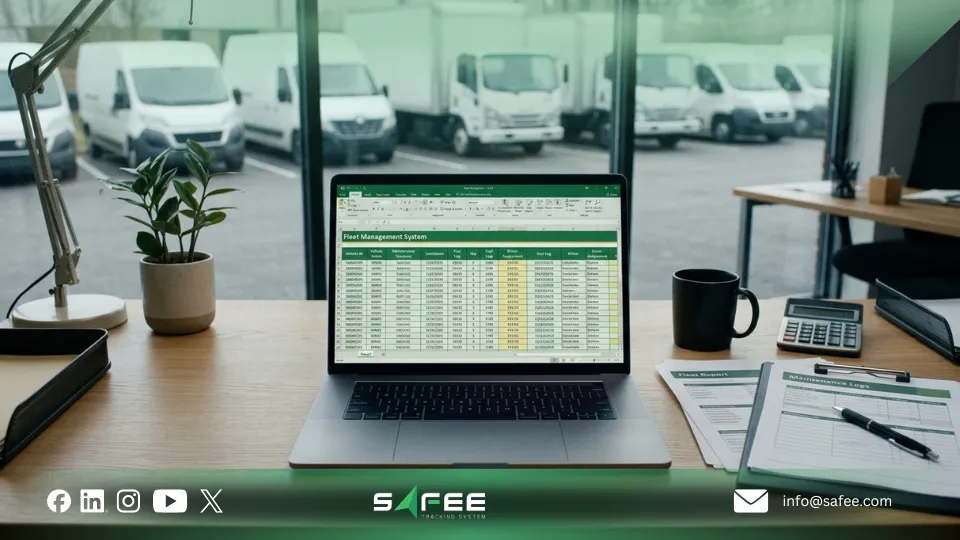
Excel Fleet Management is the practice of using spreadsheets to manage fleet data instead of dedicated fleet software.
In practical terms, teams use one or more Excel files to track vehicles, drivers, maintenance dates, fuel records, inspections, renewals, incidents, operating costs, and utilization trends. A typical setup may include:
- Fuel log
- Driver list
- Incident log
- Vehicle register
- Maintenance tracker
- Utilization or mileage sheet
- Renewal and compliance tracker
The appeal is easy to understand. Excel is familiar, flexible, and already available in most organizations. A fleet manager can start quickly, create custom columns, and shape the file around current needs without waiting for a full rollout.
Businesses searching for Excel Fleet Management are often not searching for spreadsheets as a long-term strategy. They are searching for a manageable way to organize fleet work. At Safee, we solve that same business need at a higher level: not with another manual file, but with a connected platform that gives management stronger visibility, control, and response across daily operations.
For a broader look at how fleets move from manual oversight into a connected operating model, read Vehicle Fleet Management Software: From Manual to Digital.
When does Excel fleet management work?
Excel Fleet Management can still work when the fleet is small, the workflow is stable, and the reporting need is relatively light.
It is usually still workable when:
- Trips are predictable
- The fleet size is modest
- Maintenance planning is relatively simple
- Managers do not need live operational visibility
- Alerts and escalations are not business-critical
- Reporting is periodic rather than real-time
- One team owns the file and updates it consistently
In that environment, Excel can function as a practical recordkeeping and planning tool. It can help a team document what happened, review costs, and organize basic operating data.
But the real dividing line is not whether Excel is “good” or “bad.” It is whether the business mainly needs records or active control. Once a B2B fleet needs quicker response, shared visibility, or stronger accountability across branches, shifts, clients, or contractors, Excel starts to carry operational risk.
That is why many growing operators across the GCC start with spreadsheets, then move to platforms like Safee once spreadsheets stop matching the pace of the business. If that shift is already starting to happen in your operation, see how Safee’s fleet management software for small businesses helps smaller and growing fleets move into better control without unnecessary complexity.
Benefits of using excel fleet management
There are valid reasons why many businesses start with Excel Fleet Management.
Low barrier to entry
Most organizations already use Excel, so the team can start quickly without additional procurement or technical setup.
Flexible structure
Supervisors can design sheets around their own process, add custom columns, and adjust the file as the fleet evolves.
Useful for basic historical logging
Excel can support vehicle history, fuel records, maintenance tracking, renewal dates, and basic cost logging in one place.
Acceptable for manual reporting
If leadership only needs a simple monthly summary and the data volume is still manageable, a disciplined spreadsheet can support that.
Helpful during early process design
Some businesses use Excel Fleet Management first to understand which fields, KPIs, and workflows matter most before investing in software.
These benefits are real, and we should acknowledge them clearly. Excel is often the first layer of operational discipline.
But this is also where Safee can be positioned more effectively. We are not trying to erase the reporting logic fleet teams already use. We help businesses keep the useful part of that logic while removing the manual weakness behind it. In other words, Safee replaces Excel as the operating system, not necessarily as an export format. Teams can still work with scheduled reports and downloadable outputs while moving daily control into one connected platform.
If your management team likes the familiarity of spreadsheet-style summaries but no longer wants to chase updates manually, explore Safee’s Fleet Reporting and Fleet Monitoring and Insights.
The limits of Excel fleet management
The main weakness of Excel Fleet Management is not that spreadsheets are useless. The main weakness is that every important step depends on manual effort.
Every update depends on someone entering data. Every review depends on someone opening the file. Every exception depends on someone noticing it. Every follow-up depends on someone remembering to act.
That becomes a serious issue when:
- Data is updated late
- Reports take too long to prepare
- Exceptions are noticed after the fact
- Renewals or service events are missed
- Different teams work from different file versions
- Managers spend more time checking data than acting on it
Excel also becomes limiting when fleets need:
- Live visibility
- Automated alerts
- Structured escalation
- Role-based access
- Repeatable dashboards
- Cleaner accountability across teams
This is the section where the article should not stop at the problem. It should connect the problem directly to Safee’s solution stack.
Where Excel Fleet Management weakens, Safee adds the missing control layer:
- Delayed visibility → Live Vehicle Tracking and Fleet Monitoring and Insights
- Missed exceptions → Alarms and Alerts
- Weak maintenance follow-up → Maintenance Module
- Manual management reporting → Fleet Reporting
- Weak trip governance → Journey Management System
A spreadsheet can confirm that something was entered. It cannot reliably tell you whether the situation has already changed on the road, whether the right stakeholder saw the issue at the right time, or whether an event should have triggered an immediate operational response. That is the gap Safee is designed to close.
If delayed follow-up, fragmented accountability, or reactive reporting are already hurting performance, contact Safee and let us map the right control model for your fleet.

How to build a practical excel fleet management sheet?
If you are still using Excel Fleet Management, structure matters. A disciplined workbook will not remove the system’s limits, but it can reduce confusion and improve reliability.
A practical workbook should include these core sections:
1) Vehicle master sheet
Track unit number, plate number, VIN, make, model, year, department, operating status, and assigned driver or team.
2) Driver sheet
Track driver name, ID, license expiry, contact details, training status, and assigned vehicle where relevant.
3) Maintenance tracker
Track service type, due date, mileage or engine-hour threshold, workshop notes, downtime, and next required action.
4) Fuel and operating cost log
Track date, supplier, fuel quantity, odometer reading, cost, and notes on unusual consumption.
5) Compliance and renewal tracker
Track insurance expiry, registration, permits, inspections, and the owner responsible for each action.
6) Incident and exception log
Track breakdowns, accidents, violations, delays, unauthorized use, and follow-up status.
7) Utilization and trip summary
Track trips, mileage, idle patterns, route notes, and asset usage by period.
To make Excel Fleet Management more usable:
- Use one unique vehicle ID across every sheet
- Lock formula cells
- Standardize dropdown values
- Add conditional formatting for due dates and expiries
- Separate raw data from management summaries
- Use clear ownership fields
- Review the workbook on a fixed cadence
This section is still useful even in a sales-led article because it does two jobs at once. First, it gives the reader practical value. Second, it reveals what the software layer needs to replace. Every tab above corresponds to something that a mature platform should handle more reliably than a spreadsheet.
At Safee, that transition is practical. We help businesses move these same control areas into one environment through live tracking, maintenance automation, alerts, reporting, and journey governance. If your workbook is already doing all of this manually, that is often the clearest sign that your fleet is ready for a better operating model.
When is excel fleet management no longer enough?
Excel Fleet Management is no longer enough when the fleet needs faster action than the spreadsheet process can support.
That usually happens when one or more of the following becomes true:
- Fleet size is growing
- Vehicles operate across multiple regions, branches, or shifts
- Managers need live operational visibility
- Incidents require immediate attention
- Maintenance delays affect service continuity
- Different departments need the same data at the same time
- Leadership wants recurring dashboards instead of manual files
- Auditability and accountability become more important
A simple rule helps here: once the business needs control, not just recordkeeping, Excel Fleet Management starts to fall short.
Clear warning signs include:
- The team spends too much time updating files
- Weekly and monthly reports are built manually
- Exceptions are discovered too late
- Decision-making depends on calls and messages to verify what happened
- Data accuracy depends on one spreadsheet owner
- Managers need current status, not yesterday’s updates
At that point, the cost of staying in spreadsheets is not only administrative. It affects uptime, response speed, maintenance discipline, and management confidence.
For B2B fleets across the GCC, these warning signs often appear early because the operating environment is rarely simple. Businesses may be managing multiple depots, client SLAs, field teams, subcontracted drivers, regulatory reporting, or geographically distributed activity. That is where Safee, as a UAE-based fleet technology provider serving Gulf operations, becomes a much stronger fit than spreadsheet-led oversight.
If your team is already feeling this pressure, review Safee’s Live Vehicle Tracking, Alarms and Alerts, and Journey Management System.
Excel fleet management vs Fleet management software
The difference is not only about technology. It is about operating model.
- Data entry: Excel Fleet Management is mostly manual, while fleet software centralizes and structures more of the data flow.
- Visibility: Excel is historical or delayed, while software supports near real-time visibility.
- Alerts: Excel relies on reminders or formulas, while software supports event-based notifications.
- Reporting: Excel reports are usually assembled manually, while software supports scheduled, repeatable reporting.
- Collaboration: Excel depends on file sharing and carries version risk, while software centralizes access.
- Governance: Excel makes ownership harder to control, while software supports clearer workflow control.
- Scalability: Excel gets harder to manage as complexity grows, while software fits expansion more effectively.
- Decision speed: Excel is review-based, while software is better suited to exception-based management.
This is exactly where Safee should be presented not as a generic software label, but as the practical answer to each weakness. We combine Live Vehicle Tracking, Fleet Monitoring and Insights, Alarms and Alerts, Fleet Reporting, Maintenance Module, and Journey Management System into one connected model.
Just as importantly, moving to software does not mean giving up Excel entirely. With Safee, management can still export reports in familiar formats while the operation itself runs on live data and controlled workflows. That makes the shift easier for teams that still want spreadsheet-compatible outputs for review, sharing, or executive reporting.
For a wider view of how connected tracking, reporting, and regional compliance fit together, read our telematics fleet management guide.
Who can stay on excel and who should move to software?
Excel Fleet Management is usually still suitable for:
- Small fleets with low operational complexity
- Teams with stable routes and limited exceptions
- Early-stage operations building their first process
- Managers who mainly need logs and basic internal reporting
Software is usually the better fit for:
- Growing fleets with more vehicles, drivers, and stakeholders
- Operations with live dispatch pressure
- Fleets where safety or compliance follow-up cannot wait
- Businesses that need dashboards, alerts, and audit-ready workflows
- Multi-site or multi-team environments where shared visibility matters
The dividing line is not company size alone. It is workflow complexity.
A 15-vehicle fleet can outgrow Excel Fleet Management faster than a 40-vehicle fleet if it operates under tighter customer commitments, stronger compliance requirements, or more frequent exceptions. That is especially true in Gulf markets where multi-branch coordination, service reliability, and regulatory expectations often raise the operational standard.
This is also where Safee has a stronger commercial position than the current draft makes obvious. We are relevant not only to large enterprise fleets. Our modular approach also fits smaller and growing operators that need better control before complexity becomes costly.
If you are evaluating that move, our guide to fleet management software for small businesses is a useful next step.
How to move from Excel fleet management to software
The smartest transition is not a file migration exercise. It is a workflow redesign.
Start with these steps:
1. Clean the data first
Remove duplicates, standardize IDs, correct date formats, and separate active records from inactive ones.
2. Define the workflows that matter most
Prioritize what the business actually needs to control: maintenance follow-up, alerts, utilization review, renewals, incidents, or trip governance.
3. Clarify ownership
Decide who reviews alerts, who approves actions, who manages master data, and who receives which reports.
4. Prioritize the first dashboards
Do not replicate every spreadsheet immediately. Start with the views and reports that improve decisions fastest.
5. Train by role
Operations, fleet supervisors, HSE teams, and leadership usually need different views and responsibilities.
6. Run a short parallel phase
Keep Excel and software in parallel briefly to validate data quality, reporting logic, and user adoption before retiring the workbook.
This is another section where Safee can be positioned as the practical partner, not just the platform. We help teams define the rollout around real operating priorities, whether that means starting with live visibility, exception control, maintenance discipline, reporting cadence, or journey governance.
If you are planning that shift, contact Safee to discuss the rollout model, reporting priorities, and alert logic that best fit your fleet. If budgeting is part of the evaluation, our fleet management software cost guide is also worth reading.

Why is Safee a smarter alternative to excel fleet management?
At Safee, we help businesses move beyond disconnected sheets and manual follow-up into a more controlled fleet operating model.
As a UAE-based fleet technology company, we speak directly to the realities of B2B fleet operations across the GCC while also supporting businesses that need a scalable model for wider international operations. That matters because the problem with Excel Fleet Management is rarely one isolated issue. Most fleets outgrow Excel in several areas at once: visibility, alerts, reporting, maintenance, and coordination.
Our platform solves those gaps through connected modules:
- Live Vehicle Tracking for current operational visibility
- Fleet Monitoring and Insights for faster daily control
- Alarms and Alerts for exception-based response
- Maintenance Module for automated service scheduling and follow-up
- Fleet Reporting for structured, scheduled reporting with export flexibility
- Journey Management System for more controlled trip workflows
That is why the article should frame Safee as the answer to the search intent behind Excel Fleet Management. We are not offering a better spreadsheet. We are offering the operating model that businesses need once spreadsheets stop giving them enough control.
And importantly, this does not have to be a disruptive leap. Many teams still want spreadsheet-friendly summaries for management review. Safee supports that transition by giving you the live control layer underneath the reports, while keeping reporting outputs practical for internal sharing and executive use.
If your team is feeling the pressure of delayed updates, missed follow-ups, fragmented reporting, or weak accountability, request a Safee demo and see how the right module mix can fit your operation.
Excel Fleet Management can still be useful for small fleets with limited complexity. But once the business depends on faster decisions, shared visibility, repeatable reporting, maintenance discipline, and stronger accountability, spreadsheets become harder to trust as the main operating system.
That shift happens quickly in B2B environments where service reliability, safety, utilization, and compliance all matter at once. It happens even faster in GCC operations where branch coordination, customer commitments, and regulatory expectations leave less room for manual delay.
If your fleet started with Excel and is now feeling the limits, the article should make one thing clear: the problem is real, and the practical solution is Safee. Start with Safee’s fleet platform or talk to our team about the modules that best match your operational priorities.
Ready to improve your fleet operations?
Tell us what you would like to improve. A Safee specialist will reply by email.
Usually replies within one business day • No sales spam
Your details are used only to respond to your request. Privacy Policy