

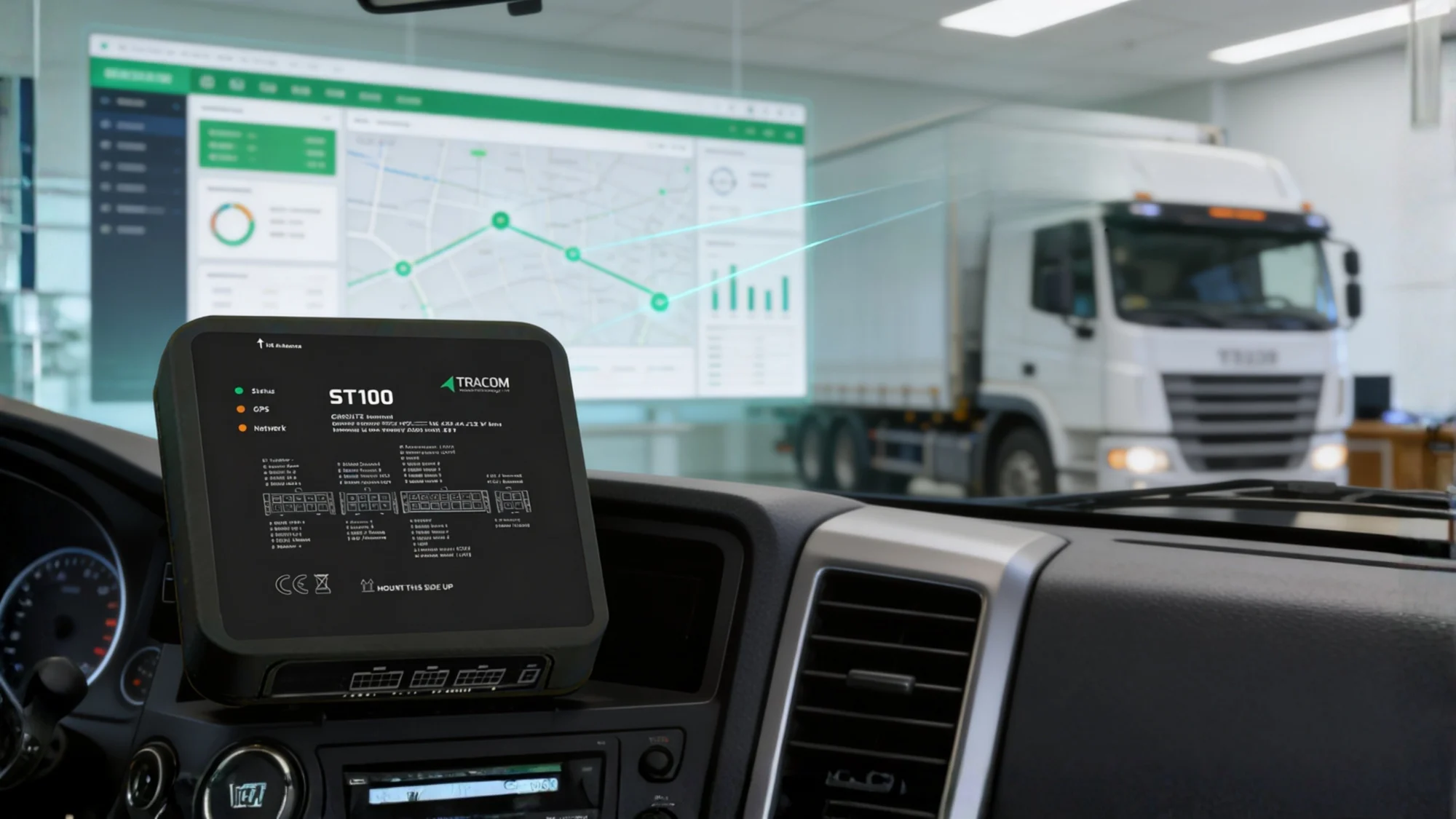
Hardware tells you where your trucks are; Safee tells you how much they are costing you. If you own Tracom devices but still face fuel leaks or safety risks, you aren’t managing data; you’re just collecting it.
In this guide, we bridge the gap between Tracom hardware and Safee’s intelligence to show you:
- Data Conversion: Turning raw Tracom signals into high-integrity KPIs.
- Operational Templates: Ready-to-use playbooks for alerts and reporting.
- Advanced Scale: Integrating ViVMS and JMS for total fleet governance.
Stop managing in the dark. Turn your Tracom sensors into a profit-generating engine today.
Why Pair Tracom Hardware with the Safee Platform?
If you’re evaluating Tracom GPS tracking device integration with Safee, the real question isn’t: can it track? It’s what operational control you gain once device data is turned into monitoring, alarms, trips, dashboards, and reports.
Tracom hardware generates telematics signals (GNSS location, connectivity events, driver/safety triggers, and optional vehicle IO/diagnostics), and Safee operationalizes them into day-to-day fleet workflows.
Safee’s platform is designed as a protocol-based IoT system that can integrate different device protocols and message formats, then route data through configured paths into a scalable data warehouse, so your tracking stack can stay flexible as fleets expand across depots, regions, and vehicle types.
Want a hardware-to-dashboard walkthrough? Contact us to request a demo focused on your Tracom kit, vehicle mix, and required alerts.
What Is Tracom?
Tracom positions its device line as fleet-grade GPS tracking hardware intended for real-time visibility, safety, and operational control across business fleets.
In Tracom’s own fleet content, ST100 is referenced in an enterprise telematics context, highlighting multi-constellation GNSS, LTE/GSM communication, RS232 + OBD-II CAN-bus diagnostics, second-by-second reporting, rugged housing, and anti-tamper/jamming style detection.
For Safee, the more consistent your device configuration (GNSS, cellular, event set, and sensor/IO mapping), the faster Safee can normalize the feed into operational views like live monitoring, alarms, and reporting.
Visit Safee Live Vehicle Tracking to see the platform monitoring experience.
What are the Core Tracom Capabilities for Fleet Telematics?
For fleet teams, hardware capability is only valuable when it maps cleanly into platform outcomes, including: visibility, policy enforcement, auditability, and cost control. Tracom highlights core building blocks that typically matter most:
- GNSS positioning multi-constellation references in Tracom materials for stable location and trip traces
- Cellular connectivity like LTE/GSM references for message transport from vehicle to platform
- Interfaces for expansion that include RS232 + OBD-II/CAN-bus references to move beyond “dots on a map” into diagnostics and sensor-driven workflows
From the Safee side, our platform is structured to ingest device messages and convert them into multiple asset management methodologies (map-based monitoring, trips, alarms, dashboards, reports), plus active management like devices/drivers and commands.
1. Connectivity & Positioning: Precision from Road to Cloud
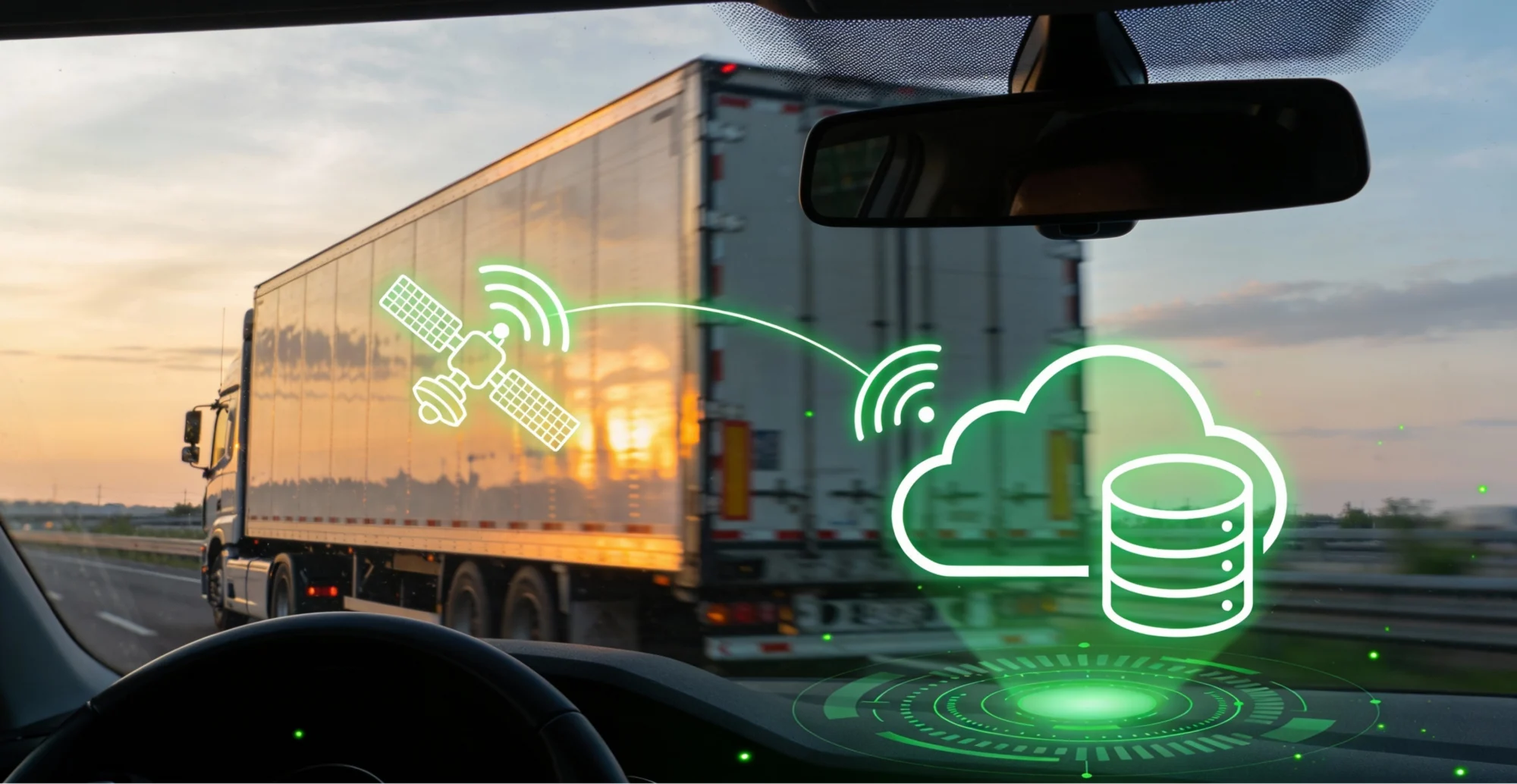
To ensure reliable visibility, the data flow must be seamless. The journey begins with GNSS capturing position, time, and speed, which is then processed as a device event and transmitted via cellular networks to the Safee platform. Safee’s protocol ingestion then converts this raw data into the monitoring tools, trips, alarms, and reports you rely on.
Tracom’s hardware supports this through multi-constellation GNSS and LTE/GSM communication, ensuring stable positioning even in challenging environments.
During rollout across multi-depot zones, focus on these critical stability factors:
- Connectivity Readiness: Verify SIM/APN coverage across all operating zones.
- Hardware Stability: Ensure optimal antenna placement and power stability to prevent “no signal” gaps.
- Validation: Conduct short test routes covering depots and “edge coverage” areas to confirm data integrity.
2. Deep Diagnostics: Beyond Simple Tracking with OBD-II & CAN Bus
While GPS tells you where a vehicle is, it doesn’t always tell you how it’s performing. For managers focused on fuel discipline, maintenance triggers, and utilization accuracy, GNSS-only tracking is insufficient. Tracom addresses this by integrating OBD-II / CAN Bus and RS232 interfaces (specifically in their ST100-oriented fleet devices).
On the Safee side, these richer signals are transformed into reportable KPIs and operational dashboards. By pulling data directly from the vehicle’s brain (CAN Bus), Safee provides higher accuracy for mileage and fuel consumption compared to standard GPS-derived estimates. This integration ensures that your Fleet Reporting is built on precise, decision-ready outputs rather than approximations.
Also read: How Telematics Vehicle Tracking Is Redefining Modern Fleet Management?

Tracom Feature Suite for Daily Fleets Use
Tracom emphasizes several operational features that align with common fleet workflows:
- Second-by-second data reporting positioning for near-real-time visibility
- Driver monitoring with voice alerts for behavior correction (overspeed/harsh events/seat belt references appear in Tracom features content)
- Geofencing at scale (Tracom mentions up to 4000 geofences) for zone-based control (Tracom)
- Security/authorization (Tracom mentions up to 1000 access keys) for restricting vehicle usage
- Offline continuity (Tracom mentions storing up to a week of data offline in a use-case
Where Safee becomes the multiplier is governance: alarms/notifications, role-based operational views, and report scheduling turn these features into consistent routines (dispatch exceptions, HSE escalation, weekly management packs).
Visit Safee Alarms & Alerts for notification workflows.
How Safee Works with Tracking Devices?
Compatibility is not a logo on a box; it’s a process:
- Protocol ingestion: Safee’s messaging component is designed to integrate multiple device protocols and message formats.
- Field mapping: location/time/speed/IO/events are mapped into Safee’s tracking model (vehicles, devices, drivers, statuses).
- Operationalization: data becomes map monitoring, trips, dashboards, alarms, and report exports.
- Active management (optional): where supported, Safee can send commands to devices (e.g., immobilize/de-immobilize or authorized driver controls) under proper permissions and configuration.
In day-to-day operations, Safee’s monitoring view is driven by the last update received from the tracker, with a messaging table concept that shows the latest messages and supports searching by identifiers like IMEI.
Also read: Real-Time GPS Fleet Tracking: Benefits, Challenges & Best Practices
How Does Safee Visualize Your Tracom Device Data?
Below is a practical proof of fit map you can use during onboarding workshops.
| Tracom capability | Data produced | Safee module | Example alert/report | Ops value |
| GNSS positioning + cellular transport | Location, speed, heading, timestamps | Live monitoring / map-based management | Trip history + utilization-style reporting | Real-time dispatch visibility, ETA confidence |
| Geofencing (Tracom notes up to 4000) | Zone entry/exit events | Alarms & Alerts | Geofence entry/exit notifications (dispatch) | Route discipline, site compliance |
| Driver behavior triggers + voice alerts | Overspeed/harsh events/seat belt-style violations | Alarms, dashboards | Speed/violation reporting | Safer driving culture, enforceable policy |
| RS232 + OBD-II/CAN-bus compatibility | Diagnostics/engine parameters (when supported), sensor signals | Reporting, vehicle dashboards | Fuel/maintenance-related reports (when data available) | Maintenance readiness, cost-control workflows |
| Offline storage | Buffered messages during downtime | Monitoring, reporting continuity | No-signal/offline exception handling | Reduced blind spots during coverage gaps |
If you want this mapping built for your fleet (vehicle classes, sensors, governance rules), contact Safee to run a Tracom-to-Safee integration scoping call
How Do You Launch Your Tracom Fleet Tracking with Safee?
A practical rollout sequence that avoids installed but not operationalized outcomes:
- Installation prep
- Confirm power source, mounting, and tamper-resistant placement
- Validate SIM/APN and coverage in your typical routes and depots
- Decide what you need on day one vs day thirty (GNSS only vs GNSS + IO/CAN)
- Provisioning & inventory control
- Standardize identifiers: IMEI, vehicle plate/asset ID, depot/site, and (if used) driver identity
- Keep an installation log: installer, wiring notes, sensor mapping, device configuration version
- Safee device onboarding
- Import/register devices and link each device to the correct vehicle record (device/vehicle/driver governance lives in Safee’s active asset management model).
- Validate data appears in monitoring based on last update; use IMEI-based searches when troubleshooting.
- Operational configuration
- Configure alarms and notification receivers (dispatch vs HSE vs maintenance), and establish a reporting cadence.
Also read: Safee Tracking System: Real-Time Fleet Data Made Simple
How Can Tracom Data Power Your Daily Operations Dashboard?
Once devices are live, value comes from repeatable routines:
- Dispatch exception management: monitor “moving/idle/offline” and react to route or zone exceptions
- HSE escalation: driver behavior events route to safety owners, not to everyone
- Maintenance hygiene: convert mileage/usage signals into service reminders and downtime prevention
- Audit-friendly reporting: weekly packs that show trips, violations, utilization, and exceptions—so operations isn’t chasing screenshots
Our reporting library is positioned as broad and exportable, so it’s well-suited for governance cadences (weekly ops review, monthly management review).
Template: The Alert & Reporting Starter Pack
Hardware and data are only effective if they trigger the right actions. To help you move from monitoring to active governance, we’ve designed this Starter Pack to define who owns the data and how often you should review it. You can copy and adapt this template for your own SOPs.
1. Alert Ownership & Escalation Policy
Defining a clear response chain ensures that critical events—like those captured by your vehicle tracking system with camera—don’t get ignored.
| Alert Category | Primary Owner | Backup | Response Target | Typical Action |
| Overspeed / Harsh Events | HSE Team | Ops Supervisor | Same Shift | Coach driver + document incident |
| Geofence Breach | Dispatch | Fleet Manager | Immediate | Call driver + validate authorization |
| Offline / No-Signal | Dispatch | Telematics Admin | Same Day | Check power, SIM, and device health |
| Tamper / Panic Alerts | Security/HSE | Operations | Immediate | Verify driver safety + incident workflow |
2. Reports Cadence: Your Rhythm of Control
Don’t get buried in data. Use this structured reporting schedule to maintain a 360-degree view of your fleet tracking with camera performance:
- Daily: Focus on Exceptions. Review overspeed reports, geofence breaches, and units that went offline to address immediate risks.
- Weekly: Focus on Efficiency. Review asset utilization, total trips, top violations, and identify “units with poor data quality” for maintenance.
- Monthly: Focus on Strategy. Present a KPI pack for leadership that shows trend views and the effectiveness of your corrective action logs.
The Safee Advantage: Our platform is designed to automate this entire workflow. Whether it’s routing an AI-triggered video alert to your HSE team or scheduling a monthly KPI report for your CEO, we ensure the right information reaches the right person at the right time.
Need help setting up your operating model? Request an Onboarding Workshop and let Safee experts help you configure alerts and escalations tailored for your GCC depots.
Also read: Best Fleet Fuel Management System for Smarter Operations in 2026
How Can Tracom Data Unlock Advanced Safee Modules?
Once your basic tracking is stable, the true ROI begins. By feeding high-quality data from Tracom hardware into Safee’s advanced modules, you can move beyond simple monitoring into sophisticated, high-control workflows.
Here is how you can expand your capabilities:
- Fuel & Consumption Governance: Stop the guesswork. By validating signals from CAN-bus or specialized fuel sensors, Safee allows you to enforce strict fuel policies. Whether using configured consumption rates or direct engine data, you gain the transparency needed to eliminate waste and theft.
- Maintenance Discipline: Transition from reactive repairs to a predictive rhythm. Automatically convert mileage and engine hours into Scheduled Maintenance Workflows. This is especially critical for mixed fleets where manual tracking often leads to missed services and costly breakdowns.
- Journey Risk Management (JMS): For operations requiring high safety standards, Safee’s Journey Management System adds a layer of planning and trip monitoring. It ensures that every journey is pre-approved, tracked, and managed according to your safety protocols.
- Video Telematics (ViVMS): Gain total context of every incident. By integrating our ViVMS module, you combine real-time dash cam feeds with AI analytics. This isn’t just video; it’s an intelligent dashboard that provides the “why” behind every alert.
- Remote Coverage Operations: Don’t let “dead zones” stop your visibility. For fleets operating in remote desert or low-coverage areas, Safee’s SatComm module ensures your assets remain visible via satellite, providing safety even when cellular networks fail.
Ready to evolve your fleet? Book a Strategy Session with Safee to see which advanced modules can drive the most impact for your GCC operations.
Also read: Video IVMS: The Complete Solution for Safer and Smarter GCC Fleet Operations

How to Maintain Intentional Governance and Data Security?
Having a fleet tracking system with camera is a major step forward, but governance must be intentional. Without a systematic approach to data quality and security, your platform becomes a source of noise rather than a tool for control.
To maintain a high-integrity “Truth Engine,” your operations team should focus on two critical pillars:
1. Weekly Data Quality Checks
Don’t wait for an accident to find out your device wasn’t reporting correctly. Implement a weekly audit of:
- Connectivity Gaps: Identify vehicles with delayed updates or long gaps. This often reveals coverage issues, power instability, or SIM card expiration.
- GPS Visibility: Monitor units with weak signal traces. This is your early warning for poor antenna placement or physical obstruction that needs a technical review.
- Message Frequency: Adjust the reporting “heartbeat.” If messages are too sparse, you lose operational precision; if they are too noisy, your team will suffer from alert fatigue.
2. Security & Authorization Posture
Data security is just as important as road safety. You must treat “authorized driver” status and remote command features as highly controlled capabilities:
- Role-Based Access: Use Safee’s approval flows to ensure that only authorized personnel can send commands or access sensitive vehicle tracking system with camera footage.
- Identity Alignment: If you utilize Tracom’s authorization hardware (like access keys), ensure they are perfectly synced with your Safee Fleet Identity Policy. This ensures that every shift, driver roster, and incident is tied to a specific, accountable individual.
3. The Escalation Matrix
To ensure that critical events—like tamper alerts or panic button activations—never get lost, you must implement an Escalation Matrix. This ensures that high-priority alerts are routed to the right responders immediately, without spamming the entire management team.
The Holland Strategy: Governance isn’t about “spying”; it’s about Reliability. When your drivers know the data is accurate and the system is secure, they respect the platform more, and your legal protection becomes bulletproof.
Is your fleet data audit-ready? Request a Safee Consultation today to help you set up an intentional governance model for your GCC operations.
How to Deploy Tracom with Safee?
A successful Tracom GPS tracking device integration with Safee looks like this:
- Standardized device inventory (IMEI ↔ vehicle ↔ depot/site)
- Validated data quality (location + update stability + offline behavior)
- Alerts that match real owners (dispatch/HSE/maintenance)
- A reporting cadence that leadership trusts
What to prepare before you contact Safee:
- Fleet size and vehicle classes (light, heavy, specialized)
- Required workflows (geofences, driver safety, fuel/maintenance, compliance reporting)
- Any sensors/peripherals needed now vs later (temperature, door, fuel probes, etc.)
Ready to operationalize not just install? Request a Safee demo and ask for a Tracom-focused onboarding plan
FAQs about Tracom GPS tracking device integration with Safee
Are Tracom devices compatible with the Safee platform?
Safee is designed as a protocol-based platform capable of integrating different device protocols and message formats, so Tracom integration is typically handled through protocol ingestion + data-field mapping + validation.
What data can Safee display from Tracom trackers?
Commonly: live location and movement signals, and event/alert signals. Tracom also references RS232 and OBD-II/CAN-bus compatibility for richer diagnostics/sensor inputs, which can be displayed once the data is integrated and mapped.
How do we add Tracom devices into Safee?
Operationally, fleets maintain a device inventory including IMEI and then link devices to vehicles for monitoring and management; Safee’s monitoring workflow includes IMEI-searchable messaging and monitoring concepts for troubleshooting and validation.