
Release 6.9.9 expands Dynamic Driver reassignment controls and adds violation information to Device-Specific Events plus ignition metrics to the Driver Trip Report.
Dynamic Driver reassignment configuration
New company settings address devices that send frequent or unstable ignition transitions and control automatic driver reassignment.
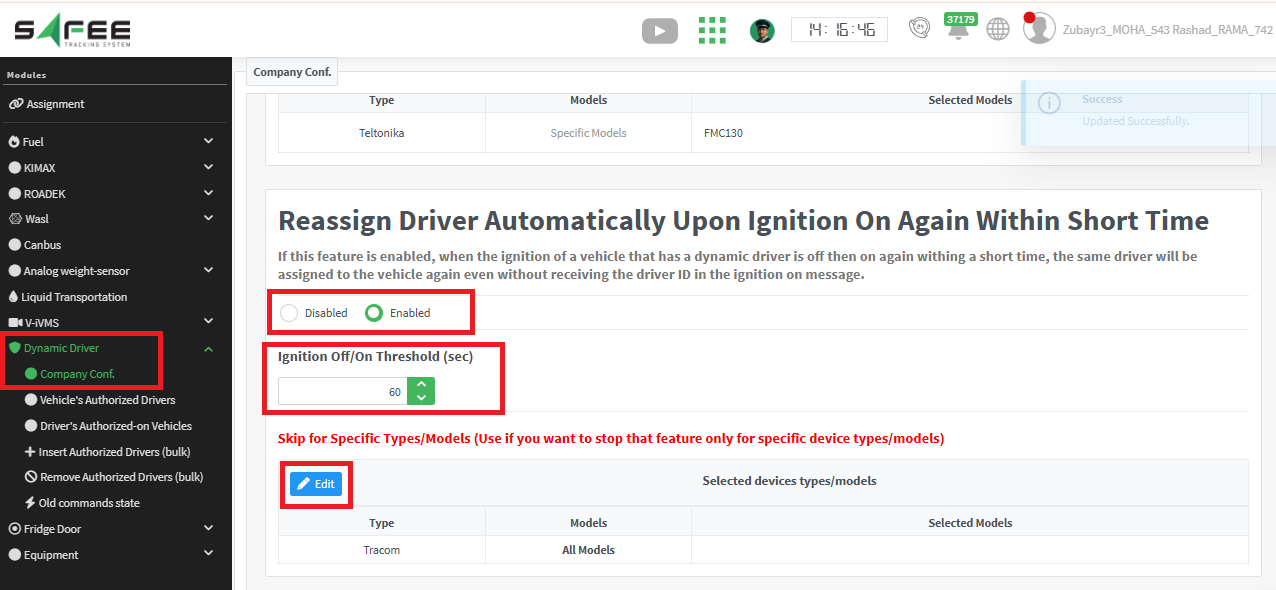
Control, threshold, and exclusions
- Enable or disable automatic reassignment company-wide.
- Reassign the previous driver when ignition returns within the threshold and no new Driver ID arrives.
- Set the retention threshold in seconds; the default is 60 seconds.
- Exclude selected device types or models; none are excluded by default.
Device-Specific Events report enhancements
A Vehicle Description column now shows the description stored in vehicle properties, making vehicles easier to identify in the report.
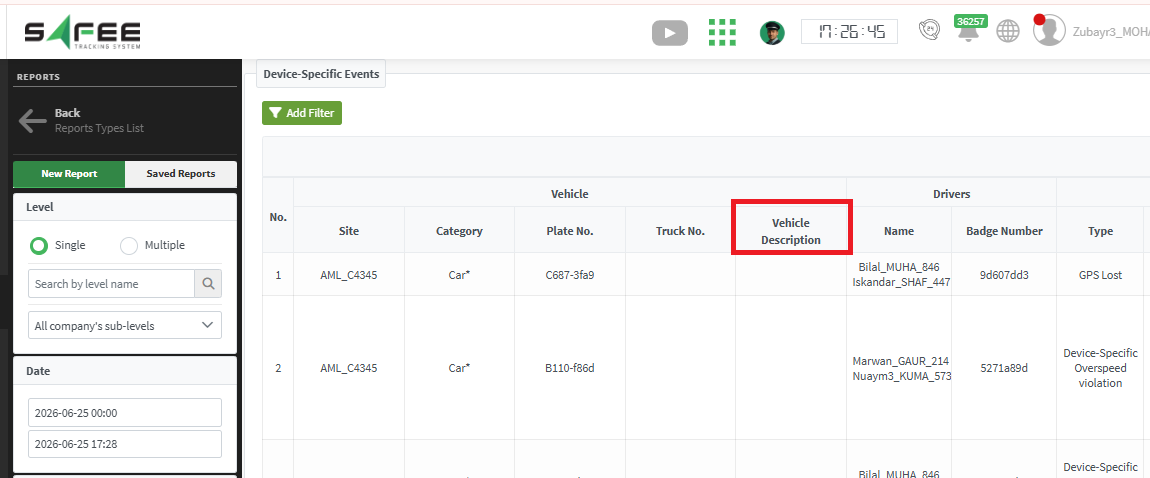
A Violation Duration column shows how long each violation lasted to support event analysis.
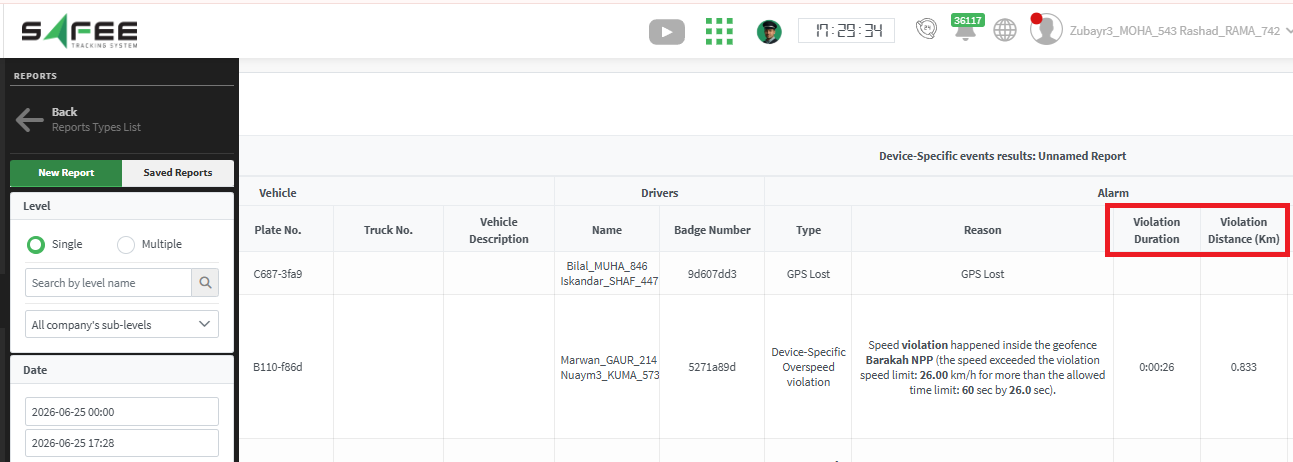
A Violation Distance column shows the distance traveled during the violation. All new columns are available in the report view and Excel exports.
Driver Trip Report enhancements
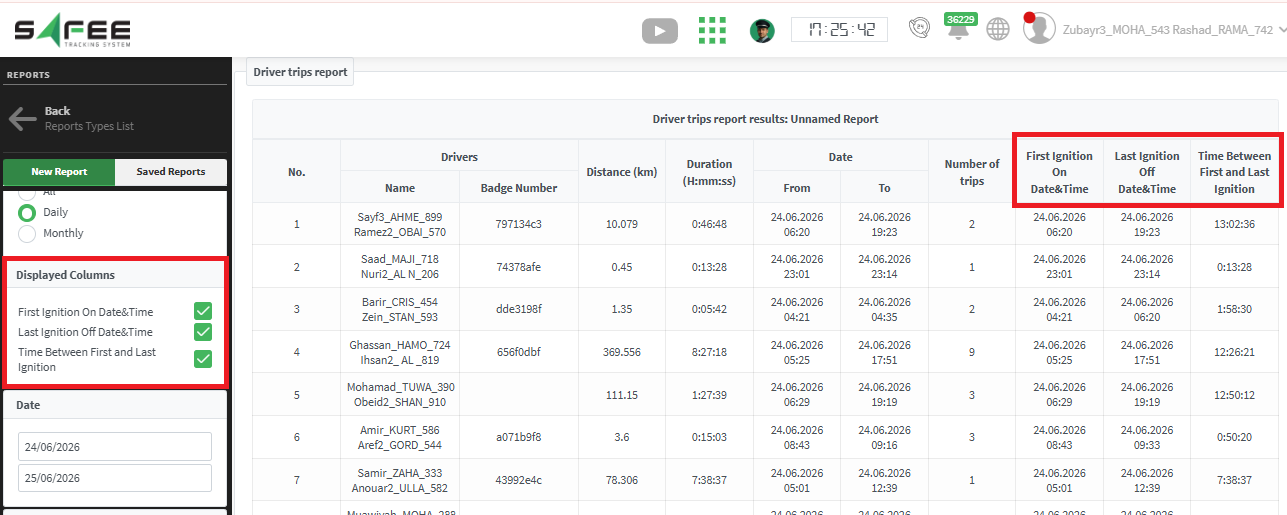
Three ignition-related columns were added to the Driver Trip Report.
- First Ignition ON Time during the selected period.
- Last Ignition OFF Time during the selected period.
- Time Between First and Last Ignition, available only with Daily Aggregation.
Ready to improve your fleet operations?
Tell us what you would like to improve. A Safee specialist will reply by email.
Usually replies within one business day • No sales spam
Your details are used only to respond to your request. Privacy Policy