
Release 6.9.8 introduces an annual Driver KPI view for monthly performance and safety analysis, plus notification filtering based on vehicle accounts.
Annual Driver KPI Report
The Annual Driver KPI Report provides a yearly view of driver performance, safety compliance, and driving activity. Teams can track monthly changes and assess safety programs and IVMS deployments.
Report configuration
- Vehicles and/or Drivers.
- Reporting Year.
- Driving Threshold to ignore drives below the selected distance.
- KPI Scoring Formula for categories such as Green, Amber, and Red.
- Violation Types used in the rate per 100 km.
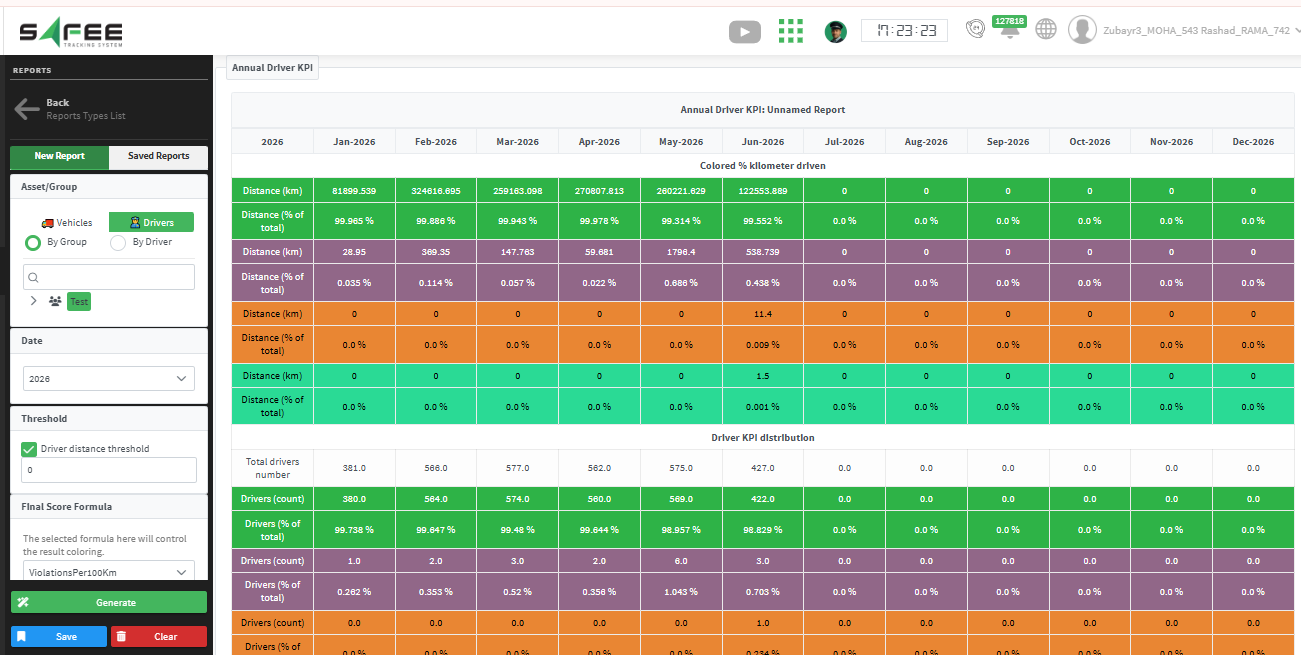
Report outputs
- Monthly distance grouped by driver KPI category.
- Monthly driver count and percentage in each KPI category.
- Cumulative IVMS-equipped vehicles and standard violation rate per 100 km.
- Monthly counts for every selected violation type.
- Monthly and year-to-date driving distance.
Standard violations per 100 km are calculated as: (Violation Count × 100,000) ÷ Total Distance.
Account-based notification filtering
A new Account Filter in the Notification Generator filters vehicle notifications by the vehicles assigned to each account. Users receive and view only items tied to their vehicles; notifications unrelated to vehicles are unaffected.
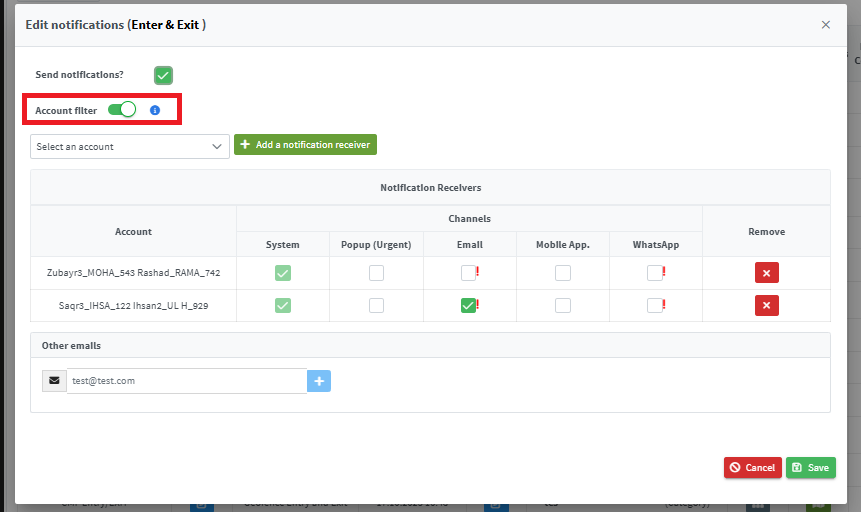
While the filter is enabled, delivery is limited to selected account emails and external addresses are unavailable. The Notifications list and Expiries Explorer also show vehicle items associated with the signed-in account’s assets.
Ready to improve your fleet operations?
Tell us what you would like to improve. A Safee specialist will reply by email.
Usually replies within one business day • No sales spam
Your details are used only to respond to your request. Privacy Policy