
Release 6.9.7 combines broad operational changes: a rebuilt Driver Workload Report, clearer offline handling, updated Wasl registration, and a new vehicle deletion policy.
Driver Workload Report enhancements
The Driver Workload Report was redesigned for better performance, flexibility, and visibility into driver activity.
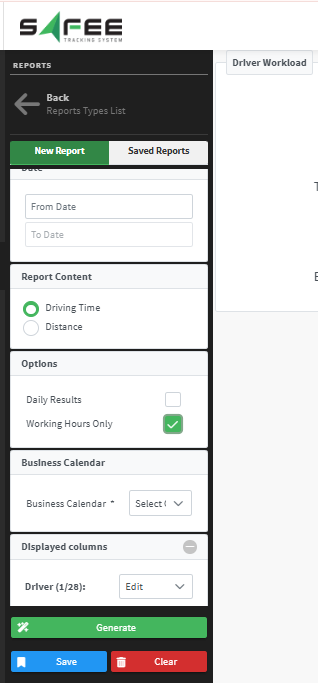
Grouping and working hours
- Daily Grouping groups data by full days and ignores the time portion.
- Working Hours Only calculates driving time from the selected business calendar and configured hours.
- A Business Calendar can be selected for Working Hours Only.
Display and export
- Choose Driven Distance or Driving Time.
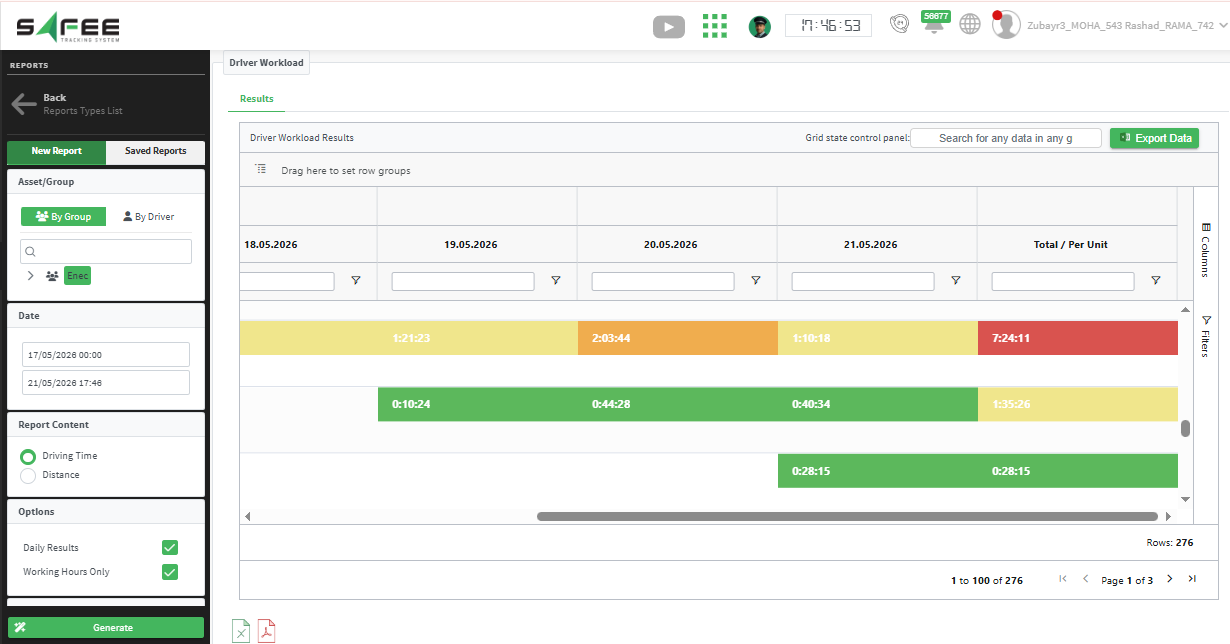
- Use AG-Grid output for faster filtering, sorting, and interaction.
- Apply Red, Orange, Yellow, and Green thresholds with rules for distance and driving time modes.
- Select driver attributes to show in the report.
- Preserve report colors in exported files.
Offline vehicle state enhancements
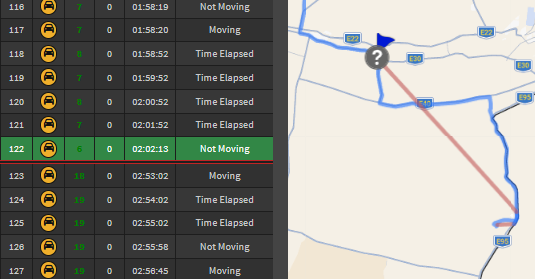
Vehicle History now marks offline start and reconnection with red lines, and displays location jumps caused by offline periods in red on the map. Statistics automatically ignore offline periods.
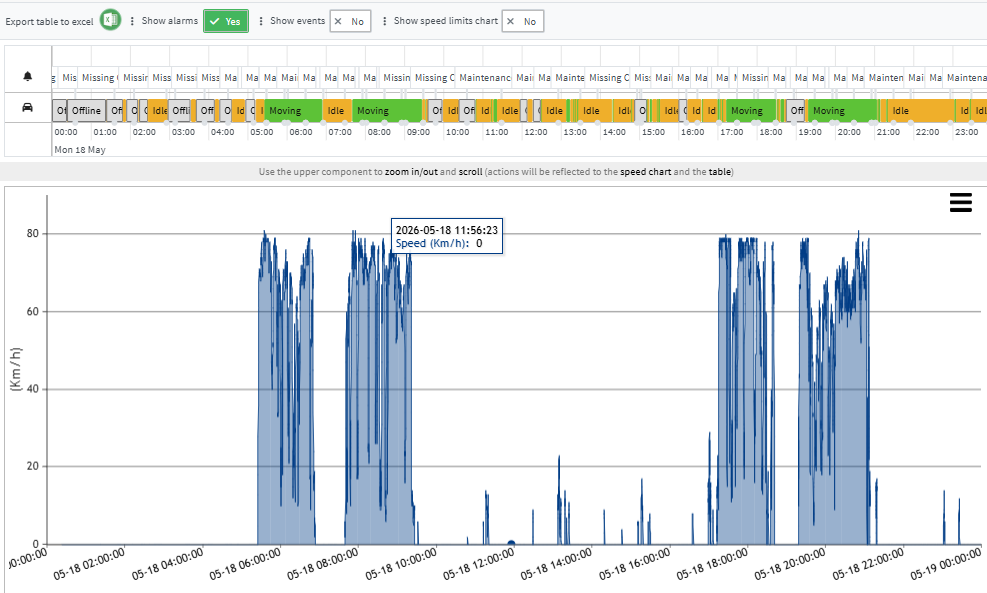
The Vehicle Timeline now includes offline states in the main status timeline and excludes those periods from timeline statistics.
Wasl registration policy update
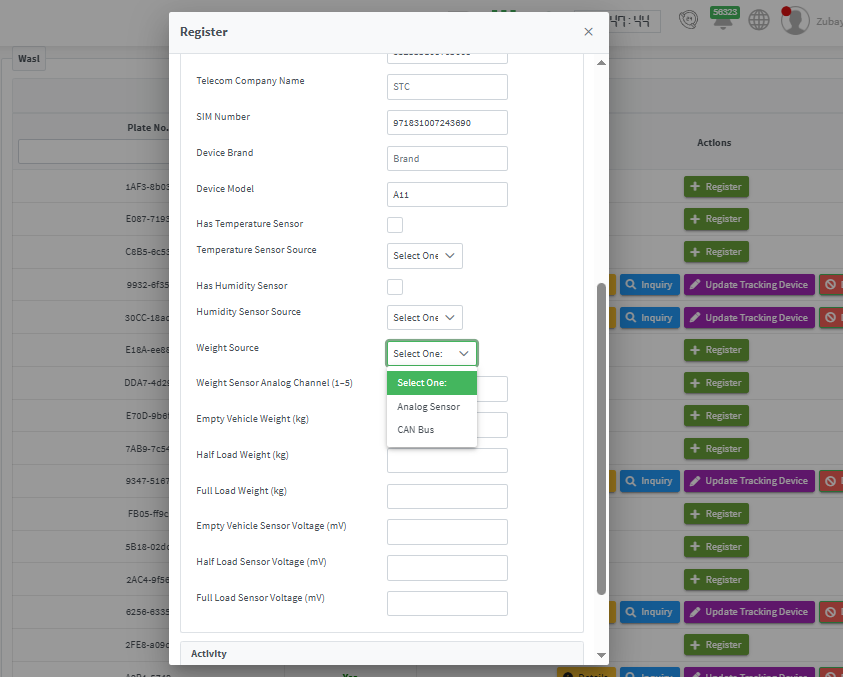
The Wasl integration was updated for Elm requirements. Registration now includes sensor connection types for temperature and humidity, such as BLE and 1-Wire, plus weight sources such as Analog Weight and CAN Bus.
Vehicle deletion policy
- Deleted vehicles can be restored within 90 days only.
- After 90 days, the vehicle and related data are permanently deleted.
- Restoration is coordinated with the partner and restores tracking data only.
Ready to improve your fleet operations?
Tell us what you would like to improve. A Safee specialist will reply by email.
Usually replies within one business day • No sales spam
Your details are used only to respond to your request. Privacy Policy