

Where Should Fleet Management Cameras Be Placed?
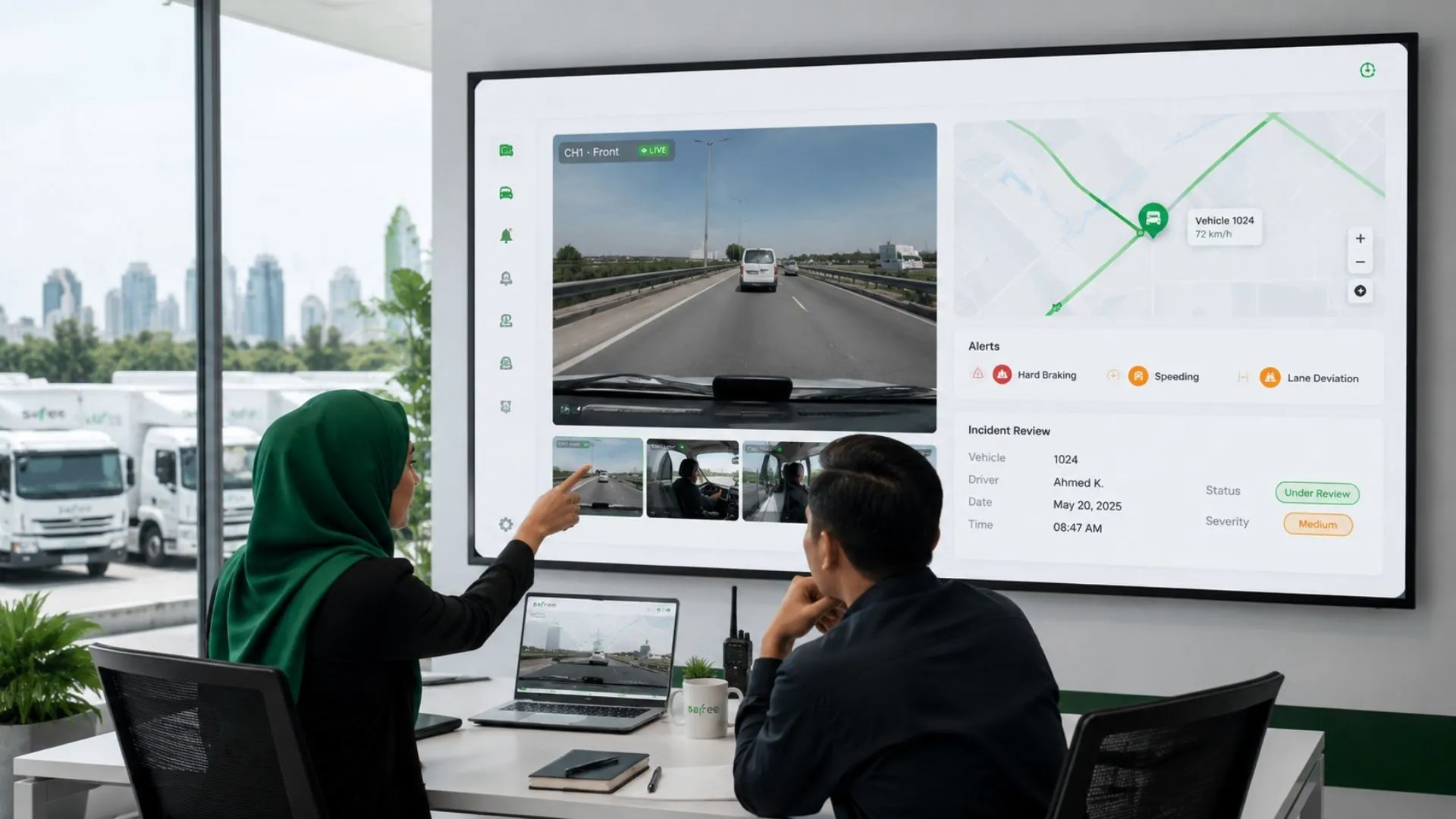
A fleet can install several cameras and still fail to capture the evidence that matters. The road may be visible while the point of impact sits outside the frame; a rear camera may miss the true reversing blind spot; or a driver-facing view may be blocked by the steering wheel, visor, or cabin layout. The result is costly hardware, hours of footage, and uncertainty when an incident must be investigated.
This guide shows commercial fleet decision-makers how to plan fleet management cameras around vehicle geometry, operating risks, and the decisions the footage must support. It covers trucks, delivery vans, buses, taxis, light commercial vehicles, and site equipment; explains how to position each camera view; adds UAE and GCC installation factors; and shows how Safee connects video with GPS, alerts, driver records, history, and reports through one fleet management environment.
What evidence should each camera capture?
There is no universal number of cameras for a commercial vehicle. A single road-facing fleet management dash camera may be sufficient when the only requirement is forward collision evidence. A tractor-trailer, passenger bus, waste vehicle, tanker, or construction asset may need several coordinated views because the exposure exists around the vehicle as well as in front of it.
Before selecting hardware, define the operational question each view must answer. Examples include: What happened before a collision? Was the driver distracted? Did the vehicle enter the blind area beside a cyclist or pedestrian? Was the reversing path clear? Who opened the cargo door? What happened near a passenger entrance?
Each proposed fleet management camera should have one documented primary purpose. A view can support additional investigations, but unclear purposes usually produce unnecessary recording, poor camera angles, and inconsistent review practices.
Use this sequence before deciding the final camera count:
- Identify the incident, activity, or blind spot that requires visual evidence.
- Determine whether the required view is road-facing, driver-facing, side, rear, passenger-area, or cargo-area.
- Confirm the vehicle geometry and the conditions that can obstruct or distort the view.
- Define how the footage will be linked to the correct vehicle, driver, location, time, and event.
- Assign who may review the footage and what action follows a confirmed event.
- Test the view in normal operation before standardising the setup across the vehicle group.
Book a Safee camera-workflow assessment to map the required evidence views before you standardise hardware across the fleet.
Where should cameras be placed by vehicle type?
Fleet management cameras should be planned around the geometry, daily work, and recurring risks of each vehicle group. The same camera package should not be copied across trucks, delivery vans, buses, taxis, and site equipment without validating the views in normal operation.
Trucks and tractor-trailers
Truck camera placement should distinguish between risks around the tractor, trailer, and load. The road-facing camera needs a stable, unobstructed view of the lane ahead, while side cameras should cover specific turning or lane-change blind spots rather than showing large areas of the truck body.
Rear and cargo views depend on the trailer arrangement and the evidence required. For interchangeable trailers, confirm how footage will be associated with the correct tractor, trailer, vehicle record, and journey. Test all exterior views during turning, articulation, reversing, and normal vibration.
Vans and last-mile vehicles
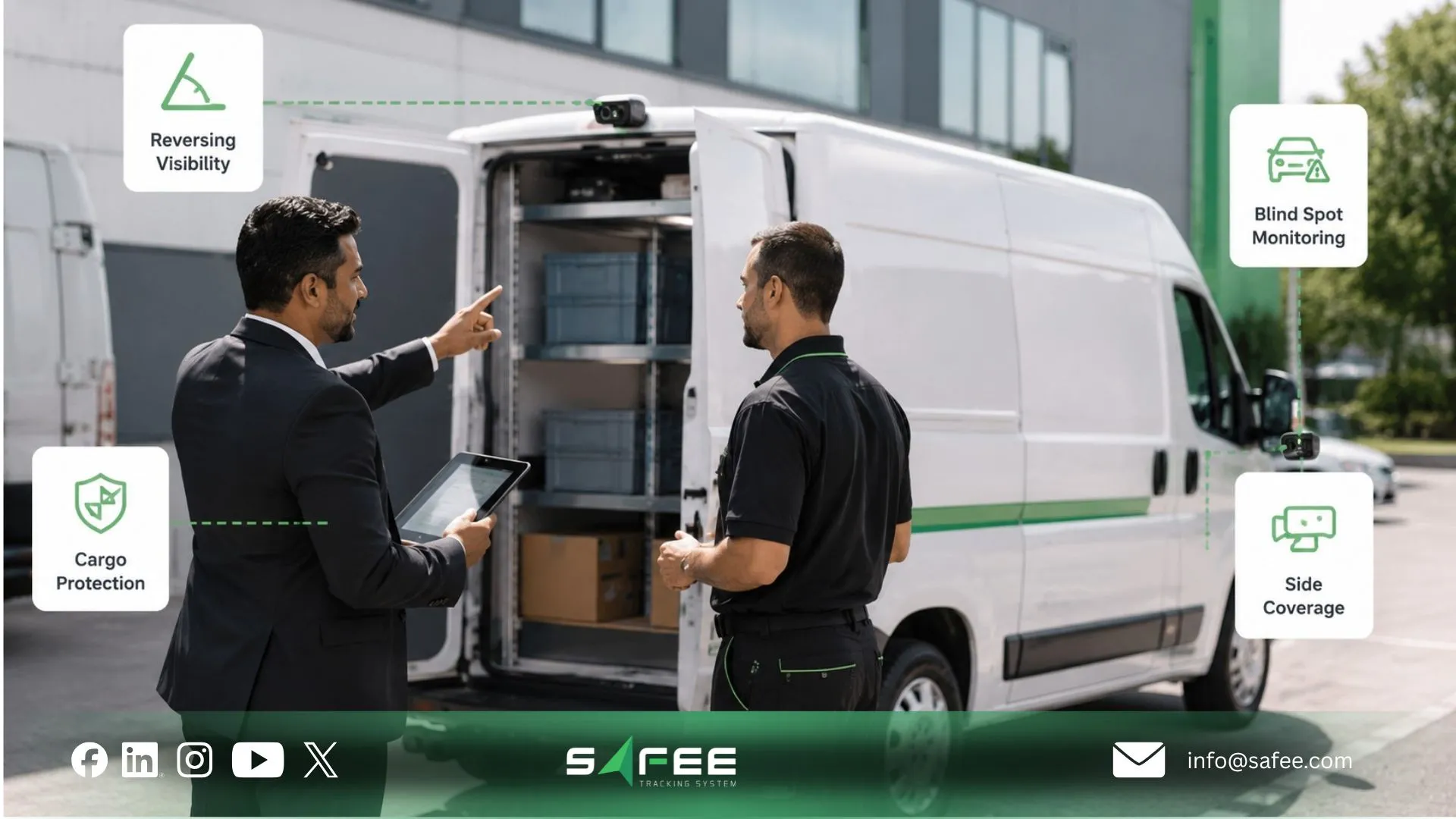
Delivery vans need coverage suited to repeated stops, reversing, parking, narrow streets, and interaction with pedestrians, cyclists, and loading areas. A clear road-facing view is usually the starting point, followed by rear or side coverage where the route profile creates a recurring risk.
Test rear cameras with the doors both open and closed because loading activity may block the view. Where delivery or cargo access requires visual evidence, position the camera around the door or handover point and combine the footage with location, stop time, driver assignment, and the relevant delivery record.
Buses and passenger transport
Passenger fleets should treat the road, driver, entrances, and passenger compartment as separate evidence zones. One wide interior camera may not provide usable detail across a large vehicle when passengers, partitions, doors, or changing light obstruct the frame.
Entrance and interior cameras should focus on defined risk areas such as boarding points, doors, aisles, stairs, or wheelchair spaces. Driver-facing cameras should remain limited to the approved safety purpose, with documented rules for notice, access, audio, retention, and review authority.
Taxis and light commercial vehicles
A road-facing camera is generally the starting point for taxis and light commercial vehicles. A cabin-facing view may be considered for driver security or incident investigation where its use is lawful, proportionate, and clearly communicated.
Because cabin space is limited, check whether mirrors, visors, phone mounts, payment equipment, or passenger movement block the view. Add a rear exterior camera only where reversing, parking contact, or rear-impact incidents create a recurring evidence requirement.
Heavy equipment and site vehicles
Heavy equipment and site vehicles should follow machine geometry rather than standard road-vehicle placement. Priority views may include the front, rear, sides, articulation points, operating attachments, and low-speed blind spots around workers or structures.
Test the cameras while the machine turns, lifts, tips, rotates, or operates attachments. Mounting and protection should also account for vibration, impact, dust, mud, water, cleaning, and the bright sunlight and high temperatures common across UAE and GCC worksites.
Camera Placement Summary
Vehicle Type | Priority Views | Validate Before Approval |
Trucks and tractor-trailers | Road, sides, rear, driver, and cargo where required | Articulation, mirrors, vibration, trailer association, and load obstruction |
Vans and delivery vehicles | Road, rear, side where justified, and cargo-door area | Open doors, repeated stops, narrow streets, glare, and loading activity |
Buses and passenger transport | Road, driver, entrances, and defined passenger zones | Crowding, lighting, doors, partitions, privacy, and access rules |
Taxis and light commercial vehicles | Road, cabin where permitted, and rear where required | Limited cabin space, passenger privacy, equipment obstruction, and proportionality |
Heavy equipment and site vehicles | Front, rear, sides, and machine-specific blind spots | Articulation, attachments, rotating parts, dust, mud, vibration, and glare |
The table is a planning summary, not a fixed camera package. Final placement should be confirmed against the vehicle body, operating environment, approved hardware, legal requirements, and the exact evidence the fleet needs to retrieve.
What placement rules apply to every camera view?
Vehicle type determines which views are required, but every approved camera position should meet the same basic evidence standards.
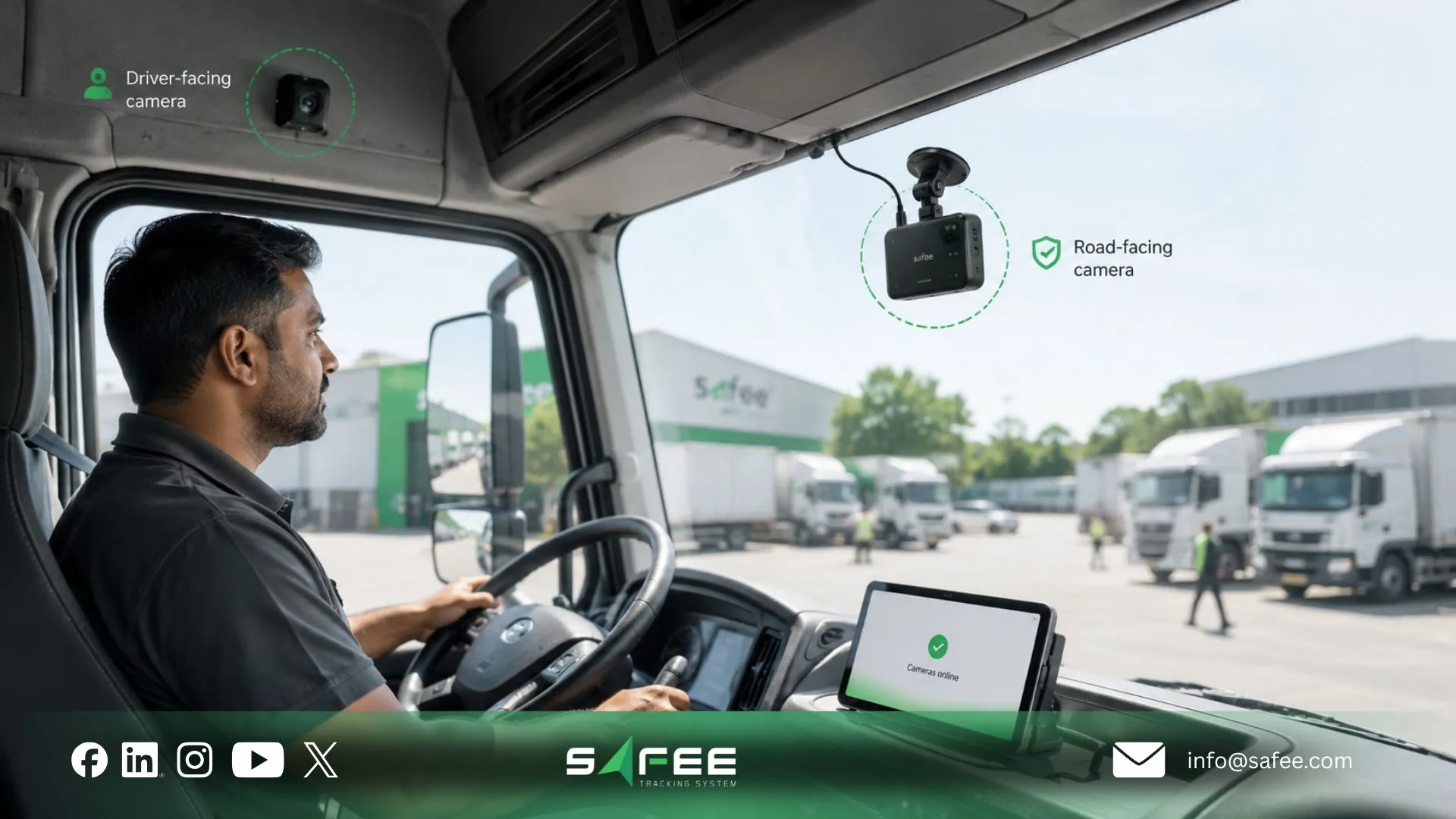
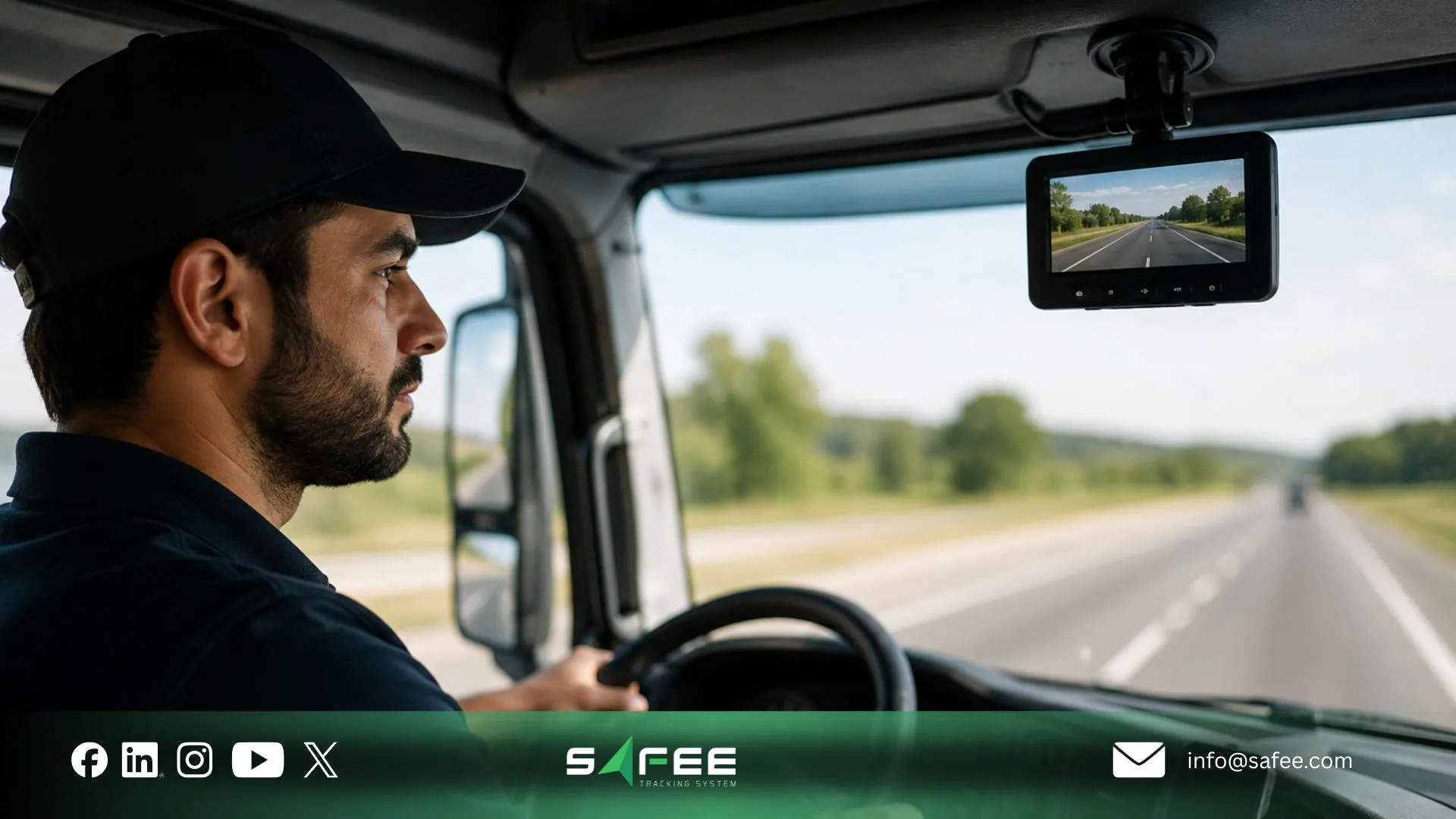
- Road-facing view: Show the lane ahead, nearby traffic, road markings, and likely collision area without excessive dashboard, bonnet, or sky coverage. Test the view in daylight, glare, darkness, tunnels, and headlight exposure.
- Driver-facing view: Capture only the area required for the approved driver-safety purpose. Validate the angle across different seat positions, driver heights, steering-wheel settings, headwear, and cabin-lighting conditions.
- Side and rear views: Cover a defined blind spot, turning conflict, reversing path, door, or loading area. Test the view during full turns, articulation, reversing, loading, and normal equipment movement.
- Cargo and passenger views: Focus on a defined activity or risk zone rather than recording a large interior area without usable detail. Check how shelves, cargo, passengers, doors, curtains, and lighting can obstruct the evidence.
Higher resolution cannot compensate for an obstructed lens, incorrect angle, weak exposure, or unclear evidence. Approve each view only after confirming that it captures the defined risk under normal operating conditions.
Also read: Video IVMS: The Complete Solution for Safer and Smarter GCC Fleet Operations
Can higher resolution fix poor placement?
HD fleet GPS tracking cameras can provide better image detail and location context, but resolution does not correct a poor angle, obstructed lens, weak night performance, missing event association, or an undefined review workflow.
Evaluate the full evidence chain:
- Coverage: Does the view capture the required risk area?
- Image quality: Is the relevant detail usable in daylight, darkness, glare, vibration, dust, and rain?
- Event association: Can the footage be linked to the correct vehicle, driver, time, GPS location, and event?
- Retrieval: Can authorised users find the correct clip without reviewing entire journeys?
- Connectivity: What is available live, what is uploaded after an event, and what happens outside network coverage?
- Storage: Where is footage stored, for how long, and under whose authority?
- Action: Which alert, investigation, coaching, or operational process follows the event?
When comparing hardware or fleet video management software, ask the provider to demonstrate these steps with the proposed camera, vehicle, connectivity, and platform configuration. Do not assume that a feature listed for one device or deployment is available in every setup.
What GCC conditions affect camera placement?
Commercial fleets in the UAE, Saudi Arabia, and the wider GCC operate across intense sunlight, high cabin temperatures, dust, long routes, urban congestion, remote worksites, and mixed day-and-night schedules. These conditions affect the usefulness and durability of fleet management cameras.
Include the following in the installation test:
- Glare and exposure during low sun, bright roads, and reflective windscreens.
- Heat around the windscreen, dashboard, cabin roof, or external mounting point.
- Dust, sand, mud, water, and the fleet’s normal lens-cleaning practice.
- Vibration and shock on trucks, trailers, buses, heavy equipment, and unpaved routes.
- Night operation, depots, tunnels, warehouses, and poorly lit work zones.
- Cellular coverage on urban, intercity, border, desert, and remote-site routes.
- Vehicle washing, maintenance access, body repairs, and camera inspection routines.
- Local requirements for driver and passenger notice, access, retention, sharing, and audio recording.
The same camera position should not be approved from a stationary daytime inspection alone. Test it under the conditions in which the fleet expects the evidence to be useful.
How to validate placement before fleet-wide rollout?
A controlled placement pilot reduces the risk of standardising the wrong angle across dozens or hundreds of vehicles. Select representative vehicles from each body type and test them during normal work.
The validation should include:
- Day and night journeys on normal routes.
- Loaded and unloaded conditions.
- Straight movement, turning, lane changes, parking, and reversing.
- Driver seat and mirror adjustments.
- Doors, tail lifts, trailers, bodies, and attachments in their normal operating positions.
- A simulated event or safe test that confirms the required area appears in the frame.
- Retrieval of the clip with the correct vehicle, driver, time, location, and event context.
- Confirmation that authorised reviewers can access the required evidence and record an outcome.
Approve a camera position only after the fleet can answer three questions: Does the view show the defined risk? Can the correct clip be found quickly? Does the organisation know what action follows?
Document the approved position with photographs, mounting measurements, camera purpose, supported events, reviewer roles, and test evidence. This creates a repeatable standard for future installations, replacement vehicles, and quality checks.
How does Safee connect video with fleet data?
Fleet management with cameras becomes operationally useful when footage is connected to the rest of the fleet record. A standalone camera may store video, but it does not automatically identify the relevant event, associate the correct driver, provide GPS context, notify the responsible team, or show repeated patterns across vehicles.
Safee positions the Video In-Vehicle Monitoring System (ViVMS) inside the wider Safee fleet management system. Depending on the approved hardware and configuration, video can be combined with telematics vehicle tracking, supported event detection, live or event-based video access, historical review, and cloud analytics. The exact functions must be confirmed for the proposed deployment.
A practical video based fleet management workflow can connect:
- The selected road-facing, driver-facing, side, rear, cargo, or passenger view.
- Live Vehicle Tracking and historical location context.
- The correct vehicle and driver record through Driver Management.
- Relevant event notifications through Alarms and Alerts.
- Incident, behavior, or operational patterns through Fleet Reporting.
- The fleet’s approved investigation, coaching, claims, safety, or operational procedure.
This connection is the role of fleet video management software: not merely to display a feed, but to help authorised users locate the relevant fleet management video, understand its operational context, assign follow-up, and review whether the same risk is recurring.
Different vehicle groups can use different camera matrices while sharing one review method. A long-haul truck may use road, driver, side, and rear views; a delivery van may use road, rear, and door coverage; a bus may add entrance and passenger-zone views; and site equipment may require machine-specific blind-spot coverage. Safee can connect approved and compatible video configurations with vehicle, event, driver, alert, history, and reporting workflows. Exact cameras, channels, analytics, and integrations should be confirmed for each deployment.
Request a Safee demo to review how cameras, GPS, driver records, alarms, history, and reports can work together across your vehicle groups.
Fleet cameraplacement checklist
Use this checklist for every vehicle group before approving installation:
- What incident, activity, or blind spot must each camera document?
- Is the priority view road-facing, driver-facing, side, rear, cargo, entrance, or passenger-area?
- Does the selected position remain clear when the vehicle is loaded and performing normal work?
- Have glare, night conditions, heat, dust, vibration, and cleaning been tested?
- Does the view remain useful through turns, reversing, articulation, door movement, or equipment operation?
- Can the clip be associated with the correct vehicle, driver, time, GPS location, and telematics event?
- Are camera purpose, access, retention, export, deletion, and audio rules documented?
- Are drivers, passengers, and employees informed where required?
- Does every relevant event have an authorised reviewer and a defined response?
- Can different vehicle types use different camera setups within one video fleet management process?
- Has the approved position been documented for repeat installation and inspection?
- Have final compatibility, installation, and legal requirements been confirmed for the operating country?
Build a risk-based camera plan with Safee
The value of fleet management cameras depends on three connected decisions: choosing the view that matches the vehicle risk, proving that the angle works in normal operating conditions, and connecting the footage to the people and data required for action. More cameras do not automatically create better evidence; a tested and governed camera matrix does.
Safee helps commercial fleets in the UAE, Saudi Arabia, the wider GCC, and global markets move beyond disconnected dashcams. Through ViVMS and the wider fleet management platform, video can be linked with tracking, driver context, configurable alerts, history, and reports according to the hardware, integrations, and policies approved for each deployment.
Book a Safee camera-workflow assessment to compare your vehicle types, blind spots, required views, operating conditions, access rules, and reporting needs before rollout.
Also read: How Telematics Vehicle Tracking Is Redefining Modern Fleet Management?
FAQs about fleet management cameras
How many fleet management cameras does a vehicle need?
There is no universal number. Start with the road, driver, side, rear, passenger, or cargo views required to investigate the vehicle’s material risks. The final camera count follows those views and must be validated against vehicle geometry and normal operation.
Is a fleet management dash camera enough?
It may be enough when the only requirement is forward road evidence. It is not enough when the fleet also needs driver-risk context, side or rear blind-spot coverage, passenger or cargo visibility, event-based retrieval, alerts, or structured reporting.
What is the difference between cameras and video fleet management?
Cameras capture footage. Video fleet management connects that footage with the vehicle, driver, GPS location, time, event, alert, history, authorised reviewers, and reporting process needed to act on it.
Can HD fleet GPS tracking cameras work in areas with poor connectivity?
Recording and upload behavior depends on the camera, storage design, network coverage, and configuration. Fleets should confirm what is stored locally, what is available live, which events upload automatically, and how footage is retrieved after connectivity returns.
Can Safee support different camera setups by vehicle type?
Safee can connect different approved camera configurations with telematics, driver data, alerts, historical tools, and reporting through ViVMS and the wider fleet platform. Exact cameras, channels, integrations, and supported functions must be confirmed for the proposed vehicles and operating environment.
Does installing cameras make a fleet compliant?
No. Cameras can support evidence and internal workflows, but the fleet must confirm the privacy, employment, transport, data-retention, access, audio, and sector-specific requirements that apply in each country and use case.
Ready to improve your fleet operations?
Tell us what you would like to improve. A Safee specialist will reply by email.
Usually replies within one business day • No sales spam
Your details are used only to respond to your request. Privacy Policy

