


Fleet Management Software Features: 20 Tests Before You Buy
Fleet management software features are easy to count and much harder to evaluate. A demo can show GPS tracking, alerts, dashboards, reporting, maintenance, and driver tools in minutes; the real test is whether those capabilities still support your operating model once fleet hierarchy, user permissions, data quality, hardware dependencies, exception ownership, integrations, and reporting responsibilities are applied.
This guide shows how to convert operational needs into fleet management system requirements, separate essential modules from margin-improving or decorative capabilities, test dashboards and RFP evidence, expose deployment failure cases, and shortlist Safee against the workflows your teams actually need. It also answers a practical question—how does fleet management software work once data, users, alerts, permissions, reporting, and integrations are configured?
Fleet management system requirements vs features
A feature describes what software can do. A requirement defines what your operation needs the software to accomplish. That sounds like a small distinction, but it changes an entire procurement process. “Geofencing” is a feature. “Notify the regional dispatcher when a delivery vehicle enters a restricted operational area outside its permitted schedule, and retain enough context for review” is a requirement. “Reports” are a feature. “Send each depot manager a filtered weekly exception report covering only the vehicles and drivers they are responsible for” is a requirement. Strong fleet management system requirements begin with operating decisions, not vendor terminology. They identify the user, the event or data required, the expected action, the level of access, the output, and the evidence needed to confirm that the workflow actually works.
A useful requirement can therefore be written as: User + operational situation + required data + action + output + governance rule. For example:
A fleet supervisor must be able to identify vehicles currently idle beyond the fleet’s configured operating rule, investigate the vehicle and driver context, and include the exception in the relevant management review.
Only after the requirement is clear should the team map it to specific fleet management software essential components such as Live Vehicle Tracking, Fleet Monitoring & Insights, Alarms and Alerts, Driver Management, or Fleet Reporting. Our platform makes this distinction relevant because different modules serve different stages of the workflow. Fleet Monitoring & Insights provides live fleet visibility and filtering; Alarms and Alerts turns configured conditions into notifications; Fleet Reporting supports customizable and scheduled reporting; and the Administration Panel structures users, vehicles, drivers, sites, groups, permissions, and feature settings.
If you are still translating operational problems into software requirements, request a Safee demo and bring your current workflows—not just a feature checklist. The useful discussion starts with what each team needs to control.
A procurement team should classify each requested capability before placing it in an RFP.
| Requirement Type | What to Define | Example Evaluation Question |
| Visibility | What needs to be visible, to whom, and at what level? | Can the dispatcher isolate only vehicles belonging to a specific site or operating group? |
| Exception management | What condition matters and who owns the response? | Can the team configure and route the required alert? |
| Driver accountability | How is the correct driver connected to vehicle activity? | Can driver assignment and driver-related events be reviewed consistently? |
| Maintenance | What triggers service action? | Can tasks or alerts use date, odometer, engine runtime, or combined logic where required? |
| Reporting | What decision should the report support? | Can users filter, save, schedule, and distribute the required report? |
| Access governance | Who may see or change what? | Can permissions reflect operational roles and responsibilities? |
| Integration | Which system owns each record? | Can required fleet data exchange with the approved enterprise system? |
| Specialist monitoring | Which sensor or workflow is required? | Is compatible hardware available and is the required data exposed to the platform? |
This prevents a feature-led RFP from becoming a collection of checkboxes with no operational meaning. It also helps when comparing key fleet management systems. A provider saying “yes” to a requirement should not be enough. The buyer should ask how the capability is configured, which data source it depends on, which users can access it, what happens when data is missing, and how the resulting workflow is demonstrated during acceptance testing.
Common fleet management system features everyone assumes are included
Many buyers begin with a predictable list of common fleet management system features:
- GPS-based vehicle location
- Map-based monitoring
- Trip and route history
- Geofences
- Driver information
- Alerts
- Maintenance reminders
- Reports and exports
- Dashboard views
- User administration
- Mobile access
- Integration capability
These are reasonable starting points, but each label hides important differences. For example, basic GPS fleet management system features may show where a vehicle is. A fleet operations team may additionally need status filters, driver context, historical paths, communication status, site hierarchy, route context, or the ability to isolate a subset of assets.
Our Fleet Monitoring & Insights goes beyond a location pin by providing an interactive map environment with vehicle and asset status, configurable filters, historical route context, driver details, timeline information, communication status, and organization by site, category, or group. Likewise, GPS fleet tracking software features should not be assessed only on whether a vehicle can trigger an alert. Buyers should test what conditions can be configured, how notifications are routed, what evidence is visible after the event, and how the information appears in reporting. We use the canonical name Alarms and Alerts for our configurable exception capability.
Our Essential Modules identify more than 50 alarm types and customizable notifications, while the dedicated module page connects those alarms with real-time GPS fleet tracking. A common fleet management system procurement mistake is to assume that because two providers use the same feature label, the operational depth behind it is equivalent. It rarely makes sense to compare “GPS: yes/no,” “reports: yes/no,” or “alerts: yes/no.” Compare the workflow instead.

Sorting fleet management software modules by real impact
Not all fleet management software modules create value in the same way, and not every fleet needs every module on day one. A practical fleet management software strategy sorts capabilities by the decision or risk they support.
A fleet may begin with Live Vehicle Tracking and Fleet Monitoring & Insights, then structure exceptions through Alarms and Alerts, connect events to people through Driver Management, control service requirements through Maintenance Module, review performance through Fleet Reporting, and later introduce Journey Management System (JMS), Tracking Data Analyzer (TDA), Fuel Monitoring Module, or specialist modules where the operating requirement justifies them. That is more useful than labeling every capability “essential.” An essential feature is one without which a specific operating process cannot be governed.
A useful feature improves an existing workflow. A specialist feature matters only where the corresponding vehicle, sensor, risk, or process exists. And a decorative feature may look impressive during a demo while changing almost nothing after deployment.
What ‘good’ fleet management system dashboard and template looks like
A good fleet management system dashboard should answer a management question quickly. Our analytics approach separates several information layers clearly:
- A dashboard answers what is happening now.
- An alert identifies a configured condition requiring attention.
- A report records what happened over a period.
- Analytics helps investigate why performance changed.
- Decision support connects the information to ownership and corrective action.
This is a useful design test. A dashboard should not try to replace every report, alert, and analytical workflow on one screen. For a fleet manager, a useful dashboard may prioritize:
- Current vehicle status
- Active operational exceptions
- Vehicles or assets needing attention
- Relevant driver context
- Site or fleet-group filters
- Trip or route context
- Communication status
- Drill-down into the underlying event
Our Fleet Monitoring & Insights supports live map monitoring with filters for vehicle status, driver, site, group, category, speed, weight, load, direction, temperature, and other available data. It also exposes historical and communication context for deeper investigation. A fleet management system template should follow the same logic when used internally for evaluation. Rather than creating a generic screen mockup, build the template around five columns:
| Dashboard Requirement | User | Trigger / Data | Required Action | Evidence of Success |
| Vehicle status | Dispatcher | Live location/status | Identify exception | Vehicle and context visible |
| Idling exception | Operations | Configured idle event | Investigate/assign | Event linked to vehicle/driver |
| Maintenance due | Fleet/Maintenance | Maintenance trigger | Schedule follow-up | Task/alert visible |
| Driver exception | HSE/Fleet | Driver event | Review/coaching | Driver and event traceable |
| Management trend | Fleet leadership | Aggregated reporting | Review KPI/change | Filtered report available |
The template forces every visual element to earn its place. If a widget does not help a user identify, investigate, decide, act, or verify, it is probably lower priority.
Benefits of fleet management software
The benefits of fleet management software do not come from installing software. They come from reducing the delay and manual effort between an operational event and the correct response. Consider idling. A manual fleet process might depend on supervisors noticing a pattern after fuel consumption rises or after timesheets and trip records are reviewed. A connected workflow can instead combine available vehicle data, idling visibility, configured alert logic, driver context, and reporting.
Our Fuel Monitoring Module includes visibility into fuel levels, per-trip consumption, idle usage, fuel history, and configurable fuel-related monitoring when compatible data sources and sensors are available. We also expose idling as operational context within the wider fleet environment. This is where fleet management software productivity should be measured: not by how many screens employees can open, but by how much easier it becomes to detect, investigate, assign, and review meaningful exceptions. When comparing fleet management software features, benefits should be tied directly to the operational effect:
| Capability | Operational Effect | Management Question |
| Live Vehicle Tracking | Faster situational awareness | Where is the vehicle and what is its current status? |
| Alarms and Alerts | Faster exception detection | What needs attention now? |
| Driver Management | Clearer accountability | Which driver was associated with the activity? |
| Maintenance Module | Structured service follow-up | Which vehicles have service work due or open? |
| Fleet Reporting | Consistent management review | What happened during the period? |
| Fuel Monitoring Module | Better fuel and idle visibility | Where is consumption or idle usage abnormal? |
| Administration Panel | Controlled access and structure | Who can see and manage each part of the fleet? |
| Business Integration | Less isolated fleet data | Which approved enterprise process needs fleet information? |
When buyers assess fleet management software features, idle reduction should be treated as an operating workflow rather than a promised result. Software can expose idle events, provide context, support alerting, and enable follow-up. The actual reduction depends on configuration, driver policy, management action, vehicle use, and whether the necessary data is available.
Those are the fleet management software benefits worth testing because they connect software capability to a real management process. Ask us to demonstrate one of your actual operational problems—such as idling, maintenance follow-up, driver accountability, or reporting—through the relevant workflow instead of reviewing features in isolation.
Advanced vs traditional fleet management software features
Traditional fleet management software features generally focus on recording or displaying information: vehicle location, trip history, driver details, service dates, and standard reports. An advanced fleet management system becomes more useful when these information layers connect. That may mean:
- Vehicle events linked to the correct driver
- Live monitoring linked to configurable exceptions
- Alerts linked to owners and escalation processes
- Maintenance data linked to schedules and tasks
- Fleet data linked to filtered and scheduled reporting
- Specialist sensor data linked to operational workflows
- Fleet information linked to approved business systems
- Historical information linked to deeper analysis
We separate these capabilities into Essential, Advanced, and Added Value Modules rather than presenting every capability as one undifferentiated feature set. Our specialized modules include areas such as Journey Management System (JMS), Video-iVMS, SatComm, Cold Chain Solution, Tire Pressure Monitoring System (TPMS), Tracking Data Analyzer (TDA) and other operational tools.
The important procurement distinction is not “traditional versus advanced” as a marketing label. It is whether additional complexity solves an identified operational requirement. For a cold-chain operator, temperature visibility and tolerance-based alerts may be operationally critical. Our Cold Chain Solution brings together temperature, humidity, and door activity with monitoring and alerts. For another fleet, those same capabilities may be irrelevant. Likewise, a fleet operating in remote regions may evaluate SatComm differently from an urban delivery fleet. An advanced feature is valuable only when its required data, workflow, user, and action are clear.
Also read: Fleet Management ERP Integration: One Record for Drivers and Payroll

Testing fleet management software features with an RFP
A fleet management software features comparison should be evidence-based. An RFP should not ask vendors merely to mark features as: Available / Not Available That approach rewards broad interpretations of feature names and hides implementation differences. Instead, ask each provider to classify the requirement as:
- Standard capability
- Configurable capability
- Additional module
- Integration requirement
- Hardware-dependent capability
- Custom development
- Not supported
- Requires scope confirmation
Then require evidence. Evidence might include:
- Live demonstration
- Configuration screen
- Sample workflow
- Sample report
- User/permission setup
- Supported data source
- Integration documentation
- Acceptance test
- Clear implementation dependency
This approach makes a fleet management software RFP useful to Operations, HSE, IT, Finance, and Procurement rather than just creating a longer feature spreadsheet.
Fleet management software RFP template
Use the following structure as a working fleet management software RFP template.
| RFP Area | Requirement to State | Evidence to Request |
| Live monitoring | Required vehicles/assets, statuses, filters, and refresh expectations | Demonstrate Live Vehicle Tracking and monitoring workflow |
| Fleet dashboard | Users, groups, sites, drill-down, and exception views | Demonstrate the relevant dashboard with filters |
| Geofencing | Required zone types and event workflow | Create a test Geofence and show the resulting event |
| Alarms | Required operational conditions, recipients, and escalation | Configure representative Alarms and Alerts |
| Driver management | Assignment model, driver records, and accountability | Demonstrate driver assignment and event linkage |
| Maintenance | Required scheduling logic and task ownership | Demonstrate Maintenance Module workflow |
| Reporting | Reports, filters, recipients, cadence, and exports | Build and schedule a representative report |
| Fuel | Required data source, sensors, calibration, idle/fuel workflow | Confirm compatible source and demonstrate available fuel data |
| Mobile | Manager/supervisor/driver use cases | Demonstrate the relevant Mobile App or driver workflow |
| Permissions | Roles, sites, groups, and administrative boundaries | Configure representative permissions |
| Integration | Systems, record ownership, fields, direction, and authentication | Confirm API/integration scope |
| Data quality | Missing, delayed, duplicated, or incorrect data handling | Show how exceptions are exposed and reconciled |
| Hardware | Existing/new trackers, sensors, cameras, CANbus or BLE needs | Validate compatibility for the required scope |
| Specialist operations | Cold chain, TPMS, journeys, video, satellite or other needs | Demonstrate the applicable named module |
| Deployment | Data setup, configuration, onboarding, acceptance, support | Provide an implementation and acceptance framework |
Two requirements deserve special treatment because the keyword does not itself prove platform support. For fleet management software payroll integration, define exactly what “integration” means. Is payroll the system of record for employee data? Does it only require approved driver hours or assignment data? Is the interface one-way or two-way?
We support Business Integration through advanced APIs for ERP, waybill, and asset-management environments, while specific payroll objects and interface behavior should be scoped for the deployment rather than assumed.
Likewise, if fleet management software severe weather alerts are an operational requirement, write the requirement explicitly and ask the provider to demonstrate the actual weather-data source, geographic logic, notification path, latency expectations, affected-vehicle workflow, and evidence retained. Do not treat “alerts” in a generic feature list as proof that a specific external severe-weather workflow exists. Questions to ask the provider
- Which requirements are standard, configurable, modular, integrated, or custom?
- Which features depend on specific hardware or sensors?
- Which system owns vehicle, driver, employee, trip, and financial records?
- How are users, sites, groups, and permissions structured?
- What happens when GPS or sensor data is delayed or unavailable?
- Which reports can be filtered and scheduled for different roles?
- How are configured alerts assigned, escalated, and reviewed?
- Which APIs or integrations are relevant to our approved systems?
- How will the deployment be tested before operational acceptance?
- What responsibilities remain with our Fleet, HSE, IT, and Operations teams after launch?
Fleet management software deployment mistakes to test for in a demo
Many fleet management software deployment mistakes are invisible in a polished sales demonstration. A demo normally shows the happy path: active vehicles, clean records, working data feeds, attractive maps, and preconfigured reports. Real operations are messier. That is why fleet management software mistakes should be tested through failure and exception scenarios. Test missing data. What happens when a tracker becomes delayed or offline? Our Fleet Monitoring & Insights includes communication-status visibility that can distinguish connectivity states, giving teams context beyond the map position alone.
Test wrong assignments. What happens if a driver changes vehicles or the driver-vehicle association is incorrect? Our Driver Management supports both Dynamic Driver Assignment and manual assignment models, making assignment logic something the team should test against its actual operating process. Test alert overload. Do not ask the provider to turn on every possible alarm. Configure representative events and determine who owns them, when escalation occurs, and what happens after acknowledgement.
Test permission boundaries. A regional supervisor should not automatically receive the same access as a group administrator. Our Administration Panel includes user accounts and permissions along with sites, categories, vehicles, drivers, groups, and configuration controls. Test reports with your decision logic. Can the system produce a report that matches your fleet hierarchy and review cadence? Our Fleet Reporting supports customizable reports, filtering, scheduling, and export-related workflows. Test the hardware dependency. A software screen cannot manufacture a signal that the vehicle or sensor is not providing. Fuel, temperature, tire pressure, weight, or CANbus-dependent requirements should be tested with the exact compatible data source expected in deployment. Test integration failure.
What happens if the ERP or another approved system rejects, delays, or duplicates an exchange? Define the system of record and reconciliation process before launch. During your Safee evaluation, ask us for a workflow-based demo using your fleet hierarchy, user roles, exception logic, reporting needs, and integration questions. A realistic test is more informative than a tour of every available screen.
20 fleet management software features to test before you sign
The following fleet management software key features should be tested as workflows, not treated as a generic checklist. Not every fleet requires all 20, and several are specialist modules rather than universal requirements.
- Live Vehicle Tracking Confirm current location, vehicle status, simultaneous fleet visibility, history, and the operational context available around each tracked vehicle. We use Live Vehicle Tracking as the canonical module name for real-time tracking capabilities.
- Fleet Monitoring & Insights Test the actual monitoring environment: map views, filters, fleet hierarchy, vehicle information, historical context, communication status, and drill-down behavior.
- Alarms and Alerts Configure representative operational conditions rather than viewing a list. Test recipients, notification behavior, event context, filtering, and follow-up.
- Fleet Reporting Build a real report. Test fields, filters, saved preferences, scheduling, exports, recipients, and whether the report supports an actual management decision.
- Driver Management Test the fleet’s actual driver model, including driver records, Dynamic Driver Assignment or manual assignment where applicable, behavior context, tasks, and driver-vehicle linkage.
- Administration Panel Create representative sites, groups, users, vehicles, drivers, permissions, and configuration boundaries. This is where governance becomes operational rather than theoretical.
- Maintenance Module Test service scheduling using the trigger logic relevant to the fleet. Our Maintenance Module supports maintenance tasks and alerts based on date, odometer, engine runtime, or combined logic.
- Fuel Monitoring Module Validate the exact fuel data source before evaluating the screen. Test fuel-level visibility, consumption context, idle usage, refueling events, history, alerts, and reporting only where compatible vehicle or sensor data is available.
- Journey Management System (JMS) For fleets with formal journey governance, test planning, approvals, route monitoring, exceptions, and post-journey review against the actual operating process.
- Tracking Data Analyzer (TDA) If deeper investigation is required, test how users filter, group, compare, and analyze fleet information beyond standard monitoring and periodic reports.
- Mobile App Determine what managers or supervisors need away from a desktop: tracking, alerts, reports, investigation, and operational visibility. Do not assume the desktop and mobile use cases are identical.
- Driver mobile workflows Test only the driver actions relevant to your operation, such as assigned tasks, vehicle condition reporting, journey-related activity, or notifications. Driver workflows should remain distinct from management workflows.
- Geofence workflows Test more than drawing a zone. Verify entry, exit, route or operating-context events, notification ownership, history, and reporting where required.
- User permissions and role boundaries Test whether users can access only the vehicles, groups, functions, and information appropriate to their responsibilities. We structure user accounts and permissions through the Administration Panel.
- Business Integration Define which approved enterprise system exchanges which data. We describe Business Integration through advanced APIs and identify ERP, waybill, and asset-management environments as integration use cases.
- Hardware Agnostic deployment Validate existing and proposed trackers, sensors, and vehicle-data sources against the actual requirement. Hardware flexibility matters only when compatibility is confirmed for the selected scope.
- Cold Chain Solution For temperature-sensitive fleets, test the required temperature zones, humidity or door inputs, alarm tolerances, history, reports, and sensor dependencies.
- Tire Pressure Monitoring System (TPMS) Where tire telemetry is required, test compatible sensors, tire identification, pressure and temperature visibility, thresholds, alerts, and reporting.
- Video-iVMS If video-backed fleet safety is in scope, test how video events connect to the wider incident, driver, and operational review process rather than evaluating camera footage in isolation. We present Video-iVMS as an Added Value capability.
- SatComm For remote operations, test the communication requirement, supported hardware, operational coverage assumptions, and how satellite-connected information is presented alongside the rest of the fleet workflow. We position SatComm for fleet connectivity in remote areas.
These fleet management system key features become meaningful only when mapped to your users, policies, vehicles, hardware, data availability, reporting cadence, and integration architecture.
The best integrated fleet management system for a particular organization is therefore not automatically the one with the most modules. It is the one whose relevant capabilities can be connected into a controlled operating process without forcing teams to maintain parallel records and manual workarounds.
Also read: Best Fleet Management Software: How to Compare Top Platforms?
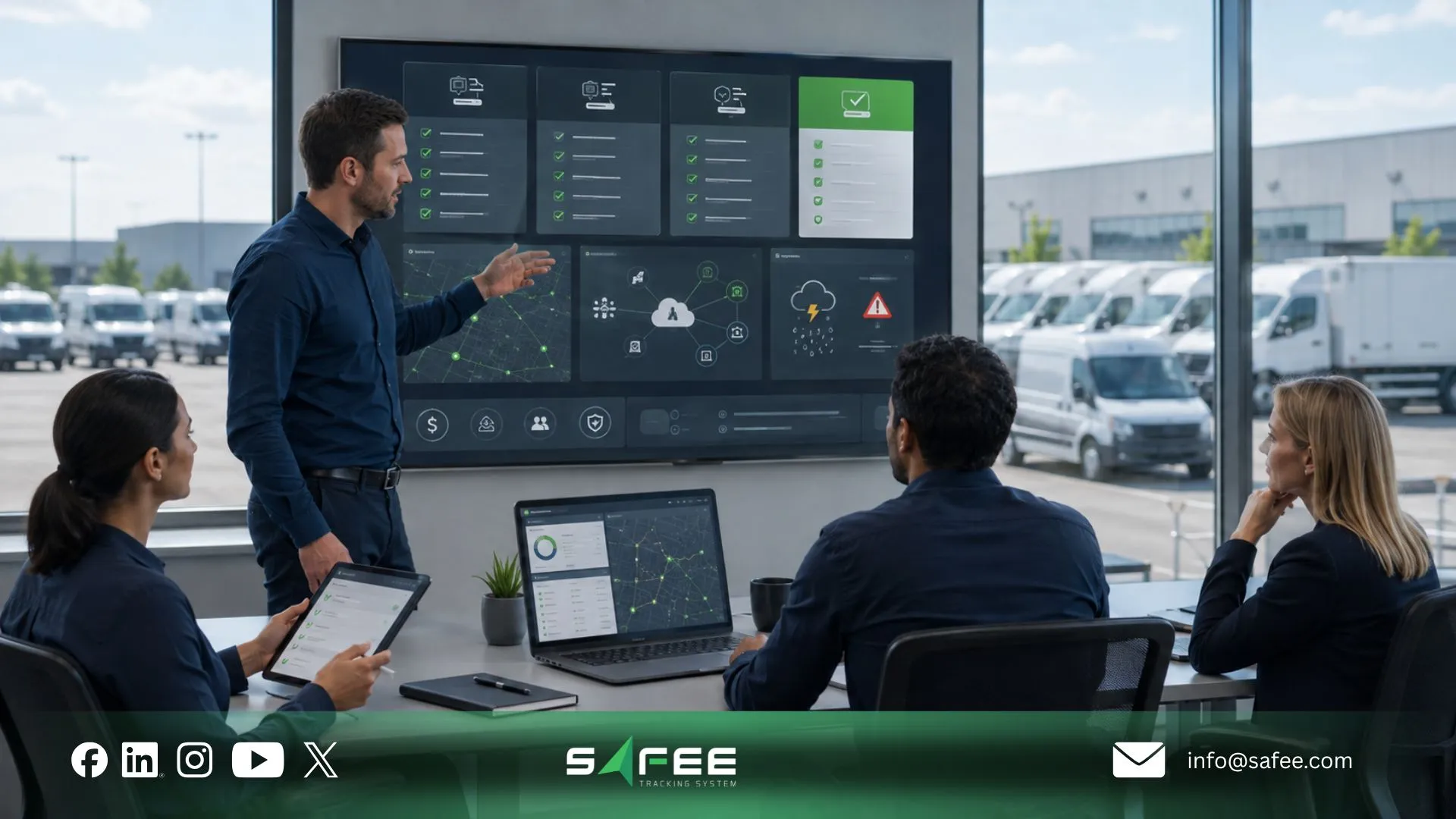
Safee: Which fleet management system features are essential
At Safee, we interpret “essential” through both our platform structure and the customer’s operating requirement. We group a set of capabilities under Essential Modules, including operational areas such as Fleet Monitoring & Insights, Fleet Reporting, Alarms and Alerts, Live Vehicle Tracking, Fleet Control, Administration Panel, Driver Management, and related core fleet-management functions. Additional Advanced and Added Value Modules expand the environment where specialized requirements exist.
For a buyer, however, the practical classification should go one step further. A feature is essential to your deployment when operations cannot maintain the required visibility, control, accountability, reporting, or governance without it. It is value-improving when it reduces manual effort, exposes avoidable waste, improves investigation, or strengthens a management process. It is specialist when it matters only for a specific risk, vehicle class, data source, or workflow. And it is decorative when the demonstration is more impressive than the post-launch operational value.
Safee’s features
The categories below are a procurement framework, not official Safee package or pricing classifications.
| Feature Category | Example Features | Where It Sits |
| Essential | Live Vehicle Tracking, Fleet Monitoring & Insights, Alarms and Alerts, Fleet Reporting, Driver Management, Administration Panel | Start here when the operating requirement depends on visibility, exception detection, accountability, reporting, or access control |
| Margin-improving | Fuel Monitoring Module, idling visibility, Maintenance Module, deeper utilization analysis, journey optimization workflows | Prioritize when the data and management process can be tied to fuel, downtime, utilization, maintenance, or productivity decisions |
| Decorative (“demo candy”) | Visual effects, redundant widgets, or dashboard elements with no user, decision, action, or review process attached | Deprioritize unless the buyer can state exactly who uses it and what decision it changes |
| Compliance | Driver records, Journey Management System (JMS), Alarms and Alerts, Fleet Reporting, access controls, document/expiry-related workflows where applicable | Configure around the actual regulatory and internal governance requirements; do not assume generic software automatically establishes compliance |
| Integration | Business Integration through advanced APIs; validated exchange with ERP, waybill, asset-management, or other approved systems | Essential when manual re-entry, competing records, or disconnected enterprise workflows would otherwise remain |
FAQs about fleet management software features
What are the key features of fleet management software?
The most important fleet management software features typically cover live vehicle visibility, operational alerts, driver management, maintenance, reporting, access control, and integration. The right set depends on the fleet’s vehicles, users, risks, data sources, workflows, and management requirements rather than on the length of the feature list.
How do I compare fleet management software features fairly?
Start with operating requirements, then run a fleet management software features comparison using the same workflows for every provider. Ask each vendor to demonstrate configuration, required data, user permissions, alerts, reporting, integration dependencies, failure handling, and acceptance evidence instead of answering only yes/no feature questions.
What should be in a fleet management software RFP?
A fleet management software RFP should define users, vehicles, workflows, tracking, alerts, driver management, maintenance, reporting, permissions, mobile needs, hardware, integrations, data ownership, deployment, support, and acceptance tests. It should also state which requirements depend on sensors, external systems, local regulations, or scope validation.
Which fleet management software mistakes appear post-launch?
Common problems include excessive alerts, weak user permissions, unclear driver assignments, poor data quality, reports with no owner, unsupported hardware assumptions, duplicate records across systems, and integrations without defined system-of-record ownership. Testing these scenarios during evaluation exposes more risk than a standard feature demonstration.
Ready to improve your fleet operations?
Tell us what you would like to improve. A Safee specialist will reply by email.
Usually replies within one business day • No sales spam
Your details are used only to respond to your request. Privacy Policy

