


Fleet Management ERP Integration: One Record for Drivers and Payroll
For Finance and IT teams, a fleet management ERP project succeeds or fails on record ownership. The risk is not simply whether two systems can exchange data, but whether they exchange the right data without creating competing records for drivers, vehicles, trips, assets, payroll, or financial workflows. A workable integration therefore needs a clear system-of-record boundary before the first API endpoint, connector, or migration file is approved.
This guide shows how to define that boundary and evaluate the integration paths around Safee, including driver and payroll reconciliation, fleet APIs, TMS and CRM connections, fleet data integration, SAP, Dynamics 365 and Odoo patterns, and pre-migration controls. It also explains where Safee’s Business Integration capability and fleet-specific modules sit alongside the ERP so Finance and IT can scope the interface without forcing either system to perform work it was not designed to own.
What does ‘fleet management ERP’ integration cover?
Fleet management ERP integration is not simply a connection between two software products. It is an operating model that establishes which system creates a record, which system updates it, which users can access it, and which information must move between fleet operations and enterprise functions. A useful integration design therefore starts with record ownership rather than with a list of available API endpoints.
Fleet management ERP vs fleet management system ERP
In enterprise buying and integration discussions, fleet management ERP and fleet management system ERP can describe two different architectures, even when the terms are used interchangeably. An ERP normally owns enterprise-level records such as financial accounts, suppliers, purchasing, cost centers, employment information, asset capitalization, and accounting transactions.
A fleet management platform handles operational fleet information such as vehicle activity, driver assignment, location, journeys, alarms, maintenance status, and fleet reporting. Our connected operating environment includes capabilities such as Live Vehicle Tracking, Driver Management, Alarms and Alerts, Fleet Reporting, Maintenance Module, Journey Management System, Administration Panel, Tracking Data Analyzer, and other supported modules and integrations.
The objective is therefore not to turn the ERP into a telematics platform or turn the fleet platform into a financial ledger. A better model is to establish a system of record for each business object. A system of record is the application authorized to create and maintain the definitive version of a particular record. For example:
- The ERP may own the corporate asset number and cost center.
- HR or payroll may own the employee or payroll identifier.
- The fleet platform may hold connected vehicle activity and trip context.
- The maintenance environment may own workshop work orders.
- Finance may own approved financial postings.
- A Transportation Management System (TMS) may own customer jobs or transport orders.
- Safee may hold the operational driver-to-vehicle assignment used within the fleet workflow.
The integration then connects those records using stable identifiers rather than trying to make every system independently authoritative. This distinction matters when teams evaluate an ERP system for fleet management. The question should not be, “Can our ERP do fleet management?” It should be, “Which fleet decisions belong in the ERP, which belong in the fleet platform, and what information must pass between them?”
Fleet management integration With payroll
Fleet management integration with payroll should follow the same ownership principle. A payroll system should remain responsible for payroll rules, approved compensation logic, employment records, deductions, and financial payment processing. The fleet environment can provide relevant operational evidence where the required data is available and where company policy permits its use.
Our Driver Management Module environment distinguishes between driver records and vehicle assignments. Its documentation describes Static Drivers and Dynamic Drivers, and Safee provides driver-related reporting such as Mileage Report, Driver Vehicle Summary Report, Driver Workload Report, and Driver Trip Report. That creates several possible integration points, depending on the organization’s policy and technical scope:
- Employee or driver identifier.
- Vehicle assignment.
- Driving date and time.
- Trip start and completion information.
- Driving duration.
- Mileage.
- Driver workload records.
- Branch, site, project, or cost-center reference.
- Approved activity status.
- Relevant exception or approval status.
These are data candidates, not a statement that every field is exposed through every Safee API implementation. The actual API, endpoint, permission, direction, and payroll mapping must be validated during integration design. Finance should also distinguish between operational evidence and payroll authority. A telematics record may help document when a vehicle moved or which driver was assigned, but the company must still define whether that record can initiate payroll, support an approval, or simply provide evidence for review. A practical data flow may therefore look like:
HR/payroll employee ID → driver master mapping → Safee driver assignment and operational activity → approved payroll-relevant record → payroll calculation and financial posting.
This gives the business one consistent identity across systems without making one application responsible for every stage of the process.
Request a Safee integration consultation to map your driver identifiers, vehicle assignments, payroll-relevant data, ERP ownership rules, and approval workflow before defining the interface.
Also read: Corporate Fleet Management Needs One Model, Not One Routine
Fleet management integrations that matter to finance and IT
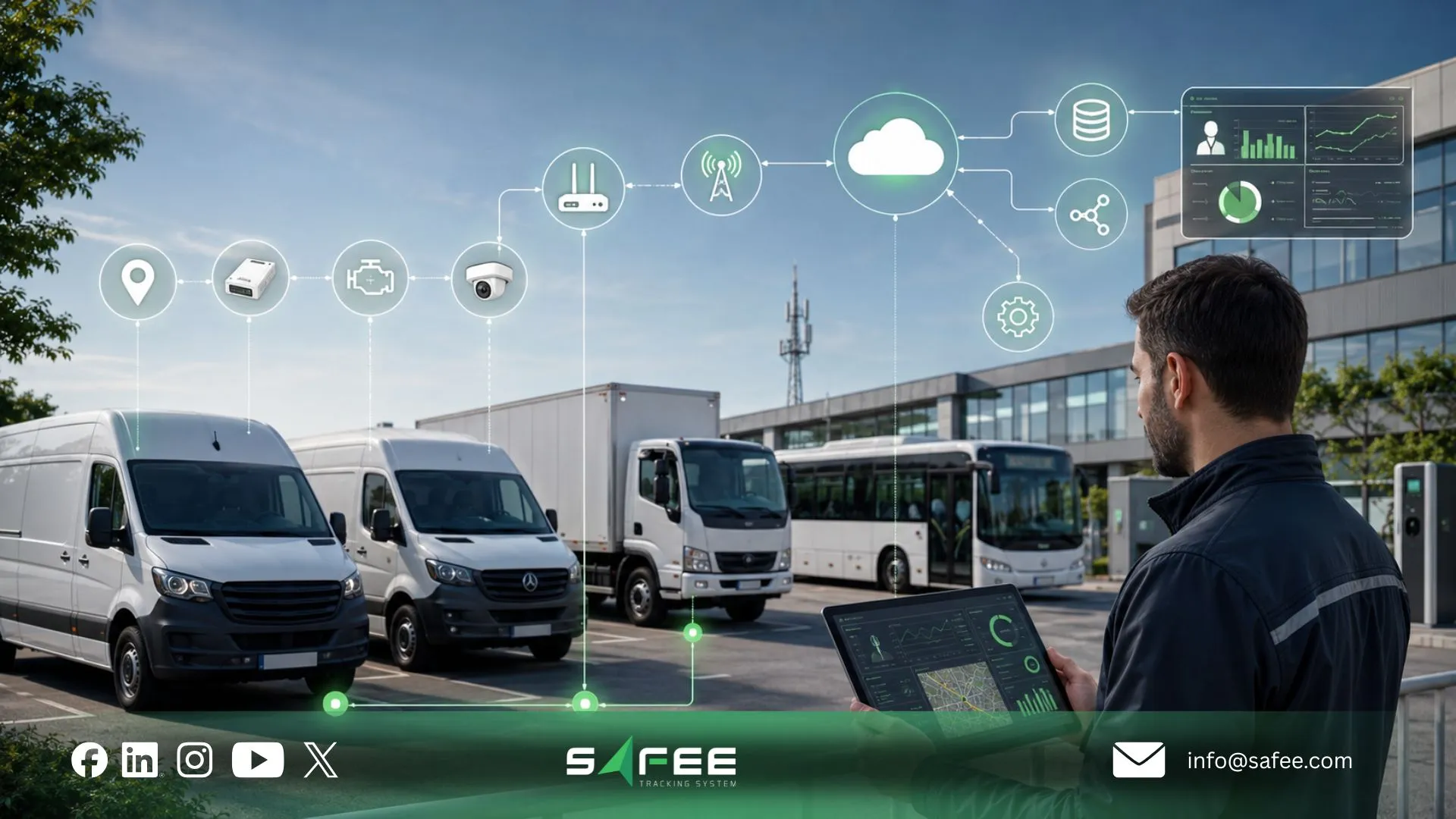
The most valuable fleet management integrations are the ones that remove a defined process gap. Finance needs traceable data and consistent identifiers; IT needs controlled interfaces, authentication, error handling, permissions, and maintainable ownership. The goal is not to connect every available system. It is to connect the systems that must share information to complete a business process.
Fleet management API requirements for finance and IT teams
For Finance and IT teams, a fleet management API is valuable only when it exposes the required business objects, fields, and operations under clear governance. The evaluation should focus on what can be exchanged reliably, in which direction, under which permissions, and with what error and version-control model, not simply on whether an API exists.
Our advanced APIs support integration with ERP, waybill, and asset management tools. Its wider platform can also connect operational modules and compatible hardware and sensors in the same fleet environment. For IT, a serious API review should establish:
- Authentication: How is system-to-system access authenticated?
- Authorization: Which records and actions are available to each integration identity?
- Endpoints and objects: Which vehicle, driver, journey, event, asset, report, or other objects are available within the agreed API scope?
- Direction: Is data read from Safee, written to Safee, or exchanged in both directions?
- Identifiers: Which keys connect ERP, payroll, TMS, fleet, and asset records?
- Synchronization: Is the exchange real-time, event-driven, scheduled, or batch-based?
- Data validation: What happens when mandatory fields are missing or invalid?
- Duplicate handling: How are repeated requests or records prevented from creating duplicates?
- Error management: How are failed transactions identified, retried, and reconciled?
- Versioning: How are interface changes communicated and managed?
- Permissions: Which users can view, export, modify, or approve integrated information?
- Auditability: What evidence is retained to show what was exchanged and when?
- Support ownership: Which team investigates failures on each side of the integration?
The same review applies when a procurement or integration brief specifies api fleet management, car fleet management API Swagger, or courier fleet management API access. A team requesting Swagger documentation is usually trying to verify endpoint structure, parameters, authentication, schemas, and integration readiness. Safee maintains product documentation, but the exact API documentation and access available for a particular integration should be confirmed directly with Safee rather than inferred from the public website.
For Finance, the API review should go one step further. Each transferred field should have a defined financial purpose. Sending hundreds of fields into ERP creates complexity if only a small number are required for cost allocation, utilization review, payroll support, or reconciliation.
Book a Safee technical demo with your IT and Finance stakeholders to review required records, API direction, identifier mapping, reporting outputs, permissions, and integration ownership.
TMS fleet management system vs CRM fleet management integration
A TMS fleet management system integration and a CRM fleet management integration solve different problems. A Transportation Management System (TMS) typically manages transport execution around loads, orders, customers, routes, delivery jobs, dispatch, or transport planning. A Customer Relationship Management (CRM) system manages customer, sales, service, opportunity, and account relationships. Neither should automatically become the master system for vehicle or telematics activity. A practical division may look like this:
| System | Typical Record Ownership | Fleet Integration Role |
| ERP | Financial accounts, purchasing, cost centers, enterprise asset references | Receives or supplies approved operational references needed for finance |
| TMS | Transport orders, loads, jobs, dispatch instructions | Connects planned transport work with fleet execution |
| CRM | Customers, accounts, service cases | Receives selected delivery or service status where required |
| Payroll/HR | Employee identity and payroll processing | Maps driver identity and approved operational evidence |
| Fleet platform | Connected vehicles, driver assignments, journeys, operational events and fleet records | Supplies operational fleet context to authorized business systems |
The important distinction is between planned work and observed fleet activity. For example, a TMS may state that vehicle A is expected to complete job 582. The fleet platform may then provide the supported location, journey, driver, route, or event context needed to review actual execution. This applies whether the organization describes the requirement as TMS fleet management software, courier fleet tracking software integration, or dispatch software fleet management integration. The architecture still needs to define:
- Which system creates the job.
- Which identifier follows the job into fleet operations.
- Which driver and vehicle execute it.
- Which status comes back.
- Whether location or event data is required.
- Which exceptions require human review.
- Which system closes the job.
CRM integration is normally narrower. Customer-facing systems rarely need unrestricted access to raw telematics records. They may need only a defined service status, delivery exception, arrival event, or other approved output. That principle also protects data governance: give each downstream application the information required for its business decision, not every field the fleet platform can produce.
Fleet management data integration
Fleet management data integration succeeds when records remain consistent across systems over time. The largest integration problems are often not caused by API connectivity. They are caused by inconsistent master data. Master data means the stable business records used repeatedly across processes: vehicle IDs, driver IDs, branches, sites, departments, cost centers, equipment classes, and other core references.
Our Administration Panel manages users, vehicles, sites, groups, permissions, and configurations, providing an important control layer for structuring operational access. Our platform also uses Fleet Reporting for filtered and scheduled records and Tracking Data Analyzer (TDA) for deeper analysis of connected tracking information.
Before moving data between platforms, define a mapping such as:
| Business Object | Required Cross-System Key | Ownership Question |
| Driver | Employee ID / driver ID | HR, payroll, or fleet? |
| Vehicle | VIN, asset ID, plate, or enterprise fleet ID | ERP, asset system, or fleet? |
| Branch | Branch or business-unit code | ERP or enterprise master data? |
| Cost center | Finance code | ERP/Finance |
| Journey | Journey or trip identifier | TMS, JMS, or fleet workflow? |
| Transport job | Order/job ID | TMS or dispatch platform |
| Maintenance item | Task/work-order ID | ERP, CMMS, or Maintenance Module? |
| Alert/event | Fleet event ID | Fleet platform |
| Regulatory record | Required authority reference | Applicable compliance workflow |
The same structure should be maintained across imports, APIs, scheduled exports, reporting, and migration. Safee documentation also demonstrates that reports can include contextual fields such as assigned vehicle, assigned driver, sensor information, date, engine status, speed, address, and Geofences where those inputs and modules are available. That connected context is more useful to Finance and IT than isolated GPS coordinates because it allows a record to be associated with the business object responsible for it.
ERP for fleet management with SAP, odoo, dynamics 365 and TMS
Choosing an ERP for fleet management integration is not primarily a brand-selection problem. Whether the enterprise environment uses SAP, Microsoft Dynamics 365, Odoo, another ERP, or a TMS, the architecture still depends on record ownership, supported interfaces, identifiers, permissions, synchronization requirements, and exception handling.
Safee supports API-based Business Integration with ERP, waybill, and asset management tools. That supports integration planning, but it should not be interpreted as proof of a prebuilt connector for every ERP product or version.
Integration patterns for Fleet management SAP and D365 fleet management
When enterprise teams scope fleet management SAP, D365 fleet management, Dynamics 365 fleet management, or fleet management D365 requirements, the underlying objective is usually the same: connect operational fleet data to an existing enterprise platform without recreating the fleet environment inside the ERP. There are several practical patterns.
- ERP-owned asset master SAP or Dynamics 365 remains authoritative for enterprise asset IDs, purchasing data, cost centers, financial ownership, and accounting references. Those identifiers are passed into the fleet environment and attached to operational records.
- Fleet-owned operational activity Safee remains the operational environment for applicable tracking, driver assignments, Alarms and Alerts, journeys, Maintenance Module workflows, Fleet Reporting, and related connected data.
- ERP receives summarized operational data Instead of sending every telematics message to ERP, the integration transfers only the information required for a defined process—for example, an approved mileage total, utilization output, maintenance trigger, cost-center reference, or other validated business record.
- Event-driven integration A defined event can initiate an enterprise workflow. The design must specify the event, recipient system, approval logic, duplicate handling, and final status rather than assuming that every alarm should create an ERP transaction.
- Shared business identifiers Vehicle, driver, branch, project, and cost-center identifiers remain aligned so reports can be reconciled across systems. The right ERP fleet management architecture depends on which application is already authoritative. For example, an organization using Dynamics 365 for finance and asset records may need Safee to supply only selected fleet activity. Another organization may rely heavily on an SAP asset structure and use the fleet platform as an operational layer connected to those asset identifiers.
Neither model implies that Safee replaces the ERP. Before approving the interface, ask:
- Which SAP or Dynamics 365 product and version are in scope?
- Is an integration platform or middleware already used?
- Which objects must be exchanged?
- Which side owns each object?
- Does the interface need real-time data?
- Are updates one-way or bidirectional?
- Which fields are mandatory?
- How will identity and permissions be controlled?
- How will rejected records be reconciled?
- Who supports the interface after go-live?
Fleet management odoo as a lighter-weight integration path
A fleet management Odoo requirement may sit within a lighter enterprise architecture, but the governance questions do not disappear. Organizations using Odoo may want to exchange fleet information with accounting, employees, expenses, maintenance, purchasing, projects, or other configured business workflows. The specific Odoo modules and Safee API scope must be validated before assuming that the integration is available out of the box. The same design principles apply:
- Keep one authoritative driver identifier.
- Keep one authoritative vehicle or asset identifier.
- Define who owns financial values.
- Define whether Odoo creates or only receives maintenance records.
- Define which Safee events need to leave the fleet environment.
- Establish permissions for integration users.
- Test error handling before production use.
- Avoid sending raw tracking data into an ERP unless the ERP process genuinely requires it.
A lighter ERP does not justify weaker master-data control. Smaller integrations can become difficult to maintain when fields are connected directly without documented ownership, so even a simple API connection should have a field map, error policy, acceptance criteria, and named support owner. Our fleet management platform can remain the operational fleet layer while Odoo receives or supplies only the records required by the agreed business process.
16 checks before data migration from fleet management to ERP
In a data migration fleet management workstream, migration should be separated from live integration. Migration moves an approved set of existing records into a new structure; integration defines how records continue to move after go-live. Before migrating fleet information into an ERP, complete these 16 checks:
- Define the migration objective. Specify whether the migration supports finance, asset management, payroll, reporting, maintenance, historical reference, or another business process.
- Identify the system of record for every object. Decide which system owns drivers, vehicles, financial accounts, journeys, maintenance records, cost centers, and other shared entities.
- Create a canonical vehicle identifier. Determine how VIN, plate number, internal fleet number, ERP asset ID, and device assignment relate to one another.
- Create a canonical driver identifier. Map the Safee driver record to the approved HR or payroll identifier without relying only on driver names.
- Standardize branch, site, and business-unit codes. Resolve differences in naming before migration.
- Map cost centers and financial dimensions. Finance should confirm which codes are valid and which historical codes should no longer be transferred.
- 7. Define the required historical period. Do not migrate every available record by default. Determine which history has a valid operational, financial, audit, or reporting purpose.
- Classify fields by business purpose. Mark fields as required, optional, reference-only, calculated, or excluded.
- Normalize dates, timestamps, and time zones. Make sure events can be interpreted correctly after migration across branches and systems.
- Normalize units and measurement formats. Mileage, engine hours, fuel, sensor data, and other measurements must use defined units.
- Validate driver-to-vehicle assignment history. Historical operational information becomes unreliable when driver and vehicle identities are incorrectly matched.
- Define API or import direction after migration. Decide whether the migrated environment becomes static history or continues through a live API, scheduled exchange, or another approved interface.
- Design duplicate and error handling. Establish what happens when a record already exists, an identifier is missing, or an import fails.
- Validate permissions, retention, and governance requirements. Determine who can access migrated driver, vehicle, journey, payroll-related, and operational information and how long each record should remain available under company and applicable legal requirements.
- Reconcile and test before cutover. Compare record counts, sample records, identifiers, totals, dates, and business outputs between the source and target systems before accepting the migration.
- Assign cutover and post-go-live ownership. Name the teams responsible for final migration, failed records, integration monitoring, user acceptance, support escalation, and future changes.
This checklist should be completed before deciding that an erp system for fleet management is ready to become part of the live fleet architecture.
Contact us before migration to review your existing fleet data, target ERP, identifier structure, required API exchange, user permissions, and the operational records that should remain within Safee.
Also read: How Logistics Fleet Management Improves Supply Chain Control
Safee is a fleet management system ERP teams can live with
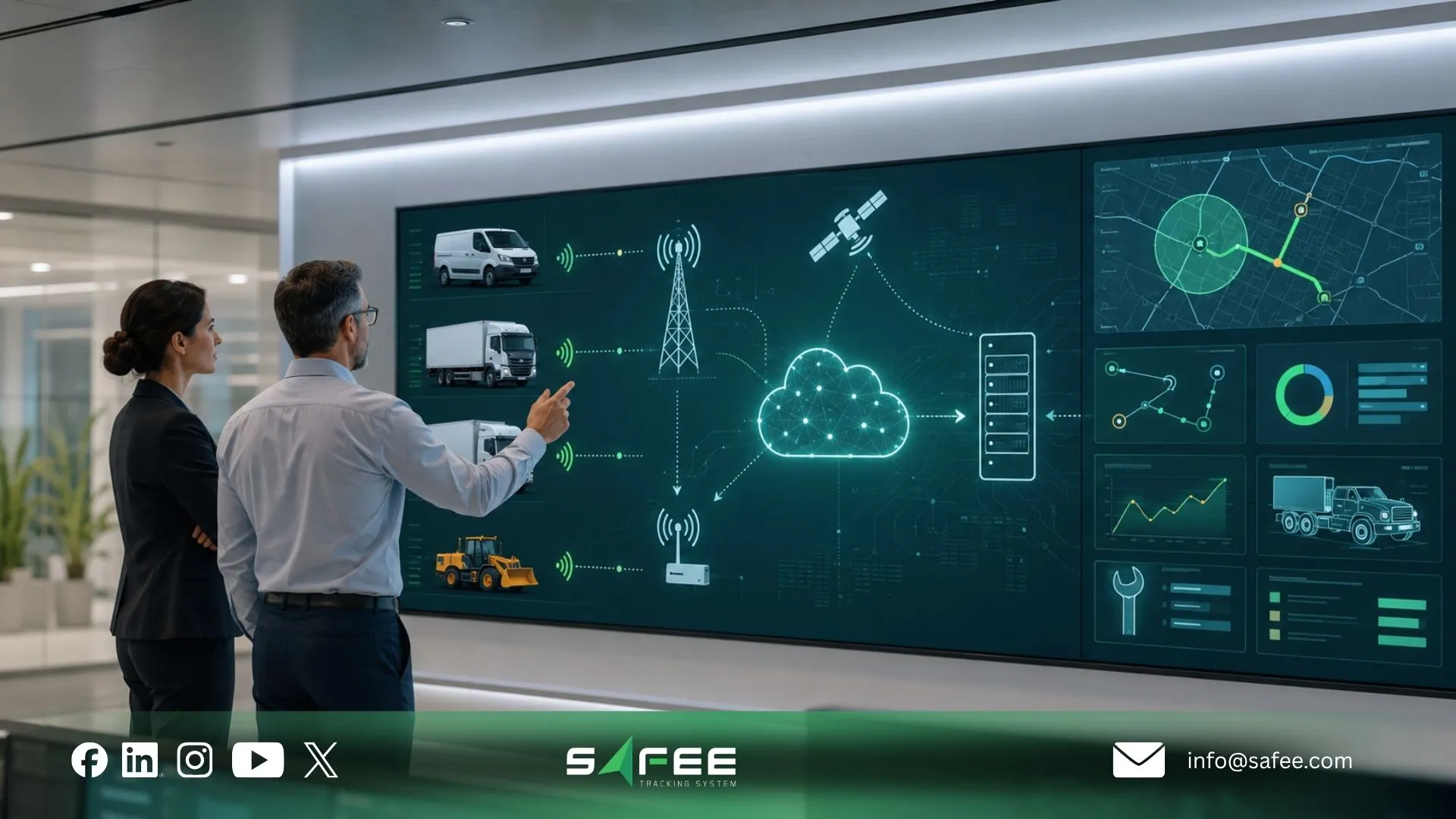
Our platform does not need to become the organization’s ERP to fit an enterprise technology environment. Its role is to provide a connected fleet-management and Telematics layer while allowing approved business systems to exchange the information they actually require.
We are the environment that unifies fleet data and supports Business Integration through advanced APIs, while its Hardware Agnostic architecture supports diverse compatible hardware and sensors.
Safee vs point-to-point fleet integrations
A point-to-point architecture connects one system directly to another for a specific requirement. That can work for a narrow interface, but complexity increases as ERP, TMS, payroll, asset management, regulatory systems, hardware sources, and fleet modules each require separate connections.
We provide a broader integration layer around the fleet environment:
| Capability | Custom Point-to-Point Integration | Safee |
| Integration method | Bespoke interface designed separately for each required system | Safee states that its advanced APIs support integration with ERP, waybill, and asset management tools. |
| Hardware dependency | Architecture may become dependent on the devices and interfaces selected for the original build | Safee is Hardware Agnostic and supports integration with diverse compatible hardware and sensors. |
| Regulatory reporting | Separate regulator-specific interfaces or workflows may need to be designed and maintained | Safee lists integration with regulatory platforms including OPAL, WASL, and Madinati; exact regulatory and project scope should be validated for the operating market. |
| Maintenance | The organization and integration providers must manage changes across every custom interface | Safee provides an API-based Business Integration layer; interface versioning, support responsibilities, and change management should be agreed for each project. |
| Unified data | Independent tools can maintain separate operational versions unless a shared data model is deliberately created | Safee positions the platform as one environment that unifies fleet, IoT, sensor, maintenance, journey, and related operational data. |
The main difference is therefore architectural. Point-to-point integration asks, “How do we connect system A to system B?” A platform approach asks, “Which fleet records belong in the connected fleet layer, which business systems need them, and how do we govern those exchanges consistently?”
Our Essential Modules reinforce that approach. Administration Panel structures users, vehicles, sites, groups, and permissions. Fleet Reporting provides filtered and scheduled records. Driver Management connects identities and assignments. Journey Management System supports structured journey workflows, while Tracking Data Analyzer provides deeper analysis of connected tracking data.
How Safee’s API cuts ERP integration time for IT teams
A reusable API layer can reduce integration effort because IT does not have to treat every required fleet data exchange as a new application built from the ground up. That does not mean every Safee-to-ERP integration has a fixed deployment time, nor does it mean SAP, Dynamics 365, Odoo, payroll, TMS, or CRM connections are universally plug-and-play.
The time advantage comes from eliminating avoidable custom work where the approved Safee API already supports the required business object or exchange pattern.
Our APIs support Business Integration with ERP, waybill, and asset management tools. For IT, that can simplify the project when the team follows a controlled sequence:
- Define the business process.
- Identify the source and destination systems.
- Define the authoritative record.
- Match shared identifiers.
- Confirm the required Safee API capabilities.
- Map fields.
- Define authentication and permissions.
- Configure synchronization logic.
- Build error and duplicate handling.
- Test representative records.
- Reconcile outputs.
- Move to controlled production monitoring.
This is materially different from creating a separate bespoke connector for every operational requirement. It also allows IT to keep the ERP boundary clean. Raw fleet data can remain in the operational platform while the ERP receives only the approved information required for finance, asset management, payroll support, cost allocation, or other enterprise processes. Before implementation, IT should still ask Safee:
- Which API capabilities are available for our required objects?
- Which data fields are available for our selected modules and configuration?
- Can the interface read, write, or perform both operations?
- What authentication model applies?
- What synchronization options are supported?
- How are API changes managed?
- Which limits or technical constraints apply?
- How should failed exchanges be handled?
- Which testing environment or implementation process is available?
- Which responsibilities belong to Safee, our ERP team, and any integration partner?
Those answers—not the existence of an API logo—determine actual implementation effort.
Request an integration demo to map your ERP, TMS, payroll, asset-management, or waybill workflow against Safee’s API and operational data model.
Also read: Fleet Inventory Management Guide: From Asset Records to Control

FAQs about fleet management ERP integration
Does Fleet Management Software Need to Replace My ERP?
No. A fleet management ERP architecture can keep the ERP as the system of record for financial, purchasing, asset, or cost-center data while the fleet platform manages connected operational fleet information. Integration then moves only the records each system needs.
Can I Connect Fleet Management to SAP Without Custom Code?
Potentially, but that depends on the SAP environment, middleware, required fields, and available Safee API scope. Safee supports API-based Business Integration with ERP systems, but a specific prebuilt SAP connector should not be assumed without technical validation.
How Does Driver Data Move From Fleet Management Into Payroll?
The systems first need a shared driver or employee identifier. Approved driver assignments, mileage, driving duration, workload, trip, or other supported records can then be mapped into the payroll workflow where company policy permits, while payroll remains responsible for compensation rules and payment processing.
What Does a Fleet Management API Actually Expose?
A fleet management API exposes defined fleet objects and operations that authorized systems can exchange. Buyers should verify the available endpoints, fields, identifiers, authentication, permissions, synchronization behavior, error handling, and versioning for their specific Safee deployment rather than assuming every platform record is automatically available. A well-designed fleet management ERP integration therefore does not begin with SAP, Dynamics 365, Odoo, TMS, payroll, or an API endpoint. It begins by deciding which system owns each driver, vehicle, journey, asset, and financial record, then connecting only the information required to complete the business process.
Ready to improve your fleet operations?
Tell us what you would like to improve. A Safee specialist will reply by email.
Usually replies within one business day • No sales spam
Your details are used only to respond to your request. Privacy Policy

