


Fleet Management Implementation: From Plan to Daily Workflow
Your fleet management project can look complete on paper and still fail in daily operations. Vehicles may be visible on a map, users may have accounts, and alerts may be switched on – yet Dispatch still calls drivers, HSE still chases incidents manually, Maintenance still works from separate records, and managers still receive reports no one owns. At Safee, we focus fleet management implementation on closing that gap: turning the approved platform into a working operating model your teams can actually use.
In this guide, we show how to move from scope and pilot design to a repeatable fleet management workflow, fleet management route planning, role-based training, rollout governance, and fleet management optimization.
What does a fleet management project involve?
A fleet management project is the controlled transition from an agreed requirement to an operating system that people actually use. Its scope can include vehicles, drivers, devices, branches, depots, routes, user roles, reports, integrations, existing data, training, and support responsibilities. The configuration should follow the decisions your fleet needs to control – not the number of features available.
Start by defining the decisions each team needs the system to support:
- Dispatch needs reliable vehicle location and route-progress visibility.
- HSE needs supported events routed into a consistent investigation process.
- Maintenance needs dependable vehicle data for service readiness.
- Operations need exceptional visibility across routes, Geofences, utilization, or communication status.
- Management needs standardized Fleet Reporting across branches or operating units.
- IT needs clear ownership for integrations, permissions, authentication, and data exchange.
The outcome should be an operating model with accountable owners, not simply a software installation.
From kickoff to go-live, a fleet management project should move through controlled decisions. First, define the problems, fleets, locations, users, data, and acceptance criteria in scope. Then map the required workflows to the relevant system capabilities, such as Live Vehicle Tracking, Alarms and Alerts, Fleet Reporting, Driver Management, Journey Management System, Fuel Control, or Maintenance Module.
Before wider rollout, validate vehicle records, tracking assignments, available data, communication, routes, alerts, permissions, reports, and integrations. Go-live should mean more than “users can log in.” It should mean that:
- Required data is available within documented limitations.
- Vehicle and driver identities are correctly structured.
- Priority users know what they are expected to do.
- Important alerts have recipients and escalation rules.
- Required reports support named decisions.
- Configuration and support responsibilities are understood.
- Material implementation issues have an owner and resolution path.
That is what converts technology deployment into operational control.
Why a sound fleet management approach still fails without buy-in
A technically sound fleet management approach can still fail when departments do not agree on how the system changes daily work. Operations may expect visibility, HSE may expect risk controls, Maintenance may expect service data, management may expect KPIs, and IT may inherit access and integration responsibilities.
Warning signs appear quickly: parallel spreadsheets continue after launch, dispatchers fall back to calls, alerts are ignored because ownership is unclear, reports are produced but not reviewed, or administrators change configuration without controlled approval.
Buy-in must be operational. Each affected role should know:
- What will change? Define the process that replaces the old method.
- What remains manual? Do not describe an activity as automated when it is not.
- Who owns each decision? An alert without an investigation owner is only a notification.
- What proves the workflow is working? Define the record, report, status, or completed action required for acceptance.
- Who approves changes after go-live? Permissions, alert rules, groups, reports, and other configurations need ownership.
A rollout becomes sustainable when users understand both the platform and their responsibility inside the operating process.

What does a working fleet management workflow look like?
A fleet management workflow connects an event or operating requirement to a defined response. If vehicle movement shows a route exception, the process should not stop at displaying it. The right user must be able to verify the context, determine whether action is required, assign responsibility, record the response, close the case, and review repeated occurrences.
In practice, the workflow starts with data, identifies an exception, verifies the context, assigns ownership, triggers the appropriate action, records closure, and supports later review.
The same model applies across functions. Operations may respond to route deviation or communication status; HSE may review a supported risk event; Maintenance may follow an overdue service action; and management may review scheduled KPIs.
Not every data point needs an instant notification. Our Alarms and Alerts can support time-sensitive exception workflows, while recurring conditions are often better handled through scheduled Fleet Reporting.
Fleet management route planning as part of the daily workflow
Fleet management route planning belongs inside daily execution, not in a separate planning exercise. A route may be approved before dispatch, but Operations still needs to see what happens after the vehicle leaves: progress, delays, deviations, arrival at defined locations, unexpected stops, communication gaps, and completion status.
A practical route workflow connects:
- Planned journey or route.
- Assigned vehicle and driver.
- Required operating areas or Geofences.
- Actual movement.
- Route-related exceptions.
- Operational response.
- Post-trip review.
The objective is not simply the mathematically shortest route. Distribution fleets may prioritize delivery windows; Oil & Gas operations may prioritize approved corridors and site access; Cold Chain fleets may need route planning to work alongside temperature or cargo requirements; government fleets may require structured assignment and authorization controls.
Our Journey Management System can support structured journey workflows, while Live Vehicle Tracking supports movement and route visibility. The right configuration should be validated against your actual operating process.
Want to map your current dispatch and route process into a controlled workflow? Talk to us about your routes, users, exceptions, and reporting requirements.
Fleet management ideas worth piloting before a full rollout
The most useful fleet management ideas are the ones that solve a defined problem and can be tested with reliable data and accountable users. Before expanding across the full fleet, pilot a limited number of workflows such as:
- Route-exception review for one operating group.
- Unauthorized-movement escalation.
- Geofence entry or exit workflows for selected locations.
- Communication-status review for critical vehicles.
- A management Fleet Reporting pack for agreed KPIs.
- Driver-assignment verification where Driver Management is configured.
- Maintenance-readiness follow-up for a selected vehicle group.
- A Journey Management System workflow for routes that require structured journey control.
Use vehicles, routes, sites, and users that reflect real operating conditions. A pilot built only around easy routes, strong connectivity, newer vehicles, and highly engaged users can create false confidence. The goal is to prove that the data, people, workflow, and support model work together.

How to run fleet management implementation without disrupting ops
Fleet management implementation should replace weak processes without creating unnecessary operational interruption. Activating every vehicle, user, alert, report, route rule, and integration at once simply gives the project team more variables to troubleshoot at the same time.
Use controlled expansion instead. Start with the operating outcomes that matter most, establish the required data and responsibilities, validate the first configuration, train the relevant roles, resolve material issues, and then repeat the proven model across additional vehicles, branches, routes, or operating groups.
Before choosing the rollout model, evaluate fleet size and vehicle diversity, existing devices and data, locations and connectivity, driver-assignment methods, integrations, user roles, priority alerts and reports, training capacity, and the privacy or local requirements that need verification. These variables determine project complexity; there is no useful universal rollout timeline.
7 steps to run a fleet management & planning system rollout
A fleet management & planning system rollout can be organized into seven controlled steps.
- Define the operating decisions: Start with business problems, not feature lists. For each priority decision, define the information required, accountable owner, current process, review cadence, and acceptance evidence.
- Define project scope and ownership: Inventory the vehicles, drivers, branches, depots, routes, users, devices, systems, and data sources in the first phase. Record exclusions and assign owners for operations, configuration, data, integrations, governance, training, support, and acceptance.
- Validate data and configuration requirements: Identify the minimum data needed for the approved workflows. This may include vehicle identity, timestamps, location, movement or stop status, Communication Status, trip history, selected Geofence events, and driver association where configured. Verify hardware, signals, connectivity, and integrations for the selected deployment.
- Run a representative pilot: Choose vehicles, routes, sites, and users that reflect real variation. Test the full path from data capture to platform visibility, alert or report, user review, action, and closure. Record issues instead of working around them informally.
- Configure daily workflows: Configure only alerts that have a meaningful response. Define the purpose, fleet group, recipient, investigation owner, escalation, evidence, and closure method. Use Fleet Reporting for recurring reviews that do not require immediate intervention.
- Train users by role: Training should explain what each role must do, not just where menus are. Dispatch, HSE, Maintenance, administrators, and managers each need the workflow, permissions, and review responsibilities relevant to them.
- Accept, expand, and govern the rollout: Expand only when required data is reliable enough for its purpose, priority workflows can be completed, users understand responsibilities, permissions are approved, reports are usable, and material issues are resolved or controlled. Then expand by vehicle type, branch, route, operation, or region.
Before approving the next phase, ask who owns implementation on each side, how compatibility and integrations will be verified, what pilot acceptance includes, who configures users and rules, how changes are recorded, what role-based training is included, and what evidence must be approved before expansion.
For recurring management and departmental reviews, our Fleet Reporting can align reports with named decisions and review cadence.
Need to turn these seven steps into a deployment scope? Request a Safee implementation consultation for your fleet mix, data, pilot, users, alerts, reports, integrations, and expansion plan.
Fleet management optimization after the first 90 days
Fleet management optimization starts when you have enough operating evidence to separate configuration problems from recurring fleet patterns. Treat the first 90 days as a review point, not a promise that every project reaches the same stage on the same date.
Review the rollout across five layers:
- System health: Are required vehicles reporting, and are communication, assignments, fields, or integrations still failing?
- User adoption: Are teams following the intended workflow, or have spreadsheets, calls, and disconnected processes returned?
- Alert usefulness: Are Alarms and Alerts surfacing conditions that require action, or only adding notification volume?
- Reporting and outcomes: Does Fleet Reporting support named decisions, and are route exceptions, utilization issues, overdue actions, maintenance problems, or safety events being handled more consistently?
- Governance: Are permissions, groups, escalation rules, report definitions, and configuration changes controlled?
The same continuous-improvement stage is often called fleet management optimisation in British English. The principle is unchanged: review verified evidence, adjust the configuration where necessary, and measure whether the revised workflow performs better.
Where recurring patterns need deeper analysis, our Tracking Data Analyzer can support trend and exception review within the approved configuration.
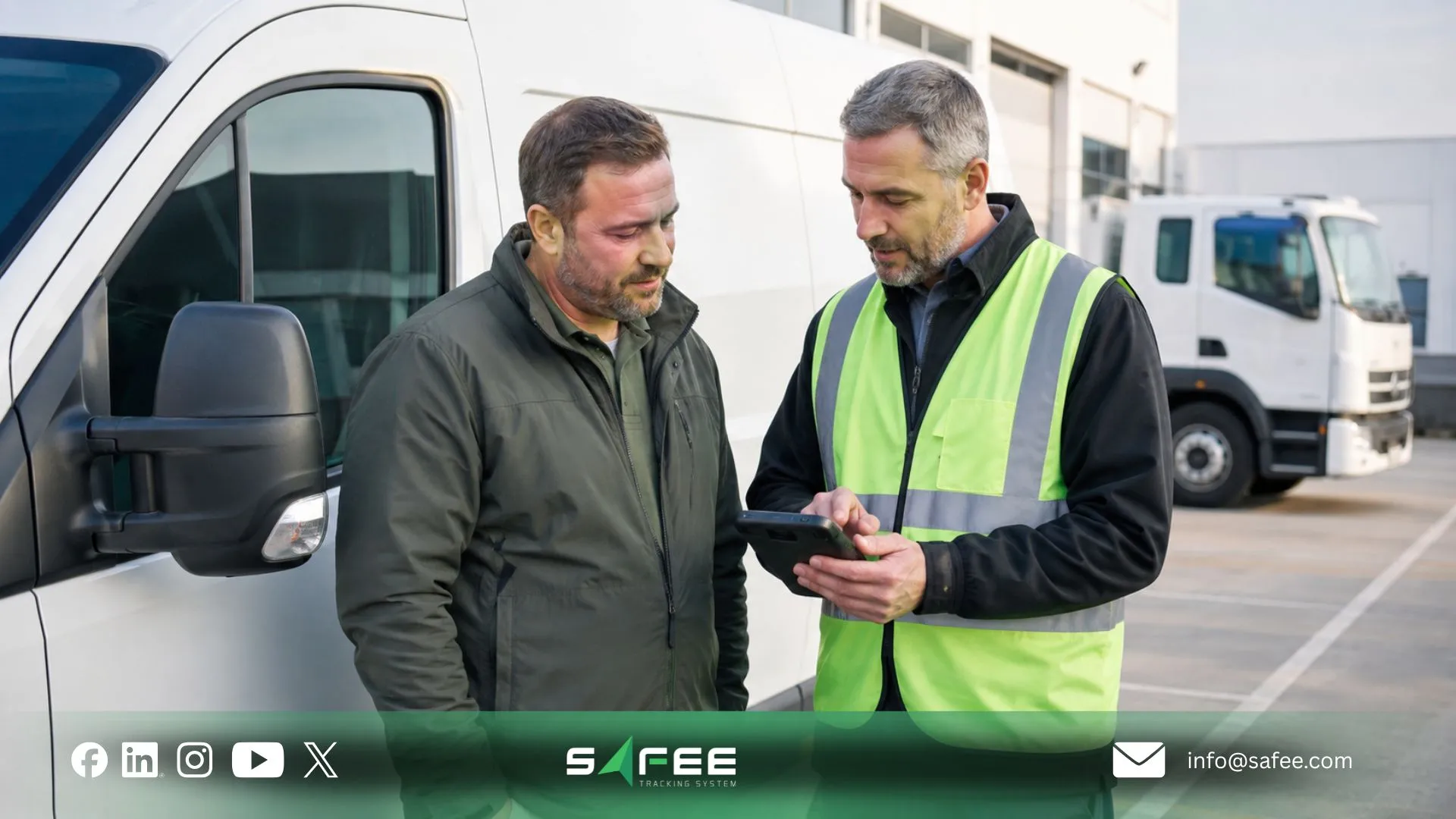
Safee is the best software company for fleet management implementation
At Safee, we help B2B fleets connect implementation with daily operations instead of treating tracking as a standalone screen. Our rollout model centers on discovery, solution design, representative pilot testing, installation and data validation, workflow configuration, role-based onboarding, acceptance, phased expansion, and continuous optimization.
Depending on the approved scope, the rollout can connect Live Vehicle Tracking, Alarms and Alerts, Fleet Reporting, Driver Management, Journey Management System, Fuel Control, Maintenance Module, and Tracking Data Analyzer.
For fleets where service readiness is part of the workflow, the Maintenance Module can connect maintenance scheduling and alerts with the wider operating model.
This modular fleet management approach matters because different organizations need different controls. Logistics may prioritize dispatch and route visibility; Cold Chain may need sensor-related workflows alongside tracking; Oil & Gas may emphasize journey governance and remote operations; government fleets may need structured roles, reporting, and auditability. The implementation should start with the decisions your fleet owns and configure the relevant capabilities around them.
Safee vs a self-managed rollout
| Implementation area | Self-managed rollout | Safee |
| Project scoping | Internal team translates requirements into platform configuration. | Requirements are reviewed against the Safee deployment scope and relevant capabilities. |
| Vehicle/data review | Fleet coordinates compatibility and data verification. | Required vehicle data and deployment conditions are identified for validation. |
| Pilot design | Internal team selects vehicles and creates acceptance criteria. | Pilot scope is structured around representative vehicles, workflows, users, and required evidence. |
| Alert setup | Fleet defines rules, recipients, escalation, and review. | Alarms and Alerts are configured around approved operational requirements. |
| Reporting | Internal users build and govern reporting requirements. | Fleet Reporting is aligned with named roles and management decisions. |
| User onboarding | Fleet creates training and operating procedures. | Role-based onboarding is aligned with configured workflows. |
| Integrations | Internal IT coordinates requirements, testing, and issue ownership. | Integration requirements are scoped with responsibilities and supported interfaces verified. |
| Rollout expansion | Fleet decides when each group is ready. | Expansion follows validated configuration and agreed acceptance criteria. |
| Optimization | Internal team reviews performance and changes settings. | Safee tools and configuration support ongoing review against approved operational objectives. |
The decision is not simply who can activate software. It is who owns discovery, configuration, technical validation, training, issue resolution, change control, and post-launch optimization.
How does Safee shorten a fleet management project timeline?
A fleet management project loses time when scope is unclear, vehicle or device assignments are wrong, requirements appear after configuration, alerts go live before owners are assigned, reports have no defined users, or training starts before workflows are agreed.
Our implementation sequence is designed to remove that avoidable friction. We start with operational priorities and acceptance criteria, then move through solution design, pilot validation, workflow configuration, onboarding, acceptance, and phased expansion. That reduces rework caused by discovering basic dependencies too late.
The same principle applies to integrations: define the fields, responsibilities, testing, and acceptance criteria before expansion. A shorter project is not created by rushing go-live; it comes from resolving the right dependencies in the right order.
Ready to review your rollout scope with us? Contact us to discuss your vehicles, routes, users, data, alerts, reports, integrations, and deployment priorities.
FAQs about fleet management project
How long does this kind of project usually take?
There is no universal timeline. Fleet size, vehicle diversity, hardware, required data, integrations, regions, pilot scope, training, governance, and acceptance criteria all affect duration. Plan the work by phases—scope, design, pilot, correction, rollout, and optimization.
Should a small fleet handle implementation in-house?
It can if the team can define requirements, validate vehicle and data configuration, manage permissions and workflows, train users, resolve issues, and govern the system after go-live. Complexity matters more than vehicle count alone.
Who should lead a fleet management implementation internally?
Use one accountable project owner to coordinate scope, dependencies, acceptance criteria, open issues, and changes. Functional owners from Fleet, Operations, IT, HSE, Maintenance, Logistics, Procurement, and management should remain responsible for their own workflows.
What causes most fleet management rollouts to stall?
Rollouts stall when scope is unclear, data assumptions are not validated, responsibilities conflict, pilots are unrepresentative, alerts lack owners, training focuses on screens instead of workflows, integrations remain unresolved, or expansion begins before material issues are controlled.
Ready to improve your fleet operations?
Tell us what you would like to improve. A Safee specialist will reply by email.
Usually replies within one business day • No sales spam
Your details are used only to respond to your request. Privacy Policy

