


Fleet Management Process: From Procedures to a Workflow That Works
When the same fleet task is managed through spreadsheets, messages, verbal handoffs, and individual memory, the problem is rarely the team’s effort. The problem is that the workflow does not clearly show what starts the work, who owns each action, what must be checked, what happens when something goes wrong, and what proves completion. That is where a fleet management process turns recurring work into repeatable fleet management procedures that can be followed, audited, and improved.
In this guide, we map the path from an operational trigger, such as adding a vehicle to final operational status, including approvals, system records, driver assignment, maintenance readiness, alerts, exceptions, and review evidence.
What is a fleet management process?
A fleet management process is the defined sequence of actions used to complete a recurring fleet activity consistently. The process defines what must happen from beginning to end; individual procedures explain how specific steps are performed.
A useful process connects four elements:
- Trigger: What starts the process?
- Responsibility: Who owns each action or decision?
- Control: What must be checked before the workflow continues?
- Evidence: What record confirms that the step was completed?
Fleet operations often break down when ownership, sequence, exception handling, or evidence is unclear not because the task itself is missing.
The simplest way to define a fleet management process is as a repeatable workflow that turns an operational trigger into a controlled outcome.
For a newly acquired vehicle, the workflow may start when Procurement or Fleet Operations confirms availability. It should not end when someone adds a registration number to a spreadsheet.
A complete workflow may follow this sequence:
- Vehicle received
- Vehicle record created
- Required documents verified
- Telematics setup confirmed
- Driver or operating group assigned
- Maintenance baseline entered
- Relevant Geofences and alert rules applied
- Operational approval recorded.
Each stage has an input, an owner, a required action, and an output. Telematics can add operational evidence by connecting vehicle and operating data such as location, movement, status, and supported sensor information.
The same logic can be applied to maintenance escalation, driver onboarding, fuel exceptions, journey approval, accident review, and vehicle reassignment. For the recurring work behind those workflows, see our guide to fleet management tasks.
If your team is still completing one workflow across separate spreadsheets, messages, and dashboards, talk to us about mapping the process first and then deciding what should be configured in the platform.
Why do fleet management procedures break down without a map?
A procedure can look complete on paper and still fail in daily operations. A policy may require every new vehicle to be inspected, assigned to a driver, connected to tracking, and added to the maintenance schedule, yet still leave the workflow unclear.
The missing questions are usually practical:
- Which action comes first?
- Can the vehicle be assigned before Telematics is active?
- Who confirms that the vehicle record and device belong to each other?
- What happens if documentation is missing?
- Who approves an exception?
- When is the vehicle considered operationally ready?
- Which record proves that every required step was completed?
Without a map, branches or supervisors can interpret the same fleet management procedures differently. Mapping exposes the handoffs and decisions so the team can see exactly where the workflow changes or stops.
What strong fleet management processes have in common
Strong fleet management processes are controlled rather than complicated. They normally establish:
- A clear start and end condition.
- One accountable process owner, with named owners for individual steps.
- Required inputs, records, approval points, and decision points.
- A standard path for normal cases and an exception path for incomplete or abnormal cases.
- Evidence for important actions, escalation rules for failed or delayed steps, and a review method for recurring failures.
The goal is consistency without removing professional judgement. Unusual cases can still be handled, but the exception should remain visible and explainable inside the documented workflow.

Fleet management procedures for onboarding a new vehicle
Vehicle onboarding shows how fleet management procedures can be converted into an operating workflow. Exact requirements vary by vehicle type, ownership model, Telematics hardware, organizational policy, operating geography, and intended use, so each fleet must verify its own mandatory documentation and regulatory requirements.
A controlled onboarding procedure can follow this sequence:
- Confirm the vehicle and operational purpose. Record the vehicle identity, category, ownership or lease arrangement, operating branch, intended use, and responsible team.
- Create or validate the master vehicle record. Avoid multiple versions of the same vehicle across spreadsheets, tracking platforms, maintenance records, and finance systems.
- Verify required operational documents. Define which internal, contractual, insurance, registration, inspection, or market-specific documents must be valid before deployment.
- Confirm Telematics configuration. Verify that the correct device and vehicle record are associated and that expected location or status data is being received.
- Set operational groups and rules. Assign the vehicle to the appropriate branch, vehicle class, operating group, or other management structure.
- Establish maintenance readiness. Record the maintenance baseline and determine which service rules or alerts apply before routine use begins.
- Assign the driver or driver group where required. Define responsibility for assigned vehicles and how shared vehicles will identify the active driver.
- Complete the readiness review. Confirm that mandatory steps are closed before changing the vehicle status to active.
Where hardware or integrations are involved, verify vehicle type, supported hardware, available vehicle data, connectivity, installation responsibility, existing systems, required integrations, driver-identification method, operating locations, and the alerts or reports needed after activation. Our Live Vehicle Tracking can support the visibility layer once the correct vehicle-device relationship and data transmission are confirmed.
Questions to ask the provider include:
- Which device or data source is appropriate for each vehicle type?
- How is the device mapped to the correct vehicle record, and how is successful transmission verified?
- What happens when a device stops reporting?
- Can different vehicle groups use different alerts and reporting rules?
- How are drivers associated with assigned and shared vehicles?
- Which records can be exported or reviewed during an audit?
Fleet management audit procedures that catch gaps early
Fleet management audit procedures should test whether the documented process is actually being followed, not merely whether a procedure exists. A practical audit samples completed workflows and checks whether the evidence matches the required sequence.
For vehicle onboarding, an auditor might compare:
- Active vehicles against approved vehicle records.
- Vehicle records against connected Telematics devices.
- Driver assignments against actual vehicle usage where Driver ID is available.
- Maintenance setup against active vehicle lists.
- Required alerts against the correct vehicle groups.
- Closed onboarding records against missing approvals or documentation.
- Exceptions against documented approval or corrective action.
The same method applies to other workflows: start with the expected process, identify its control points, then test whether real records show those controls operating as designed.
Useful audit findings distinguish three types of gaps:
- Design gap: The process never specified who should perform the action.
- Execution gap: The process is clear, but a required step was skipped or delayed.
- Evidence gap: The action may have happened, but the organization cannot reliably prove it.
Audit findings should feed back into the process map. Repeated exceptions may show that a step is unclear, too late, assigned to the wrong role, dependent on inaccessible information, or difficult to verify. Our Fleet Reporting can support structured review where platform records form part of the audit evidence.
Need to separate a policy gap from an execution or visibility gap? Talk to our experts about mapping one representative process and the records, alerts, and reports needed to control it.

How to map a fleet management process flow?
A fleet management process flow converts written procedures into a visual or structured sequence showing how work moves through the organization. Start with one recurring process, not the entire fleet operation.
Define:
Trigger -> Action -> Decision -> Handoff -> Control -> Exception -> Evidence -> Closure
For each stage, record who owns it and which system or record supports it. This is especially useful when Procurement, Fleet Operations, HSE, Maintenance, IT, Finance, and drivers share the same workflow.
8 steps to document a fleet management process flow chart
A practical fleet management process flow chart can be documented in eight steps.
- Define the outcome. State exactly when the process is complete. “Onboard vehicle” is vague; “vehicle approved for operational assignment with required records and controls active” is clearer.
- Identify the trigger. Determine the event that officially starts the workflow, such as vehicle receipt, maintenance due status, driver hire, incident notification, or route request.
- List the required actions. Capture the actions used today before improving them; hidden manual steps often explain why the written procedure does not match reality.
- Assign an owner to every action. Use roles rather than individual names where practical so the process remains valid when staffing changes.
- Mark decision points. Show where the workflow can branch, such as documentation complete, vehicle ready, driver approved, defect closed, or exception accepted.
- Add exception and escalation paths. Define what happens when a document is missing, a device is offline, an approval is rejected, an alert is unresolved, or a vehicle fails a readiness check.
- Attach evidence to control points. Identify the record that proves completion: system status, inspection record, approval entry, maintenance record, alert closure, report, or other authorized evidence.
- Test the chart using a real case. Run a recently completed process through the map. If staff must explain steps that are not shown, the chart is not finished.
The final chart should be simple enough for operators to follow and detailed enough for management to identify ownership and control failures.
Building a fleet management process flow diagram your team uses
A fleet management process flow diagram should give managers a clear view of how work moves between teams, where approval is required, and which conditions can stop a vehicle from entering operation. Its value is not in visual complexity, but in making ownership, decision points, exceptions, and completion evidence easy to follow.
For vehicle onboarding, the diagram should connect each operational stage to a clear control:
- Vehicle intake: Confirm that the vehicle has been received and assigned to the correct business unit or operating group.
- Record creation: Create or validate the vehicle record before downstream teams begin working with it.
- Documentation control: Prevent activation when required records are incomplete and assign the exception to the responsible owner.
- Telematics verification: Confirm that the correct vehicle and device are connected and that expected data is available.
- Operational configuration: Apply the relevant group, maintenance baseline, Geofences, alerts, and other required controls.
- Driver responsibility: Assign the vehicle to the appropriate driver or operating pool where the workflow requires it.
- Readiness approval: Verify that all mandatory operational controls are complete before the vehicle is released for use.
- Process closure: Record the final status and retain the evidence needed for later review or audit.
This structure gives Fleet, Operations, HSE, Maintenance, and other stakeholders a shared view of where responsibility changes and what must happen before the process can move forward. It also makes exceptions visible: an incomplete document, failed Telematics check, or unresolved readiness issue should return to a defined owner rather than being handled outside the workflow.
Keep the diagram focused on decision points and accountability. Detailed instructions can remain in the supporting fleet management procedures, while the diagram shows management how the process moves, where it can fail, and what confirms that each stage has been completed.
This format shows where the workflow stops and what happens when a control fails. To keep the diagram operational:
- Use terminology employees already recognize.
- Keep role ownership visible.
- Separate normal and exception paths.
- Link detailed procedures to the relevant process step instead of duplicating long instructions inside the chart.
- Review the map when policy, systems, vehicle types, responsibilities, or reporting requirements materially change.
- Compare the diagram with actual process records during audits.
The diagram is the navigation layer, detailed procedures are the instruction layer, and Telematics, alerts, reports, and system records can provide the evidence layer.
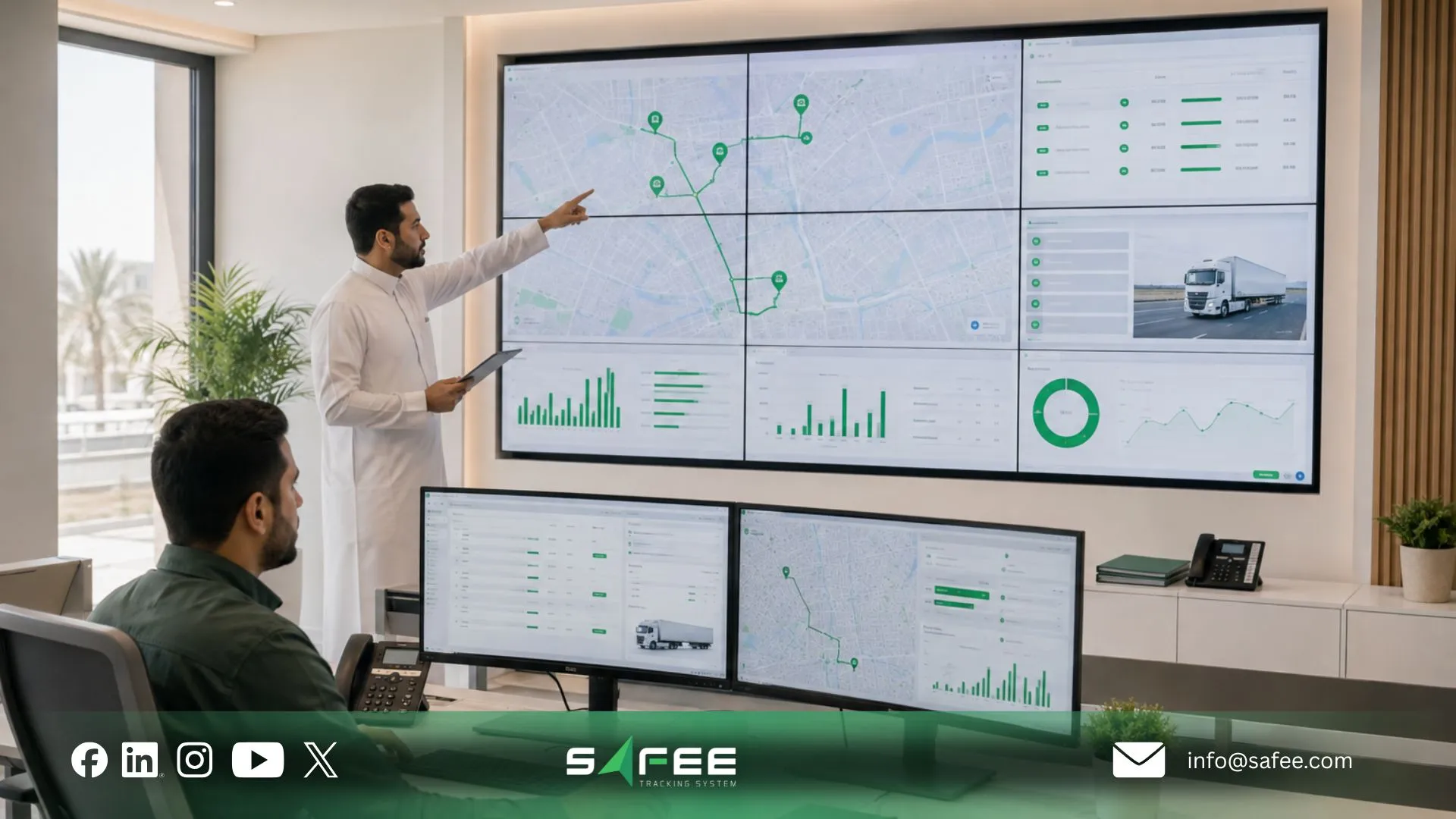
Safee is the best software company to run your fleet management process
At Safee, we help fleet teams turn documented procedures into workflows that can be managed consistently across people, vehicles, locations, and operating conditions. The process should determine how the technology is configured—not the other way around.
Before configuring any module, define how the process should work in practice: who is responsible for each stage, what information they need, which conditions require approval or intervention, how exceptions should be handled, and what records management needs to confirm that the process was completed correctly.
Safee capabilities can then be selected according to the operational requirements of that workflow:
- Administration Panel supports the administrative structure behind the process by managing sites, vehicle and driver groups, user accounts, permissions, and system settings.
- Google Directions supports processes that depend on planned routes, multiple stops, expected movement, and identifying deviations from the intended route.
- Map Search helps operations teams respond to unplanned situations by locating nearby vehicles or assets when a breakdown, incident, or new operational requirement affects the normal workflow.
- SatComm supports fleet processes that extend into remote or low-coverage areas where maintaining vehicle visibility and communication is operationally important.
More specialized fleet management processes can use capabilities designed around their operating context. Last Mile Delivery Solution supports delivery workflows that involve order assignment, route execution, and proof of delivery, while Warehouse Cold Chain Solution is relevant where temperature, humidity, threshold exceptions, and warehouse conditions form part of the controlled process.
This process-first approach allows fleet teams to configure Safee around the way their operation actually works. Instead of applying the same set of modules to every workflow, each capability supports a defined responsibility, control point, operational decision, or exception within the wider fleet management process.
Instead of evaluating software from a feature list alone, book a Safee demo with one real fleet management process. Map the trigger, owners, exceptions, alerts, reports, and evidence your team needs, then evaluate the configuration against that workflow.
Safee vs a manual fleet management process
Software does not remove management responsibility. The comparison below shows where a connected platform can support a documented process that would otherwise depend on separate manual records.
| Process Requirement | Manual Fleet Management Process | Safee-Supported Process |
| Vehicle status visibility | Staff check spreadsheets, calls, or separate records | Live Vehicle Tracking provides connected vehicle status and location context |
| Exception detection | Depends on someone noticing and reporting a problem | Alarms and Alerts can surface configured operational exceptions |
| Driver accountability | Assignment records may be separated from vehicle activity | Driver Management can connect driver context with fleet records where configured |
| Maintenance follow-up | Calendar, spreadsheet, or manual reminders | Maintenance Module can support usage- and schedule-based maintenance alerts |
| Process evidence | Staff compile records manually during review | Fleet Reporting can provide structured reporting from platform data |
| Journey control | Plans and actual activity may sit in separate systems | Journey Management System can connect journey planning and monitoring where used |
| Audit preparation | Evidence must be collected from several owners | Connected records can make operational review easier, subject to the configured workflow |
| Management review | Data is consolidated manually | Reports and analytics can provide a shared review layer |
The right comparison starts with process fit: responsibilities, controls, integrations, evidence requirements, and exception paths should match the fleet’s actual operating model before deployment.
FAQs about fleet management process
What’s the difference between a process and a procedure?
A fleet management process defines the complete workflow from start to completion, including responsibilities, decisions, and outcomes. A procedure explains how a specific task within that process should be performed. Vehicle onboarding is a process, while checking documents or creating the vehicle record are individual procedures.
How often should fleet management audit procedures run?
There is no fixed frequency for every fleet. Fleet management audit procedures should be scheduled according to operational risk, internal policy, process volume, previous findings, and applicable requirements. Additional audits may be needed after major process, system, or responsibility changes.
Who should own the fleet management process flow chart?
One accountable role should own the fleet management process flow chart, usually Fleet Management or Operations. Other teams may own individual steps, but the process owner should keep responsibilities, handoffs, and procedures aligned with actual operations.
Can fleet management processes be automated end to end?
Some fleet management processes can automate routine tasks such as data collection, alerts, reports, and notifications. However, approvals, safety decisions, unusual exceptions, and governance issues may still require human review. Automation should support the workflow without removing accountability.
Ready to improve your fleet operations?
Tell us what you would like to improve. A Safee specialist will reply by email.
Usually replies within one business day • No sales spam
Your details are used only to respond to your request. Privacy Policy

