

GPS Tracking for Fleet Vehicles: 10 Checks That Matter Beyond the Map
GPS tracking for fleet vehicles should give a commercial fleet more than a moving point on a digital map. For Operations, dispatch, HSE, logistics, and management teams, the real value begins when location data is connected with vehicle status, driver context, Geofences, Alarms and Alerts, trip history, reporting, and clear exception-handling workflows.
That distinction matters when fleets compare everything from car GPS fleet tracking and van GPS fleet tracking to a full truck fleet tracking system for long-haul or multi-depot operations. The device matters, but so do installation quality, connectivity, update logic, software, user permissions, reporting, integrations, and the process used to act on what the system detects.
This guide explains how commercial fleet GPS tracking works, which capabilities buyers should compare, how hardware choices affect deployment, and why Safee provides a stronger operational environment than basic tracking alone.
What is GPS tracking for fleet vehicles?
GPS tracking for fleet vehicles combines an in-vehicle tracking device, positioning data, communications, software, and operational workflows so authorized users can monitor vehicles and review their activity.
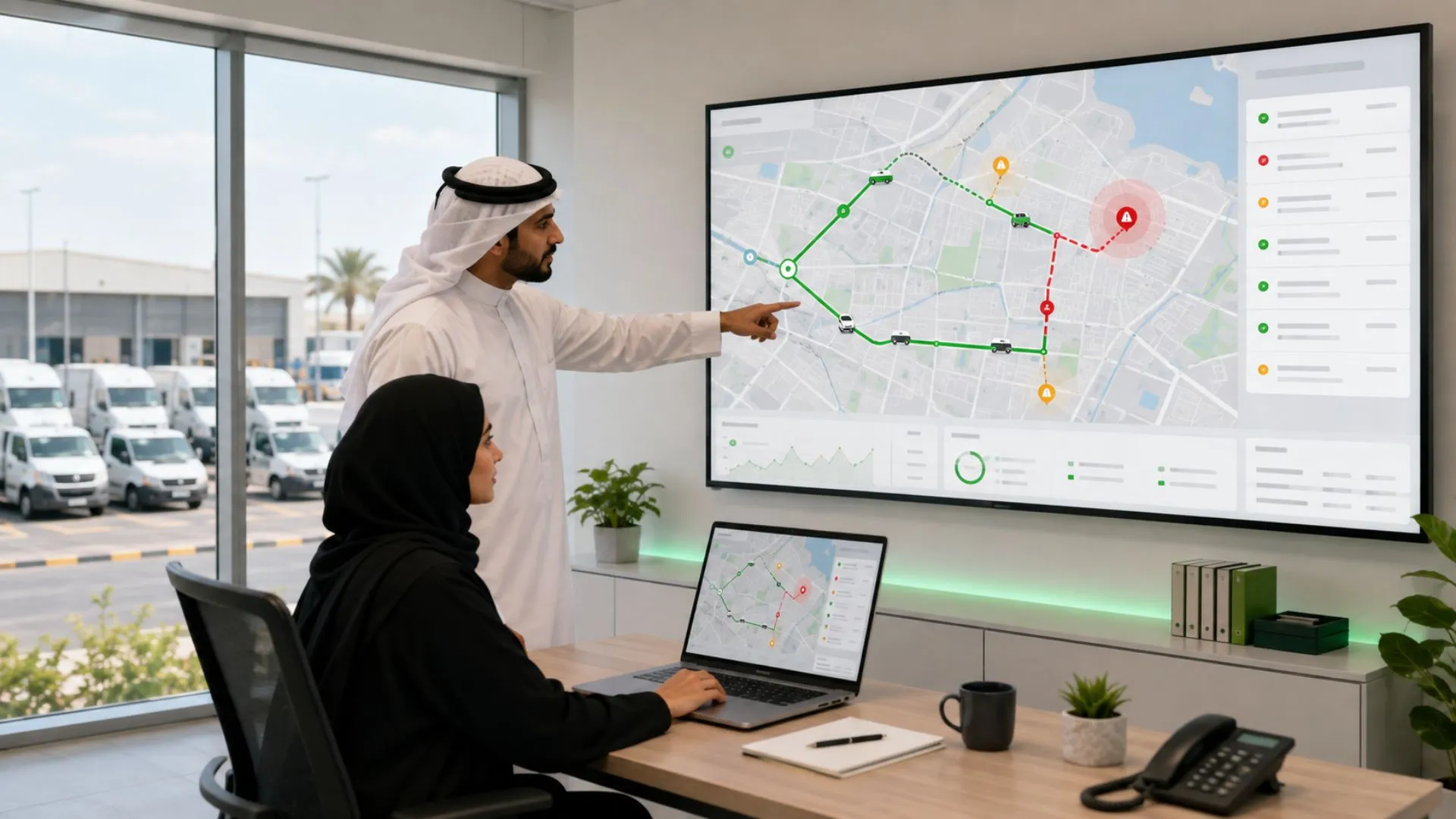
In a typical connected workflow, a device collects location and relevant vehicle data and communicates those records to a fleet platform. The platform then makes the information usable through live views, status information, route history, alerts, reports, and other fleet-management functions. Our Live Vehicle Tracking environment, for example, combines live GPS data with vehicle and driver information, Geofence context, alarm status, historical records, and reporting.
The practical question is therefore not simply, “Can I see the vehicle?” It is:
- Is the displayed position current enough for the decision?
- Can dispatch identify vehicles that are actually available?
- Can the system distinguish a normal stop from an exception?
- Can supervisors see route and Geofence events without watching a map continuously?
- Can management investigate what happened after the trip?
- Can tracking information connect with driver, fuel, journey, maintenance, or reporting workflows where required?
A commercial tracking system becomes valuable when these questions can be answered consistently.
A fleet tracking device determines vehicle location using satellite positioning. Depending on the hardware and configuration, it may also collect movement, ignition, speed, driver, sensor, or vehicle-related data.
The device then transmits available records through the configured communications network to the fleet platform. In Safee, Live Vehicle Tracking can display location, vehicle status, GPS and communication information, driver details, alerts, Geofence context, mileage, workload, and historical activity where the required data is available.
This creates three distinct layers:
- Positioning: Where was the vehicle when the record was generated?
- Communication: Did that record reach the platform?
- Operational interpretation: What does the location or event mean for dispatch, HSE, security, maintenance, or management?
These layers should not be confused. A tracker can have a GPS position but temporarily lack cellular communication. Likewise, a coordinate can appear precise while being too old for a current dispatch decision. Safee’s GPS data-quality guidance therefore separates position accuracy, data freshness, communication availability, and historical completeness.
For buyers comparing vehicle fleet GPS tracking, this distinction is more important than a visually attractive map.
The blind spots a truck fleet tracking system removes
Heavy and commercial trucks introduce operating conditions that basic vehicle tracking may not address adequately.
A truck fleet tracking system can help remove blind spots around:
- Long-distance route progress.
- Unplanned stops.
- Depot entry and exit.
- Route deviation.
- Unauthorized after-hours movement.
- Driver assignment.
- Speed and driving exceptions.
- Border, port, yard, or customer-site activity.
- Power-disconnect or tracker-health events, where supported.
- Trip history and post-trip investigation.
- Low-connectivity routes where the selected communications design supports recovery or alternative communication options.
For GPS tracking for fleet trucks, the vehicle type matters. Safee’s heavy-fleet guidance notes that road trucks may need live location, Driver ID, Geofences, trip replay, Alarms and Alerts, reporting, CANbus data, or connectivity planning depending on the operating model.
A long-haul tractor operating between countries does not have the same tracking requirements as a city delivery van or a passenger car. The correct truck GPS fleet tracking configuration starts with the operating environment, not a generic tracker specification.
Need to map your existing vehicles, routes, depots, connectivity conditions, and exception requirements? Contact us for a fleet-fit tracking review before selecting hardware.
Also read: How the Safee Tracking System Turns Data into Fleet Insights?

What does commercial fleet GPS tracking add beyond a map dot?
Commercial fleet GPS tracking should turn coordinates into decisions.
A map can tell a dispatcher where the latest position appears. A commercial fleet tracking system should also help answer questions such as:
- Is the vehicle moving, stopped, idle, or offline?
- Who is assigned to it?
- Is it inside an approved Geofence?
- Has it departed from the expected route?
- Is the location record current or stale?
- Has an exception triggered an alert?
- What happened immediately before and after the event?
- Does the same problem recur across vehicles, drivers, branches, or routes?
Our platform connects Live Vehicle Tracking with operational modules including Alarms and Alerts and Fleet Reporting, allowing teams to move from passive monitoring toward exception-based fleet management.
Vehicle fleet GPS tracking software that flags exceptions
Vehicle fleet GPS tracking software becomes significantly more useful when the fleet team does not have to stare continuously at every vehicle icon.
Instead, the system should allow teams to define relevant conditions and surface exceptions. Examples may include:
- Speeding.
- Geofence entry or exit.
- Route deviation.
- Unauthorized movement.
- Extended stops.
- Driver-risk events.
- Tracker communication problems.
- Power disconnect or tampering where supported.
- Vehicle or device conditions supported by the selected hardware.
Our Alarms and Alerts Module can connect tracking events with configurable notifications so the responsible dispatcher, HSE officer, maintenance user, security team, or manager can review the event. Fleet Reporting can then support recurring review instead of leaving every exception as an isolated notification.
The important procurement question is not simply whether an alert exists. Buyers should verify:
- Who can receive it?
- What evidence accompanies it?
- Can thresholds differ by vehicle or operating group?
- Can repeated events be reviewed historically?
- Can users determine whether the event was resolved?
- Does the system expose stale or offline tracking status?
- Can the event flow into reports or integrations?
Together, these capabilities turn GPS tracking for fleet vehicles from a basic location service into an operational control workflow.
GPS fleet tracking by vehicle
Not every vehicle should receive the same tracking configuration.
- Car GPS fleet tracking may prioritize driver assignment, business-use policy, mileage, Geofences, route history, unauthorized movement, and mobile visibility.
- Van GPS fleet tracking may add delivery-route visibility, customer-site stops, service windows, vehicle utilization, dispatch coordination, and repeated stop patterns.
- Truck GPS fleet tracking may require more attention to rugged installation, driver identity, long-distance connectivity, CANbus compatibility, Geofences, route deviations, power integrity, and trip history.
For heavy trucks specifically, Safee recommends evaluating hardwired versus OBD installation, CANbus integration, backup power, rugged housing, Driver ID, accelerometer support, connectivity options, history, Geofences, integrations, and other requirements against the actual vehicle class.
The best vehicle fleet GPS tracking setup is not the one with the longest feature list. It is the configuration that produces reliable evidence for the decisions each vehicle type actually creates.
Carrier fleet GPS tracking for multi-depot operations
Carrier fleet GPS tracking becomes more demanding when the fleet is spread across several branches, depots, yards, cities, or countries. A multi-depot operator may need to separate vehicles by:
- Branch.
- Depot.
- Contract.
- Operating region.
- Vehicle class.
- Customer.
- Dispatch team.
- Driver group.
- Cost center.
- Management responsibility.
The software should allow local teams to monitor what they are responsible for while management retains the level of cross-fleet visibility required by the organization.
Role-based access is particularly important. A dispatcher may need active routes and current exceptions, HSE may need driver-related events, Finance may need relevant reports, while senior management may need aggregated operational evidence rather than every live event.
Our tracking environment supports fleet views, operational data, reporting, and department- or management-level visibility within a connected platform. Its broader heavy-fleet workflow can also connect live location, Geofences, driver identity, trip replay, mobile access, fuel context, journey planning, and historical analysis according to the deployment scope.
For regional carriers, this is more useful than treating every depot as a separate tracking account.
Also read: 5 Advanced Fleet Monitoring Tools That Go Beyond GPS
How to choose the best vehicle fleet GPS tracking system?
Choosing the best vehicle fleet GPS tracking system should be treated as a procurement and operational-design decision, not simply a hardware purchase.
A strong evaluation should test the proposed system under the routes, vehicle classes, operating conditions, user roles, connectivity limitations, and workflows expected after rollout.
10 things to compare in any GPS truck fleet tracking system
When comparing a GPS truck fleet tracking solution, use at least these ten criteria.
- Location usefulness and data freshness: Determine whether the position and timestamp are current enough for dispatch, Geofence control, route review, and other planned decisions.
- Tracking update logic: Understand how time, distance, movement, ignition, or event-based reporting is configured and how those settings affect route detail.
- Installation method: Compare OBD-II, hardwired, or other supported installation approaches against each vehicle class.
- Vehicle and CANbus compatibility: Verify which vehicle data can actually be obtained from the selected truck and hardware combination.
- Communication continuity: Test the cellular environment and identify routes where alternative or secondary communication may need evaluation.
- Offline recovery: Confirm whether the selected device stores records during communication loss, how much it stores, and how records are returned after reconnection.
- Geofences and Alarms and Alerts: Test entry, exit, route deviation, extended stops, speeding, unauthorized movement, device-health conditions, and other required exceptions.
- Driver accountability: Verify Driver ID options and how assignments or driver-related events appear in reports and investigations.
- Reporting and historical investigation: Check trip replay, route history, export requirements, Fleet Reporting, and deeper historical analysis requirements.
- Integration and access: Verify APIs, ERP or dispatch integration, Mobile App access, user permissions, and the required workflow on both web and mobile.
Questions to ask the provider before approval:
- Which tracker and installation type will be used on each vehicle class?
- Which data fields are native, calculated, integrated, or sensor-dependent?
- What happens when cellular connectivity disappears?
- How is the age of the latest location shown?
- Can offline records be recovered with their original timestamps?
- Which Alarms and Alerts can be configured for our routes and policies?
- How are Driver ID and vehicle assignments handled?
- What reporting and data-export options are available?
- Which APIs or business-system integrations are supported?
- What must be tested in a pilot before full deployment?
Want to compare these criteria against your existing commercial fleet GPS tracking setup? Book a Safee demo and use a real vehicle, route, and exception workflow as the evaluation case.
Auto fleet GPS tracking system hardware
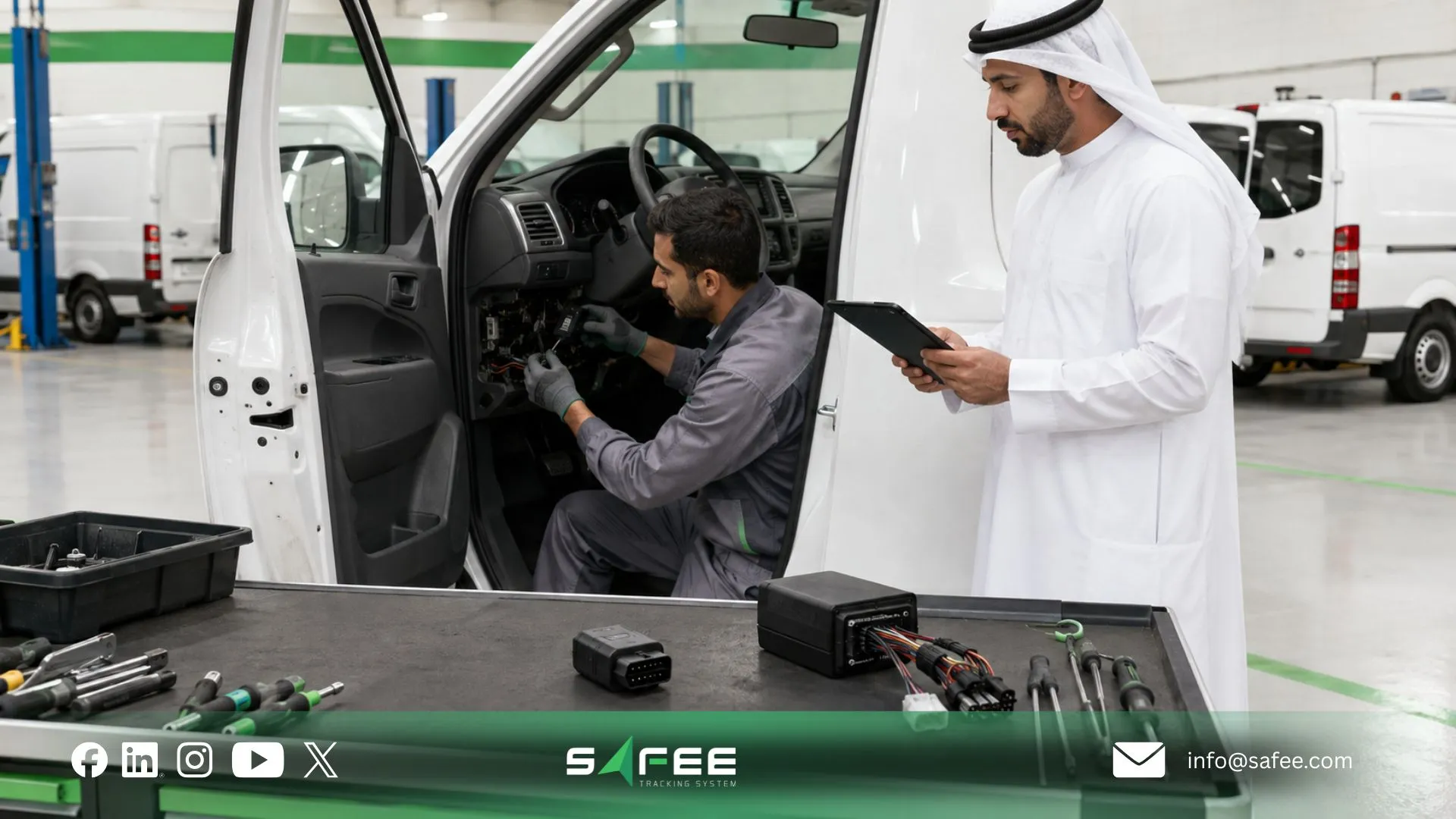
Hardware is one of the most consequential parts of an auto fleet GPS tracking system because installation affects power stability, device visibility, tamper risk, accessible vehicle data, and maintainability.
- OBD-II refers to the vehicle’s onboard diagnostic interface. An OBD-II fleet tracker can simplify installation where the vehicle, connector, hardware, and required data are compatible.
It can be practical for selected cars, vans, and light commercial vehicles because the unit may be easier to deploy or move. But buyers should verify accessibility, tamper exposure, connector compatibility, and whether the available vehicle data meets the project requirement.
- A hardwired GPS tracking device connects more permanently to the vehicle electrical system. Our heavy fleet guidance notes that heavy trucks often require hardwired installation for stability, tamper resistance, and deeper data access, although the correct choice must still be verified by vehicle class.
Key variables include:
- Vehicle make, model, and electrical architecture.
- OBD-II availability and connector position.
- CANbus requirements.
- Required ignition or engine signals.
- Driver ID hardware.
- Additional sensors.
- Power-disconnect monitoring.
- Backup battery requirements.
- Tamper exposure.
- Environmental conditions.
- Maintenance access.
- Warranty and installation requirements.
Do not specify one hardware architecture across an entire mixed fleet until representative vehicles have been inspected and tested.
For a passenger car pool, OBD-II may be operationally convenient. For a heavy truck, industrial asset, or high-risk commercial vehicle, hardwired installation may be more appropriate. The selection must follow the workflow and vehicle rather than the lowest installation effort.
How to roll out a fleet GPS tracking system across different vehicle types?
Deploying a fleet GPS tracking system should not end on installation day. The objective is to move vehicles into the new environment without losing operational visibility, creating uncontrolled alert volumes, or confusing dispatch and management teams.
The objective is to move vehicles into the new environment without losing operational visibility, creating uncontrolled alert volumes, or confusing dispatch and management teams.
A practical rollout can follow this sequence:
- Inventory the fleet. Document vehicle types, locations, operating hours, existing devices, drivers, routes, and business systems.
- Segment vehicles by technical requirement. Separate cars, vans, heavy trucks, special vehicles, trailers, and other assets that may require different hardware or connectivity.
- Define acceptance criteria. Specify required location freshness, Geofence behavior, route history, alerts, Driver ID, reports, mobile access, and integrations.
- Validate representative vehicles first. Test the proposed hardware and installation on representative vehicles and routes before scaling.
- Configure the workflow before broad rollout. Build required Geofences, Alarms and Alerts, permissions, reports, and user responsibilities before hundreds of new events begin arriving.
- Deploy in controlled groups. Schedule installation around vehicle availability and operating requirements rather than removing the entire fleet from service simultaneously.
- Verify every installed vehicle. Check device communication, positioning, timestamp, ignition status, expected fields, route continuity, and configured alerts.
- Train accountable users. Dispatchers, Operations, HSE, maintenance, and managers should understand what requires action and what is informational.
- Review recurring exceptions. Use Fleet Reporting and historical analysis to identify gaps, false alerts, missing data, and configuration problems.
- Expand only after acceptance evidence is complete.
We recommend field-testing the actual proposed configuration under representative routes and connectivity conditions. A reliable rollout should preserve limitations and unresolved dependencies instead of hiding them behind a successful demonstration.
Also read: How to Choose a Fleet Truck Tracking System for Heavy Fleets

Why choose Safee for GPS tracking for fleet vehicles?
At Safee, we provide GPS tracking for fleet vehicles as part of a connected fleet management platform, not as a standalone map tool.
Our Live Vehicle Tracking works with Geofences, Alarms and Alerts, Driver ID, Fleet Reporting, mobile access, historical tracking, and other configured fleet data. This helps Operations, HSE, dispatch, and Fleet Managers move from simply viewing vehicle locations to identifying exceptions, reviewing events, and taking action.
For fleets that need commercial fleet GPS tracking with broader operational visibility, Safee connects tracking data with the tools teams use for daily fleet control.
Request a Safee demo to review the right tracking setup for your vehicles, routes, users, and operational requirements.
Safee vs Other Commercial Fleet Tracking Systems
| Evaluation Area | Safee | What to Verify in Other Systems |
| Live tracking | Vehicle, GPS, driver, alarm, and Geofence context where available | Whether tracking goes beyond location |
| Alerts | Configurable Alarms and Alerts | Alert types, recipients, and history |
| Historical review | Trip history, Fleet Reporting, and Tracking Data Analyzer | Retention, reports, and route replay |
| Driver visibility | Driver assignment and Driver ID where configured | How drivers are linked to events |
| Mixed fleets | Configuration for cars, vans, trucks, and heavy fleets | Hardware compatibility by vehicle type |
| Mobile access | Safee Mobile App and browser access | Which functions are available on mobile |
| Integrations | API and integration capabilities | ERP, dispatch, maintenance, and other integrations |
The best commercial fleet tracking system should support the full workflow from vehicle movement and exception detection to review and reporting—not simply display vehicles on a map.
How Safee connects GPS tracking with fuel waste control?
GPS tracking does not reduce fuel waste on its own. Its value comes from providing operational context around how, where, and when vehicles are being used.
At Safee, tracking data can work alongside Alarms and Alerts, Fleet Reporting, and Fuel Control to help fleet teams investigate issues such as excessive idling, inefficient movement, unusual vehicle activity, and recurring driver-related patterns.
For example, GPS data can show where a vehicle was operating, alerts can surface relevant exceptions, and reports can help teams identify repeated patterns over time. When fuel data is available through the configured Fuel Control environment, fleet teams can review fuel-related events alongside vehicle movement and other operational context.
This gives Operations and Fleet Managers better evidence for investigating fuel waste and deciding where corrective action may be required.
FAQs about commercial fleet GPS tracking
How accurate is GPS tracking for fleet vehicles?
GPS accuracy varies by device, installation, environment, connectivity, and update settings. Tunnels, dense urban areas, underground parking, and signal obstruction can affect what the fleet team sees, so accuracy should be validated under real operating conditions.
Does commercial fleet GPS tracking work without cell signals?
A tracker may still receive GPS data without cellular service, but live cloud visibility usually stops until communication returns. Some devices can store records offline and transmit them later, depending on the hardware and configuration.
Is there a mobile app for tracking fleet vehicles on the go?
Yes. Safee provides Mobile App access for authorized users to view live locations, alerts, driver information, and reports while away from the office.
How long does it take to install a truck fleet tracking system?
Installation time depends on the truck, hardware, wiring, CANbus requirements, Driver ID, sensors, and whether the device is OBD-II or hardwired. For commercial fleets, Safee recommends planning installation vehicle by vehicle rather than relying on one generic timeframe.
Ready to improve your fleet operations?
Tell us what you would like to improve. A Safee specialist will reply by email.
Usually replies within one business day • No sales spam
Your details are used only to respond to your request. Privacy Policy

