


Release 6.7.2: Vehicle Idle Report and Administrative Alarm Notices
Version: 6.7.2
Release 6.7.2 adds three ways to calculate idle periods in the Vehicle Idle Report and lets you set the timing of administrative alarm notifications at three levels.
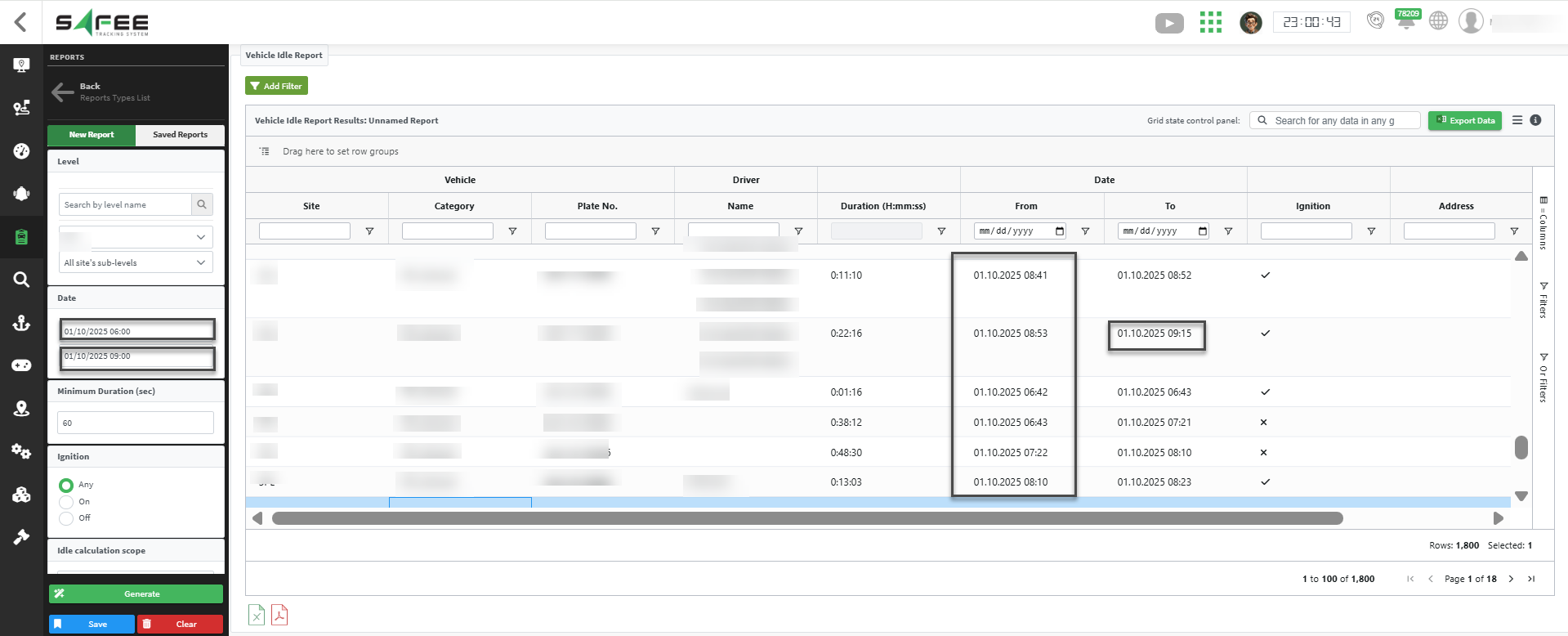
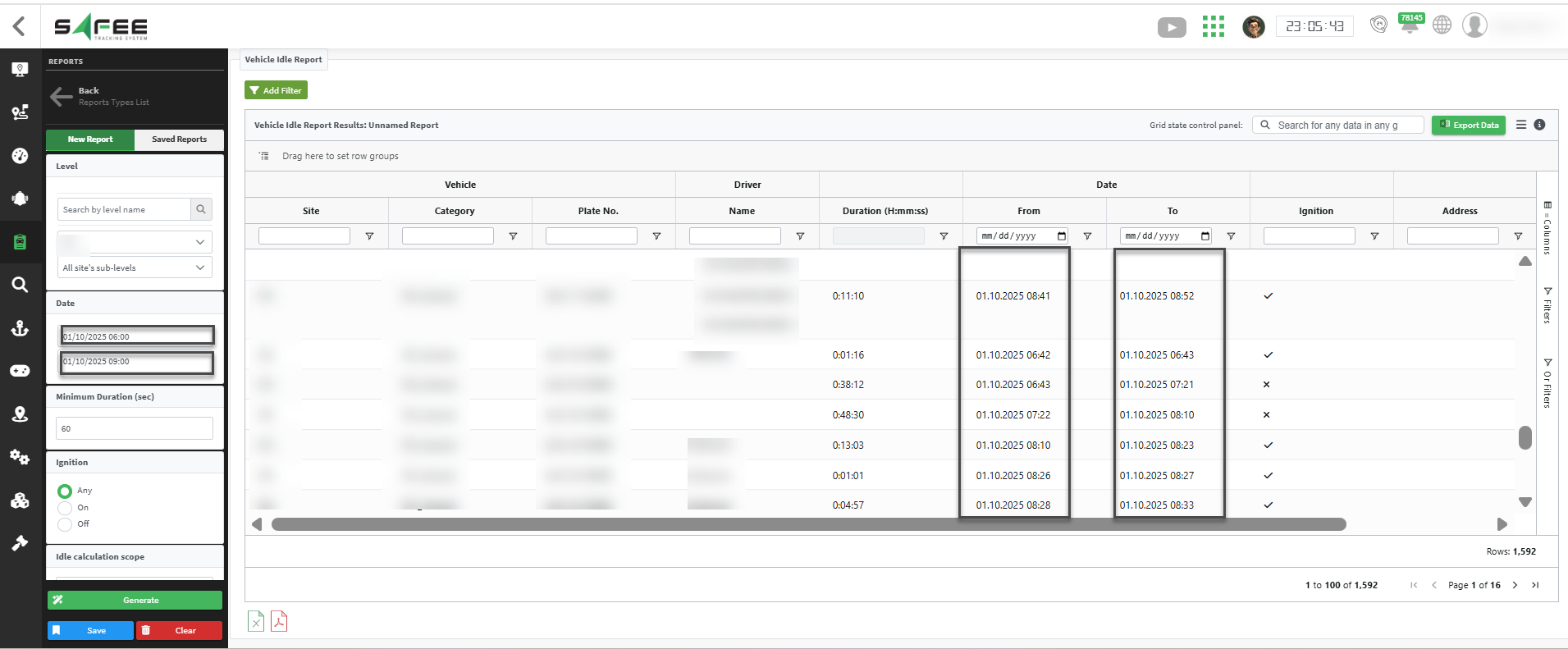
- Slots Ended Within Range: includes idle periods that end inside the range, whatever their start time, so the results show every instance that ended before 09:00. Use it for idle periods that finished during your reporting period.
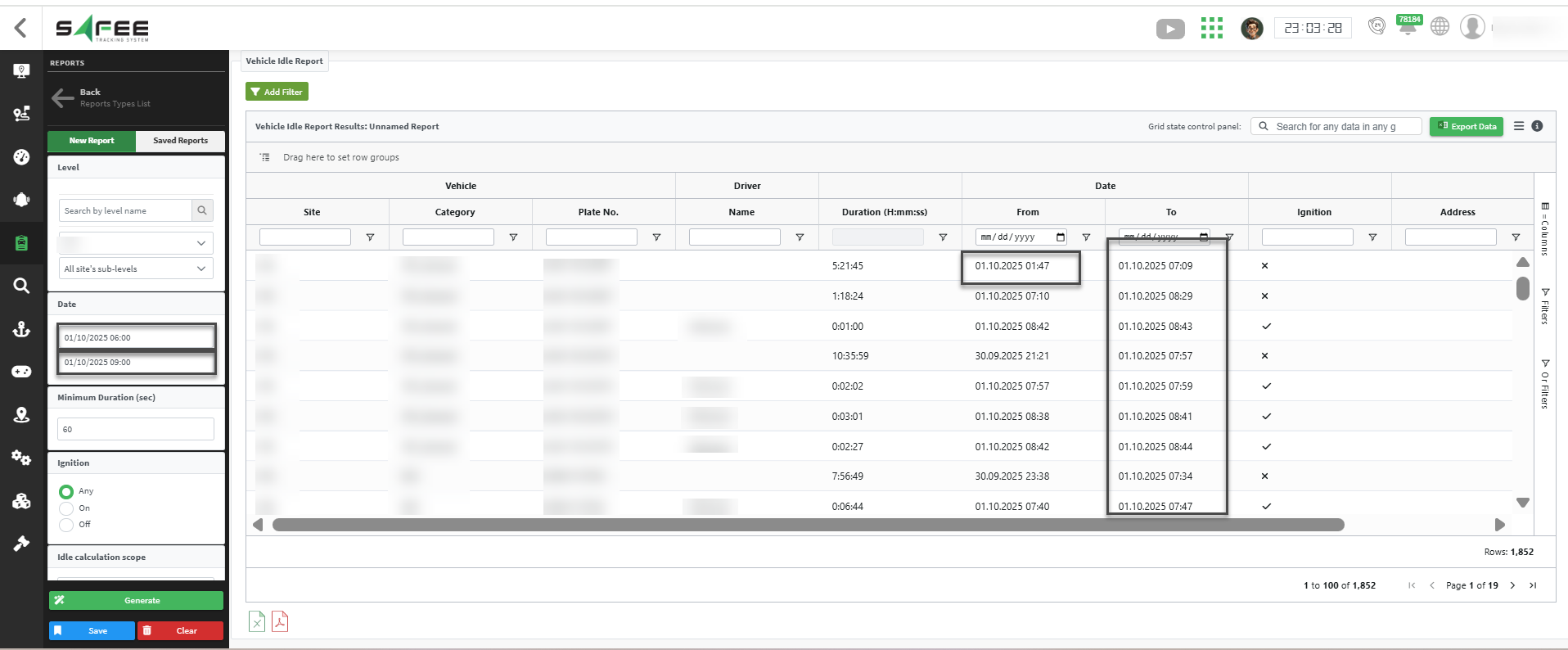
- Time Periods Within Range (default): includes only the portions that fall strictly inside the range, so the results show only instances that start after 06:00 and end before 09:00, with precise calculations confined to your window.
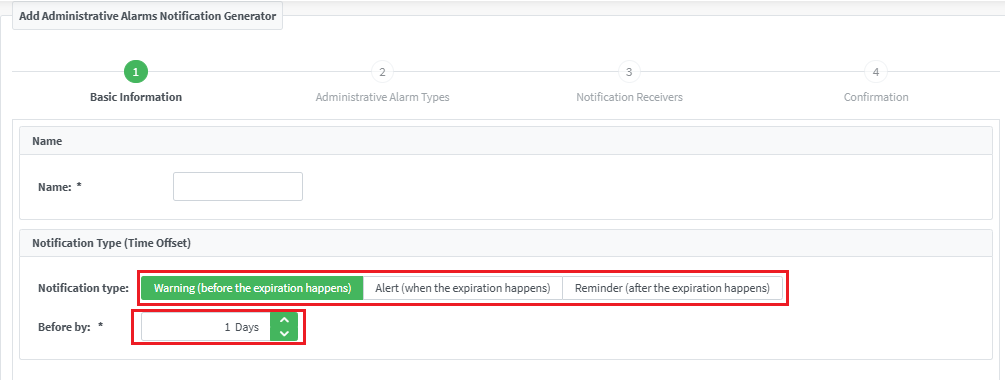
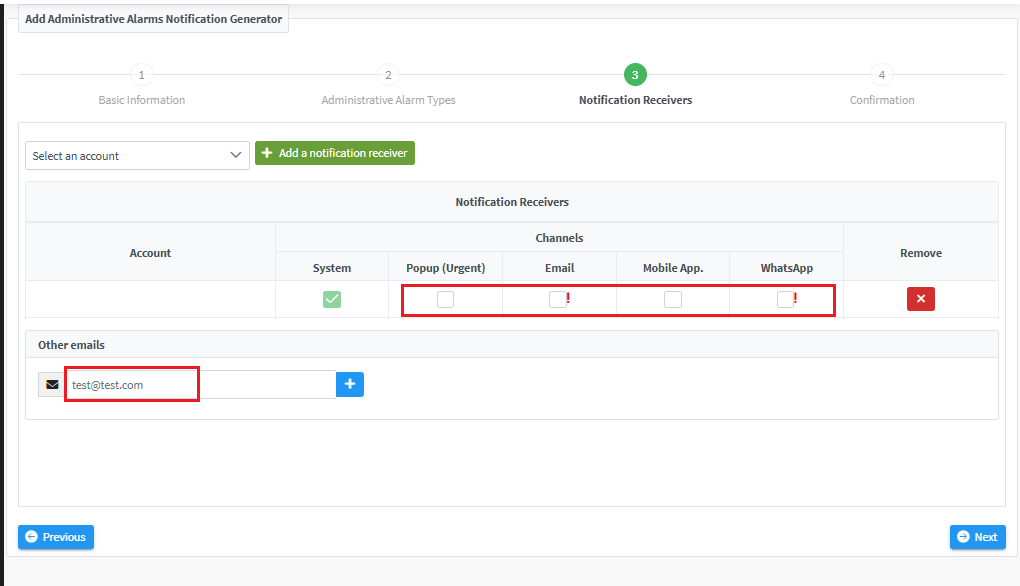
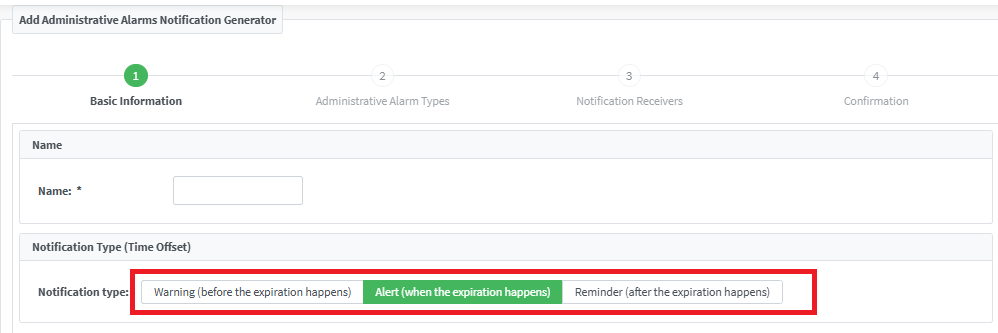
By default, notifications fire on the expiration date. In the administrative alarm notification wizard you can configure only one type at a time: warning, alert, or reminder.
For the official release notes, see Release 6.7.2 in the Safee documentation.
Safee Tracking System
Ready to improve your fleet operations?
Tell us what you would like to improve. A Safee specialist will reply by email.
Usually replies within one business day • No sales spam
Your details are used only to respond to your request. Privacy Policy

