


Release 6.8.2: Utilization Dashboard and Dual Temperature Sensors
Version: 6.8.2
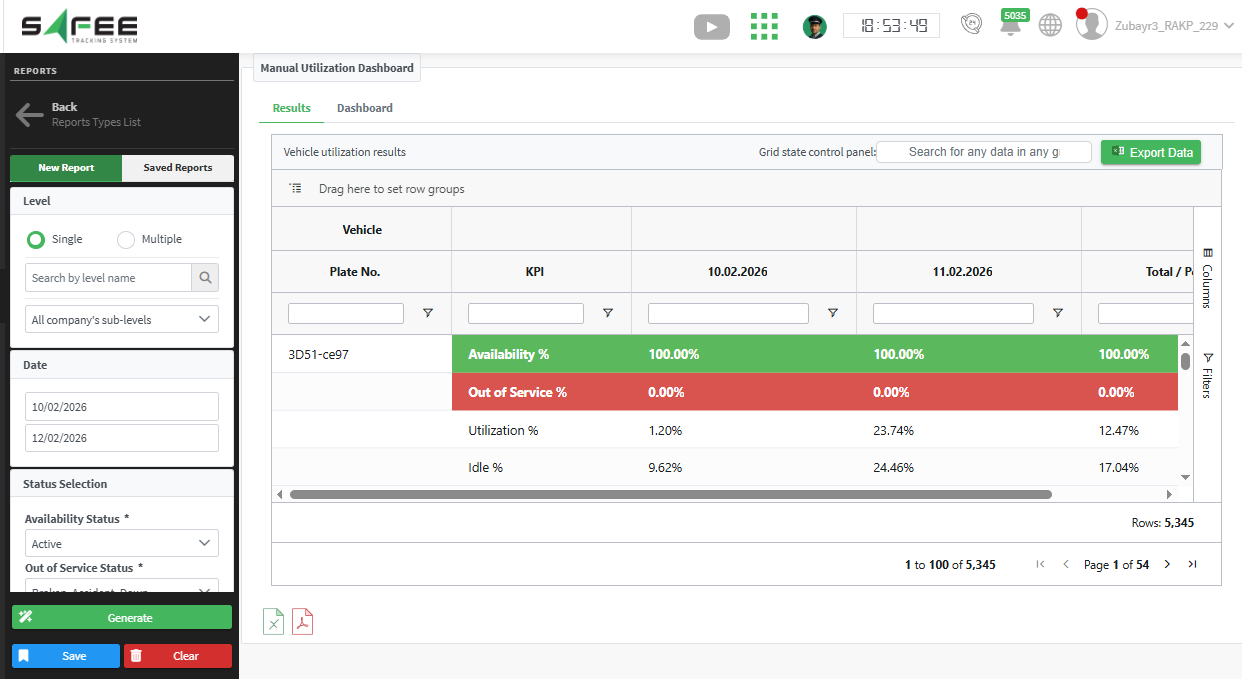
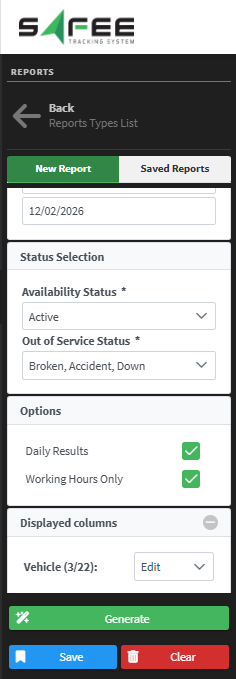
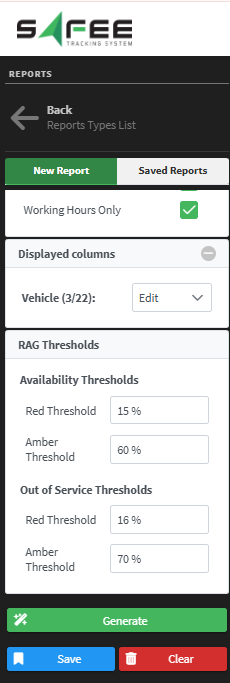
Release 6.8.2 introduces a beta report that measures vehicle availability by your own rules, and lets you install two types of temperature sensors on the same vehicle.

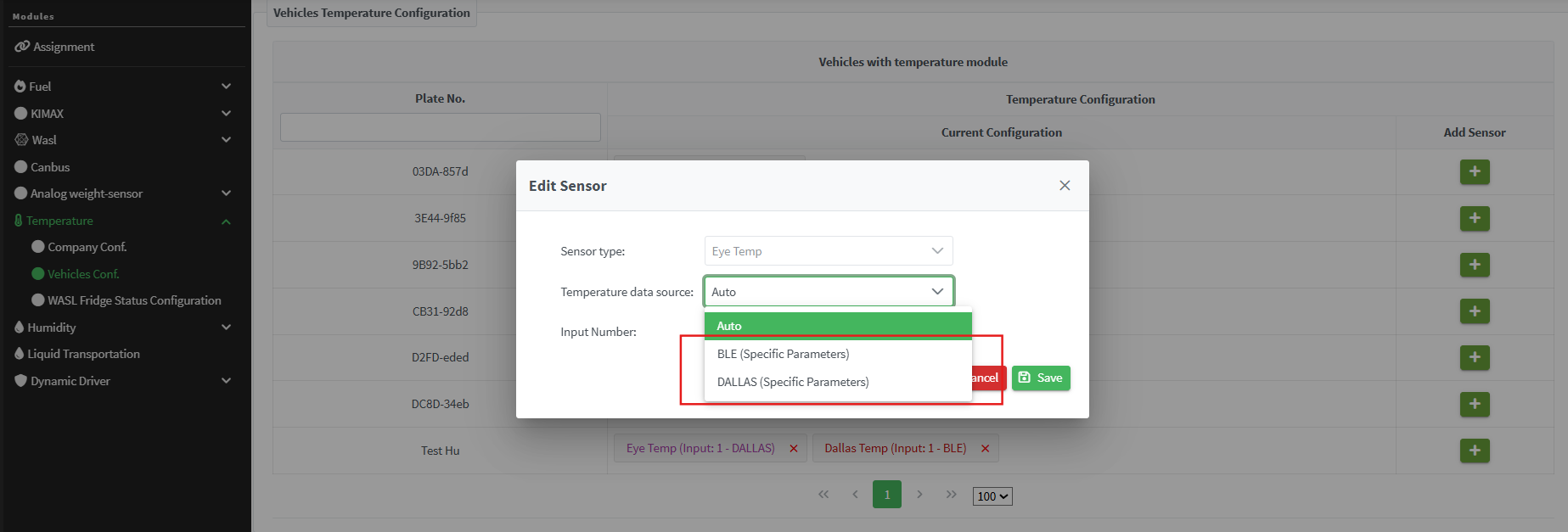
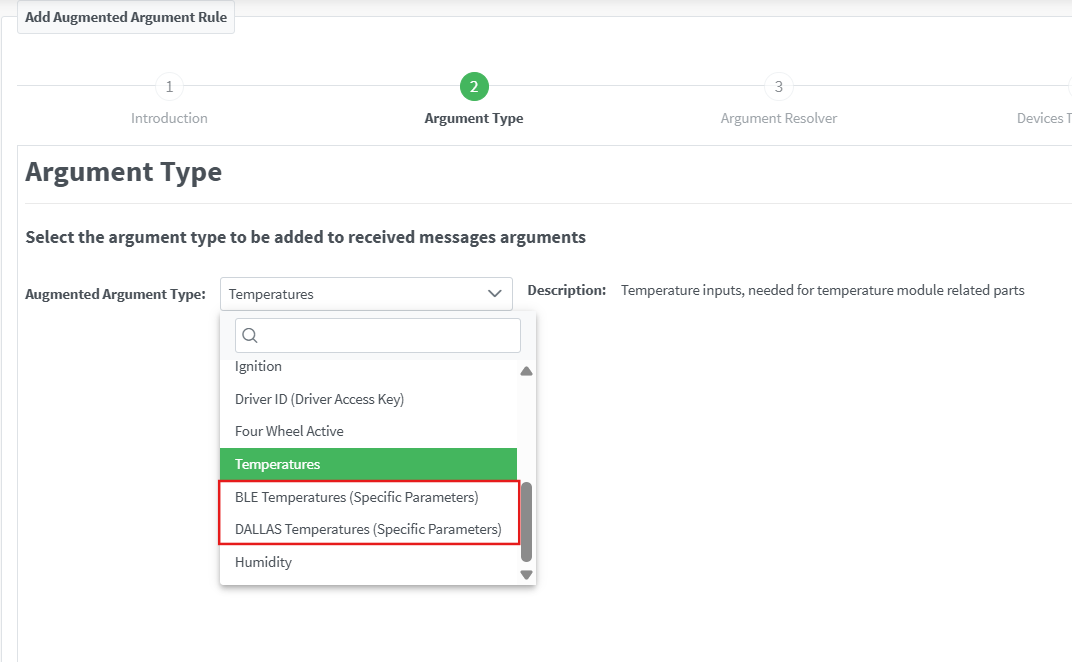
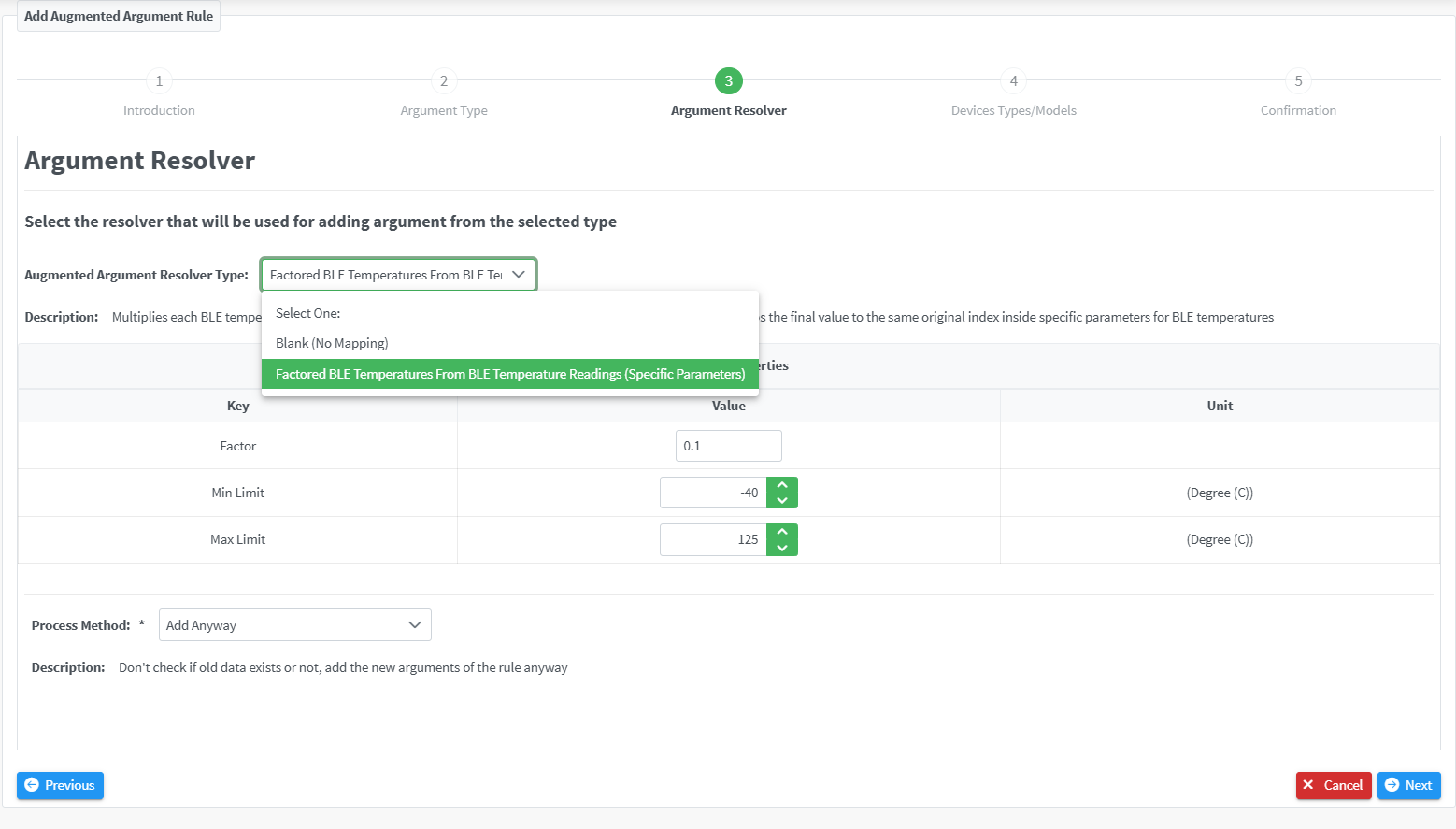
- BLE Temperatures (Specific Parameters): reads temperature values from Bluetooth sensors. Select the right Argument Resolver in step three of the wizard, then set the factor and the acceptable value limits.
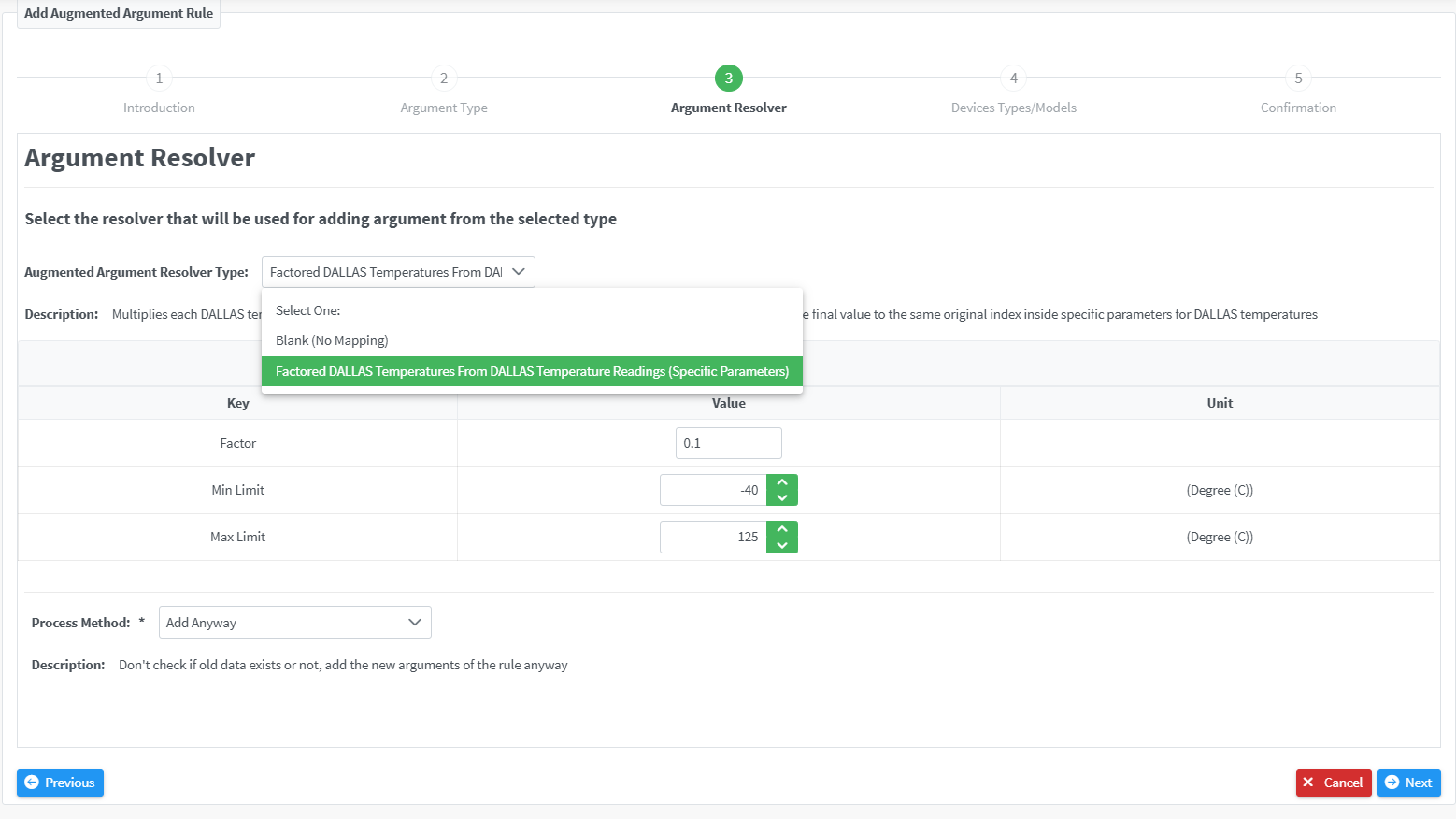
- DALLAS Temperatures (Specific Parameters): reads temperature values from 1-Wire sensors. Select the Argument Resolver in step three the same way, then set the factor and the acceptable value limits.
For the official release notes, see Release 6.8.2 in the Safee documentation.
Safee Tracking System
Ready to improve your fleet operations?
Tell us what you would like to improve. A Safee specialist will reply by email.
Usually replies within one business day • No sales spam
Your details are used only to respond to your request. Privacy Policy

