


Release 6.4.13: Passenger Module and Its Explorers
Version: 6.4.13
Release 6.4.13 introduces a new passenger tracking module with two new explorers and a trip report option, and clarifies the naming of SP-2000-related alarms.
- The company admin confirms the company has the passenger license or module.
- The admin assigns the module to the target vehicle(s).
- The module configurations are set.
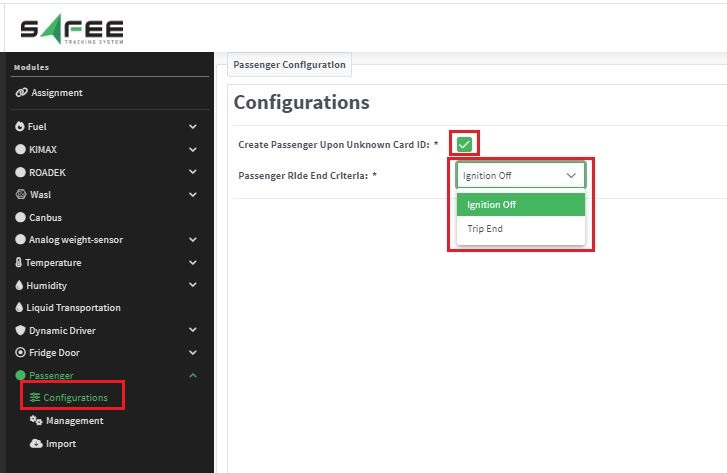
- Configurations: choose whether the system auto-inserts a new passenger when an ID is not among the existing passengers, and set the criteria for ending a ride: “ignition off” or “trip end”.
- Management: define any number of passengers, one by one or through an Excel import.
- Import: customize the Excel fields, download your template, set the importing criteria and upload the file.
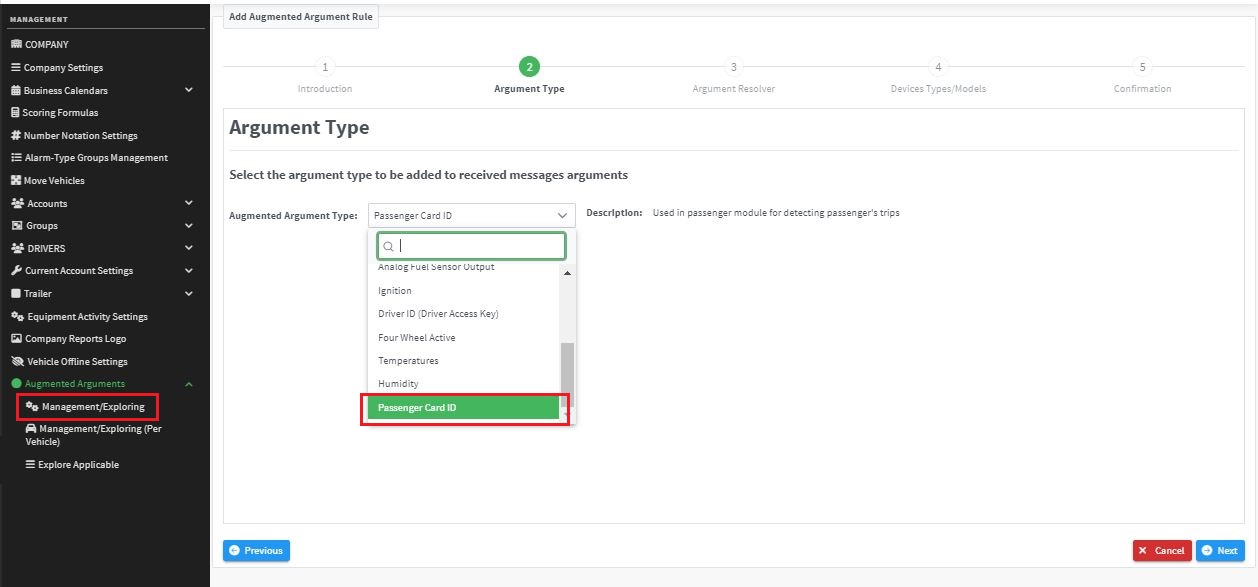
Once the module configuration is done, set a rule for passenger data handling in the augmented arguments of the device terminals settings.
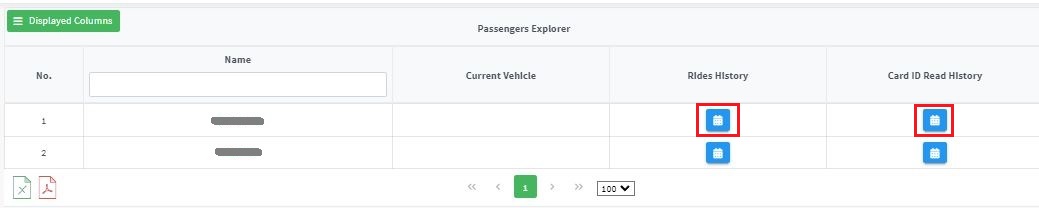
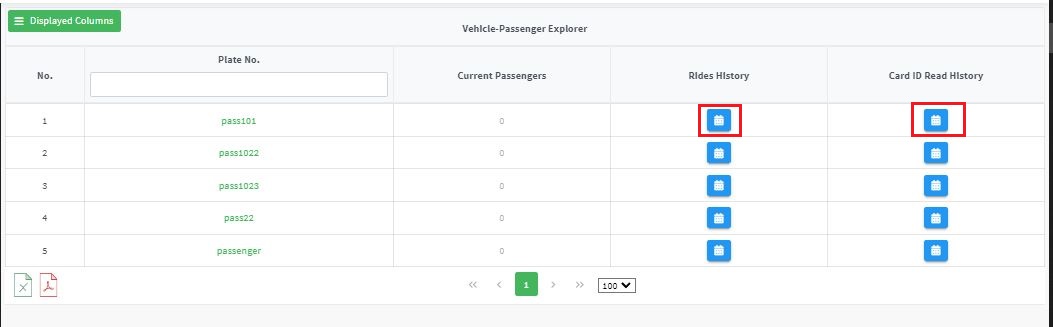
- Vehicle-Passenger explorer: built on a vehicle basis. It displays the plate numbers of the vehicles having the module, the current passengers in each vehicle, the rides history and the history of the card IDs the vehicle read.
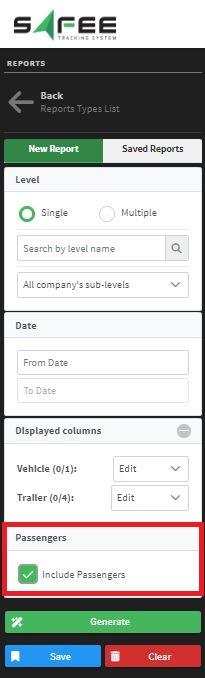
- Trip report: a new option shows the passengers who rode in each trip.
Feature renaming
To avoid confusing users, all SP-2000 alarms, reports, licenses and related items were renamed to be device-specific.
For the official release notes, see Release 6.4.13 in the Safee documentation.
Safee Tracking System
Ready to improve your fleet operations?
Tell us what you would like to improve. A Safee specialist will reply by email.
Usually replies within one business day • No sales spam
Your details are used only to respond to your request. Privacy Policy

