

Release 6.4.12: Best Driver Report and Reporting Enhancements
Version: 6.4.12
Release 6.4.12 brings enhancements to the Best Driver report, the calendar mileage report and several other reports, giving you more detailed and customizable information.
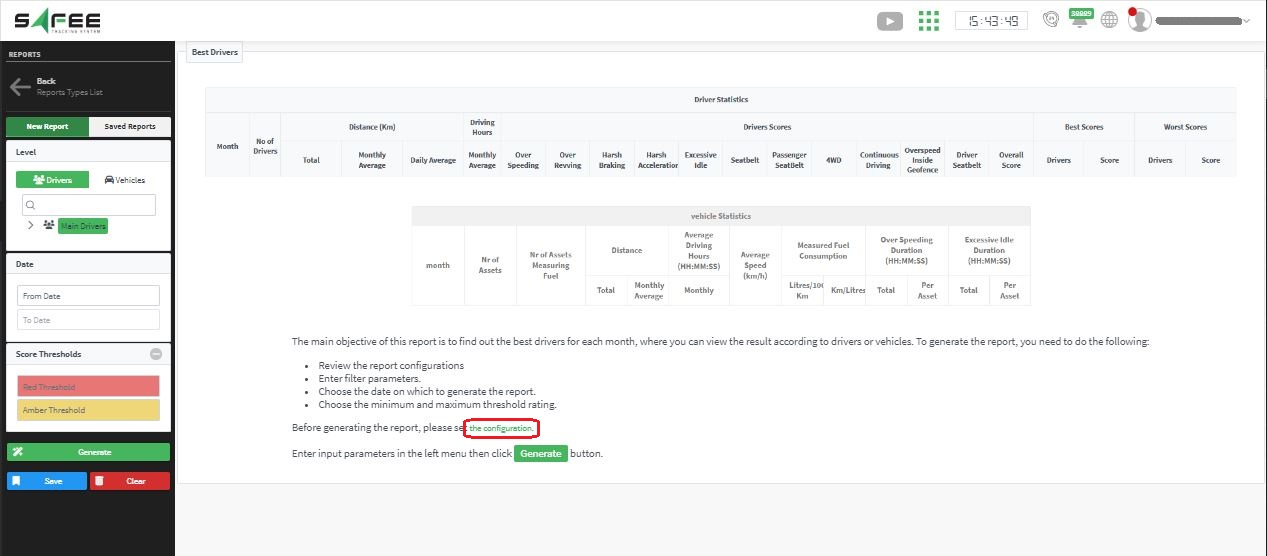
The configuration page lists the violations included in the report output, and you determine how each one affects the final score. The page itself explains how each field affects the result.
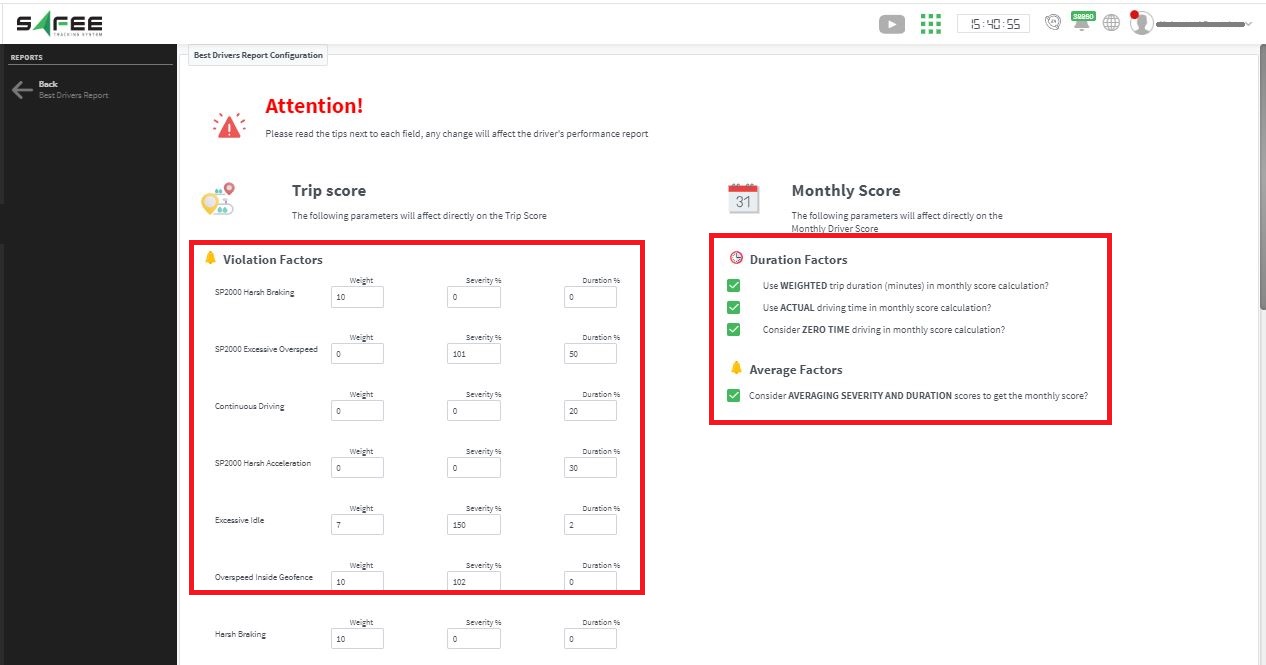
The list of violations is determined through the alarm group named Best Driver Report (Driver) on the Alarm-Type Groups Management page.
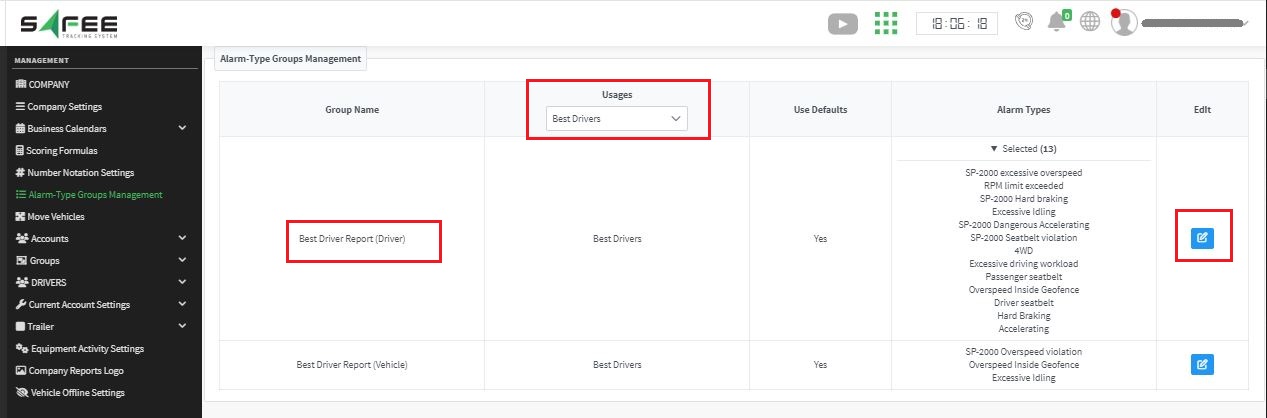
- Select the drivers’ group or driver name.
- Select the target months.
- Set the coloring thresholds: scores in the overall score column below the red threshold highlight the month row in red, scores between the red and amber thresholds highlight it in amber, and scores above the amber threshold highlight it in green.
- Generate.
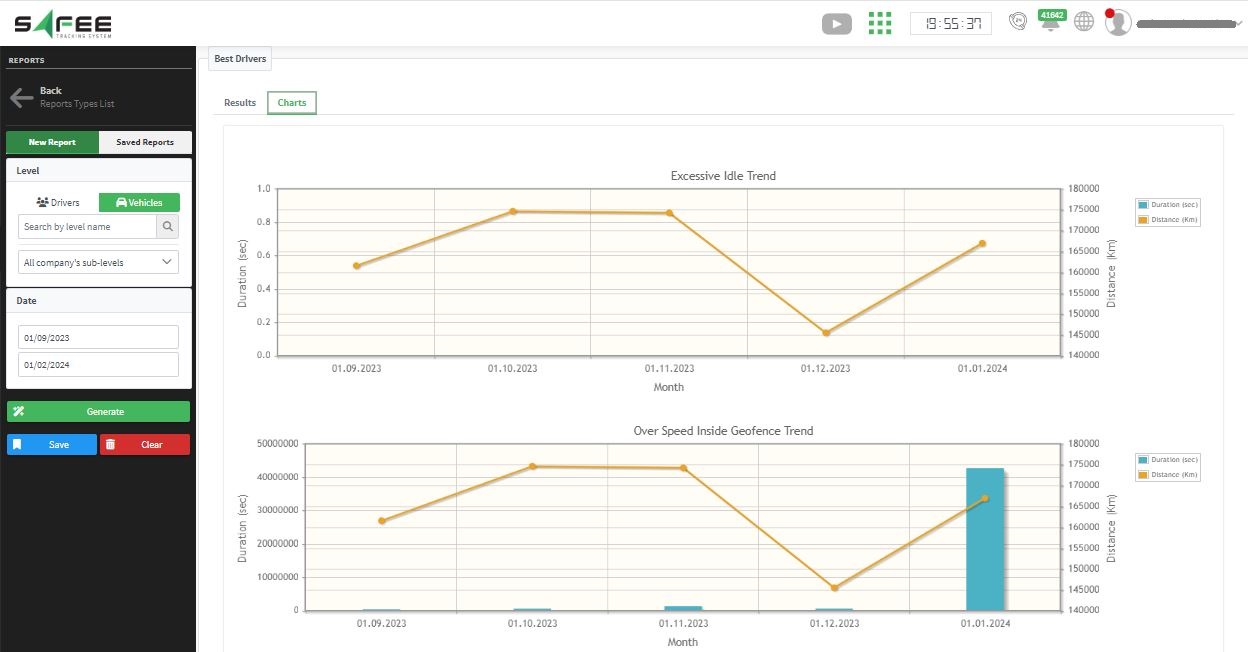
The report shows the statistics of all selected drivers over each month in a row, in addition to the best and worst scores recorded in that month. Click the View button in the corresponding column to see the names of the drivers with the best and worst scores. A second tab presents a bar chart of the number of drivers of each color in each month.
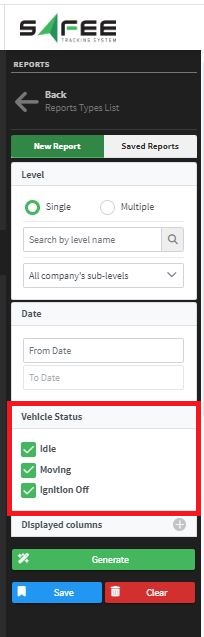
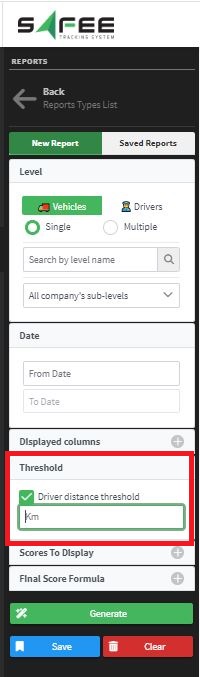
- Driver KPI report: a driver distance threshold can now be set as an input parameter.
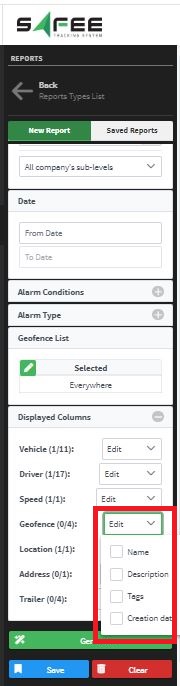
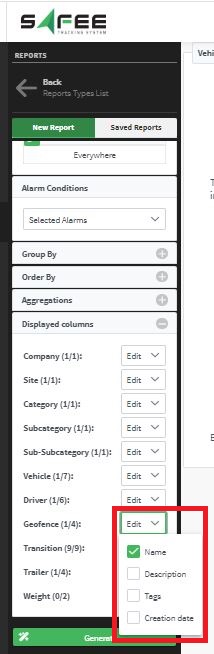
- Vehicle geofence movement details report: more geofence attributes (description, tag, creation date) and new filters for the subcategory and sub-subcategory.
- Vehicle driving dashboard: two new vehicle attributes, the vehicle model and maker, are available in the report output.
For the official release notes, see Release 6.4.12 in the Safee documentation.
Ready to improve your fleet operations?
Tell us what you would like to improve. A Safee specialist will reply by email.
Usually replies within one business day • No sales spam
Your details are used only to respond to your request. Privacy Policy

