

Release 5.3.7: Account Department and Wasl Fridge Status Settings
Version: 5.3.7
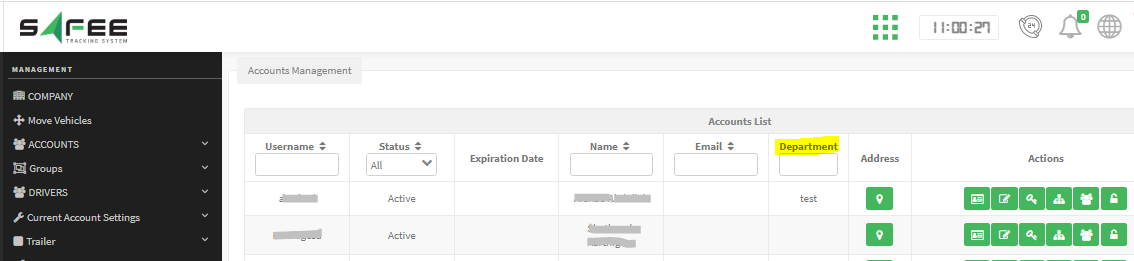
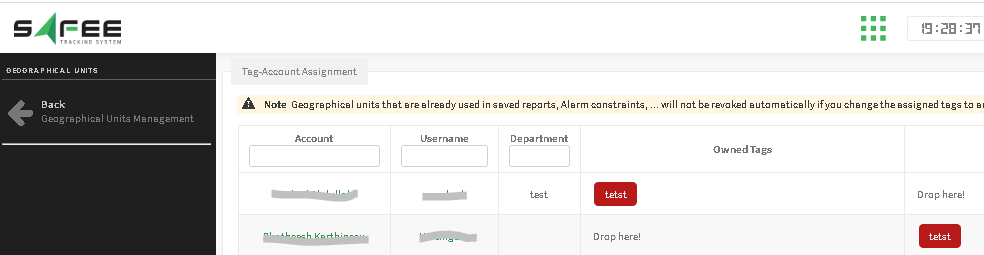
Release 5.3.7 brings enhancements to account settings and Wasl integration.
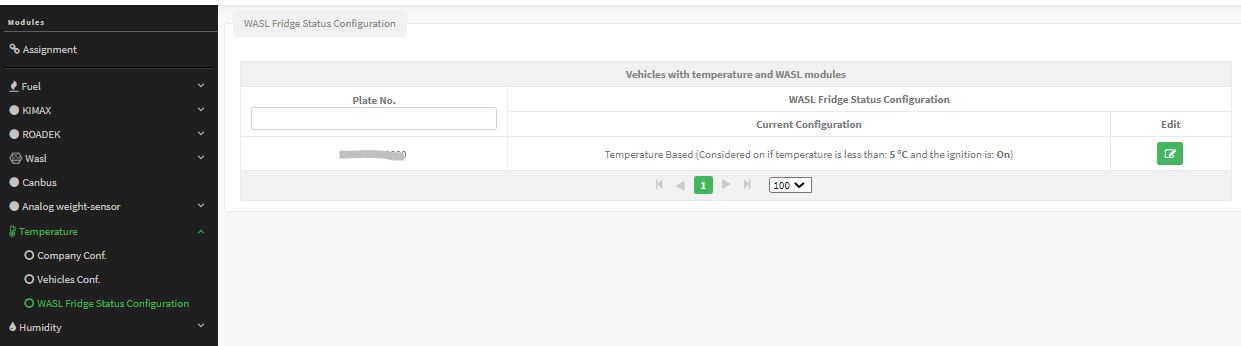
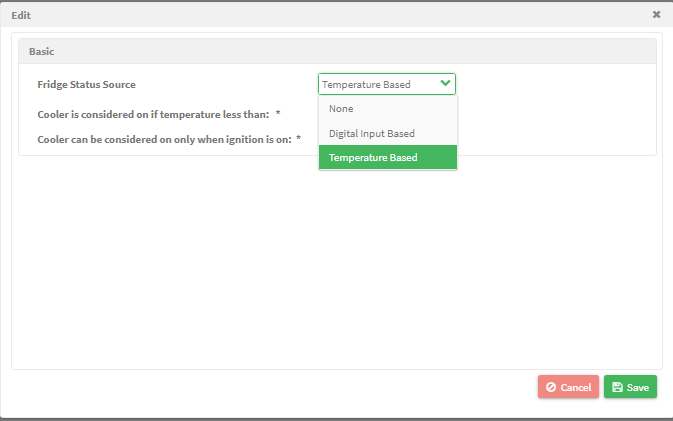
- Digital input-based: select a specific AVL digital input number.
- Temperature-based: the system monitors temperature against a threshold, so the cooler is considered on if the temperature is less than the value you set, and you can optionally restrict the status to when ignition is active.
Caution: from this release on, the fridge status is sent to Wasl according to this configuration only.
Account editing restriction
Partners can no longer edit the target company of a company account after it is created, so pay attention to this choice during the initial setup.
For the official release notes, see Release 5.3.7 in the Safee documentation.
Safee Tracking System
Ready to improve your fleet operations?
Tell us what you would like to improve. A Safee specialist will reply by email.
Usually replies within one business day • No sales spam
Your details are used only to respond to your request. Privacy Policy

