


Release 6.5.11: Weekly Report and Trip Tags
Version: 6.5.11
Release 6.5.11 introduces two new features: a weekly mileage report, and tags and descriptions for your vehicles’ trips.
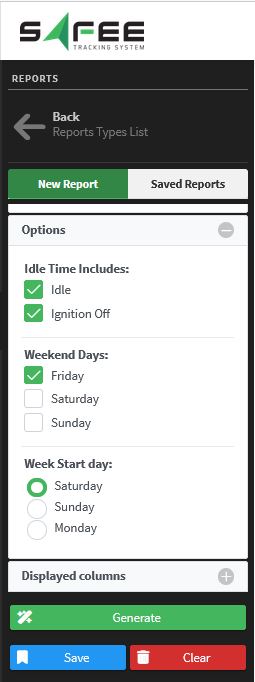
- Choose between including ignition-off time or counting idle states only when calculating idle time.
- Exclude the weekdays you do not need.
- Set your preferred week start day.
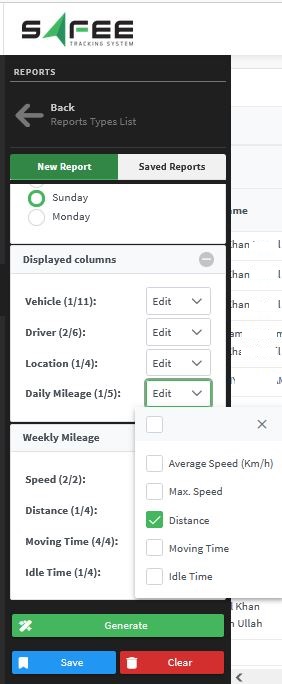
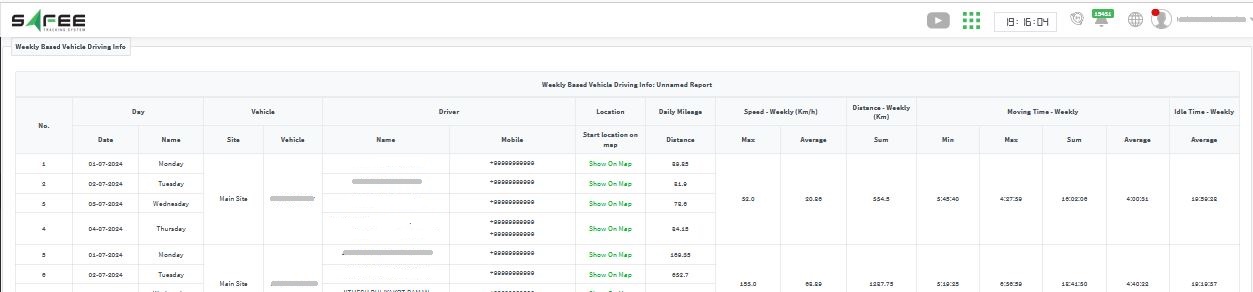
- Select the information to display: vehicles, drivers, locations and daily mileage.
- Filter the weekly aggregated data to focus on the key insights.
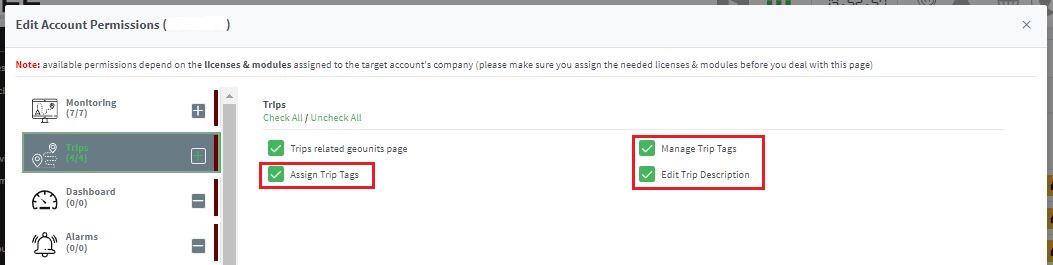
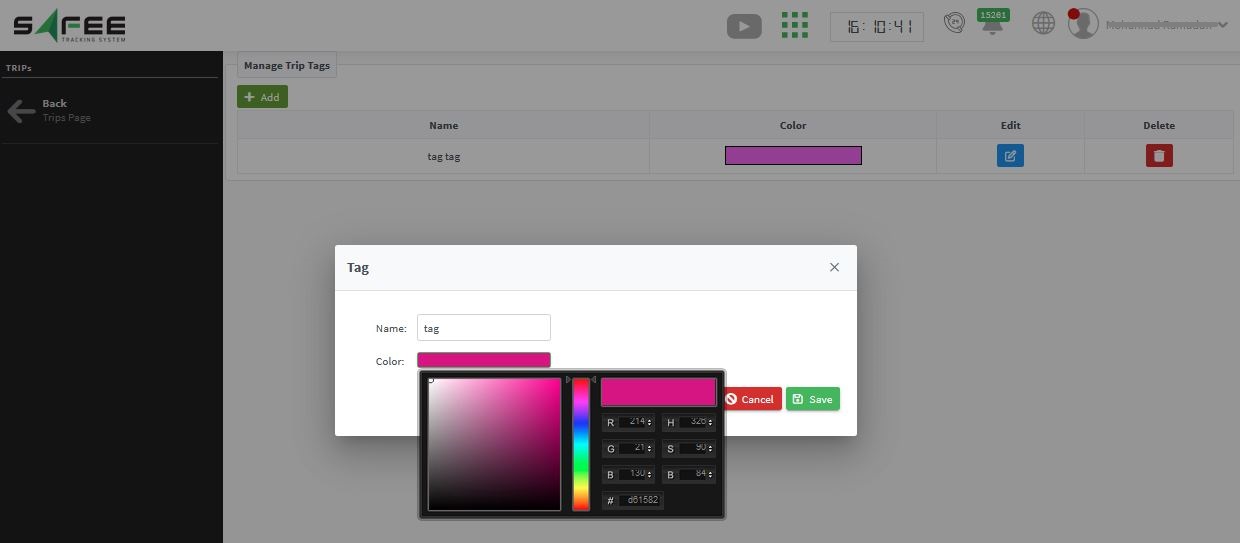
- Manage trip tags: add custom tags for your trips.
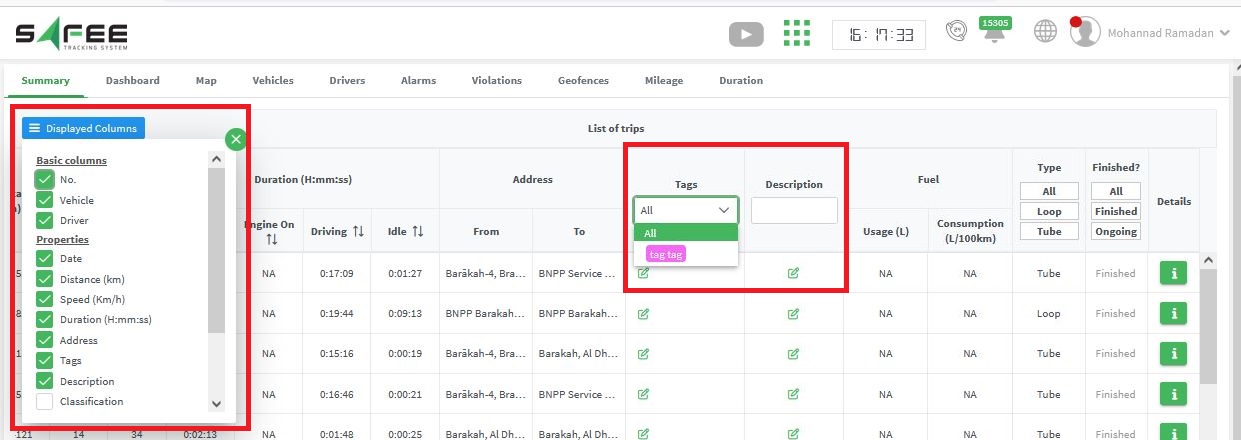
- Assign trip tags: control the visibility of the tags column and assign existing tags.
- Edit trip description: control the visibility of the description column and edit its text.
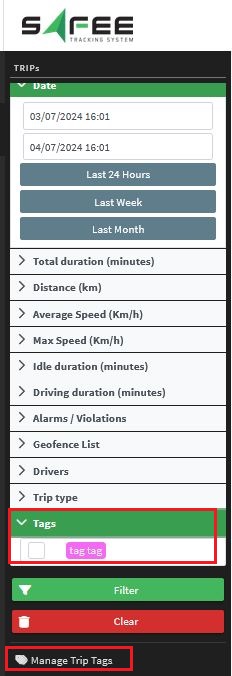
In the trips report inputs you will find a link to a dedicated page for managing your trip tags, and a new filter that focuses on predefined tags.
For the official release notes, see Release 6.5.11 in the Safee documentation.
Safee Tracking System
Ready to improve your fleet operations?
Tell us what you would like to improve. A Safee specialist will reply by email.
Usually replies within one business day • No sales spam
Your details are used only to respond to your request. Privacy Policy

