

Release 6.6.4: Bulk Asset Attributes Management and Attributes List
Version: 6.6.4
Release 6.6.4 lets you update your assets in bulk from a new Asset Attributes Management page, and renames the attributes page to Attributes List.
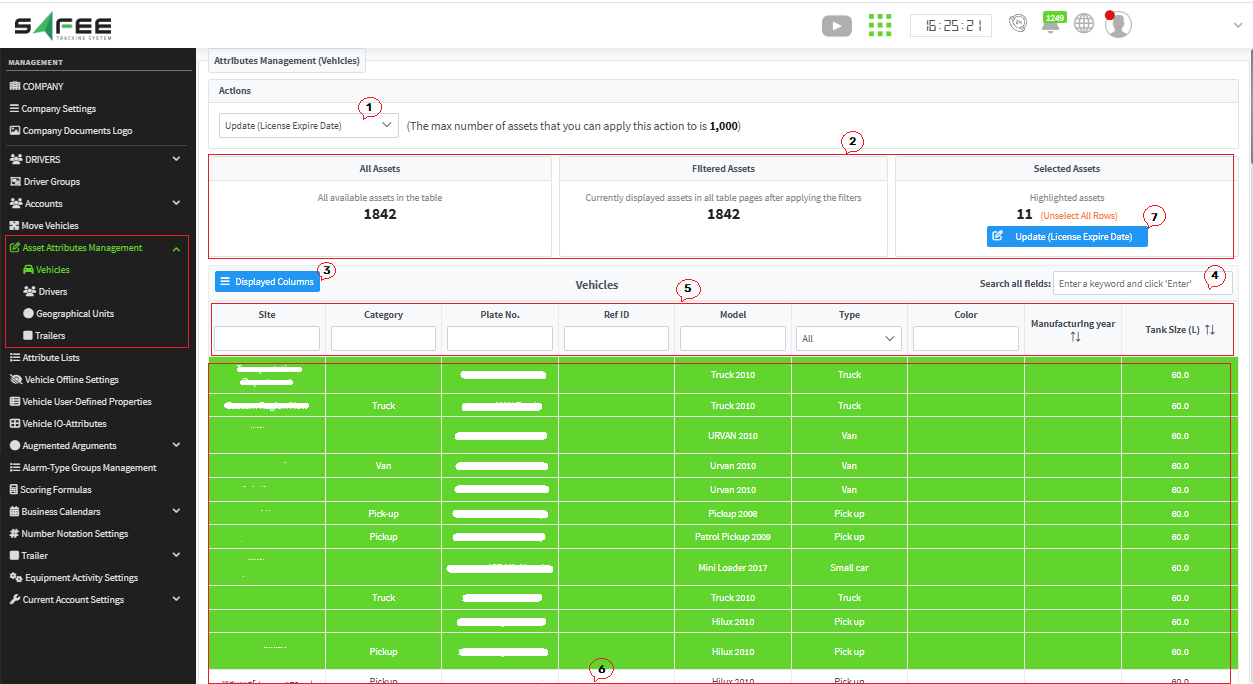
- Select the action you want to apply to your assets.
- The assets widgets show how many assets you have, how many you filtered on, and how many you selected.
- Display all the columns you need to ease your work.
- Search for any keyword to reach the target assets quickly.
- Use the column filters as suits your needs.
- Once the filters and searches are set, select the target assets: hold Ctrl and click each asset you need, or click the first one, hold Shift and click the last one to select everything between them.
- Click the action button in the Selected Assets widget.
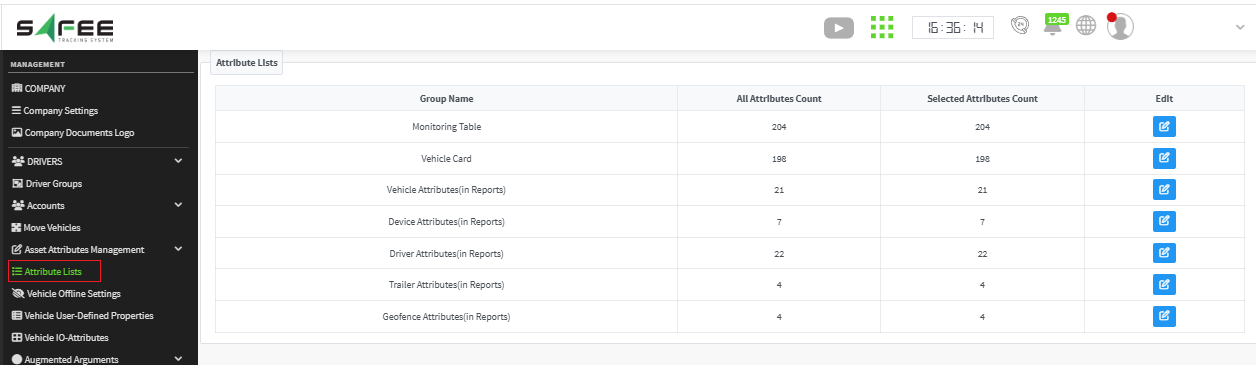
For the official release notes, see Release 6.6.4 in the Safee documentation.
Safee Tracking System
Ready to improve your fleet operations?
Tell us what you would like to improve. A Safee specialist will reply by email.
Usually replies within one business day • No sales spam
Your details are used only to respond to your request. Privacy Policy

