


Release 6.5.26: Speed Condition for Event-Based Alarms
Version: 6.5.26
Release 6.5.26 adds a new optional condition to the event-based alarm condition, preventing alarms from firing on certain device events unless the vehicle speed is within a range you define.
- Open step 4 of the alarm condition wizard.
- Click the Any Speed button.
- Adjust the speed slider to set the minimum and maximum thresholds.
The alarm will not fire when the vehicle speed is below the minimum or above the maximum.
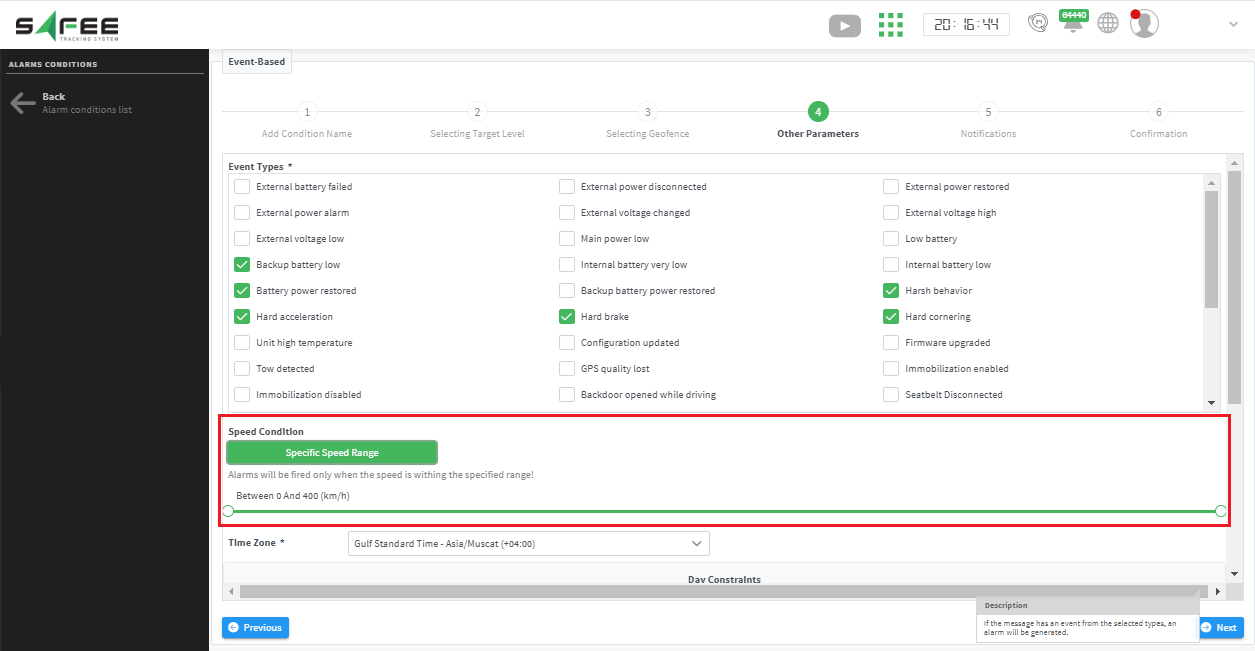
For the official release notes, see Release 6.5.26 in the Safee documentation.
Safee Tracking System
Ready to improve your fleet operations?
Tell us what you would like to improve. A Safee specialist will reply by email.
Usually replies within one business day • No sales spam
Your details are used only to respond to your request. Privacy Policy

