


Release 6.5.21: Data Importer Enhancements and New Wasl Activity
Version: 6.5.21
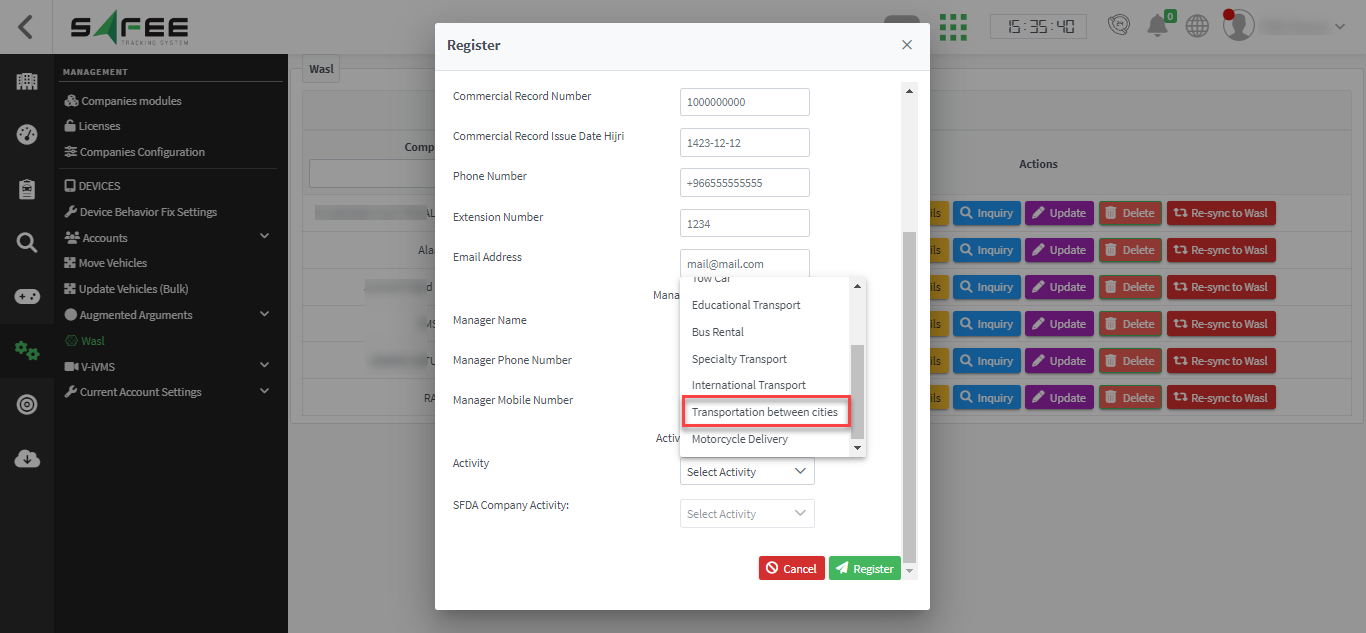
Release 6.5.21 makes the data import pages more comprehensive and flexible, and adds a new activity to the Wasl service.
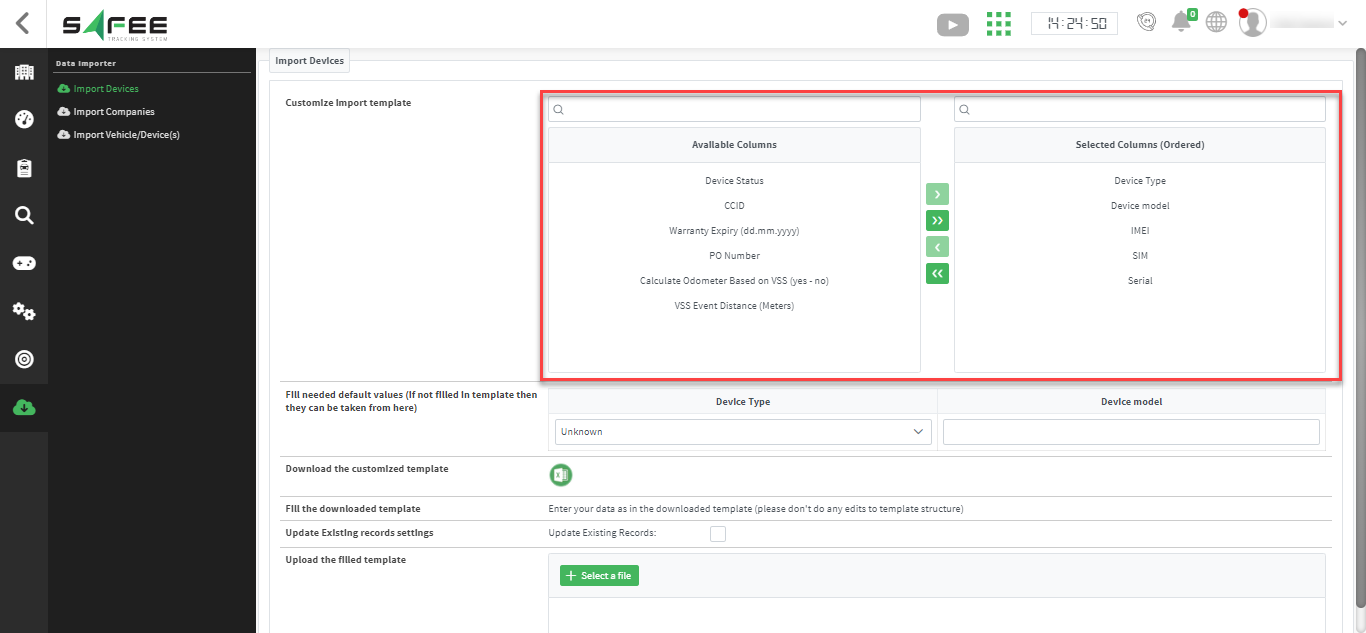
2. Fill in default values that apply to all entries.
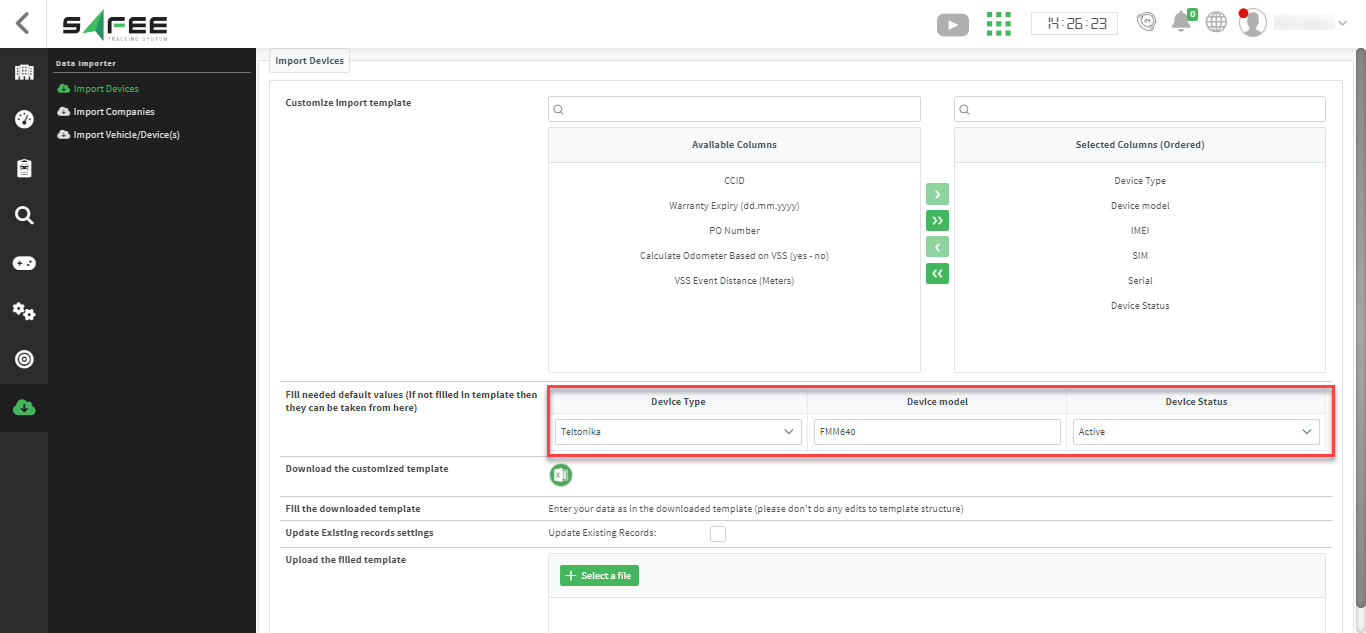
3. Download the customized template and fill it with your data.
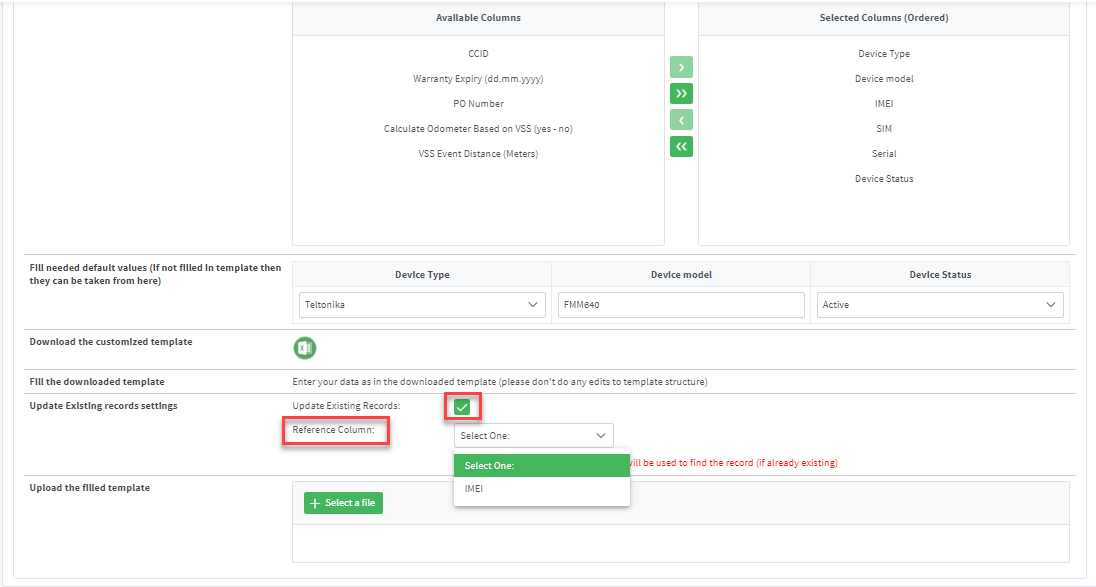
4. To modify existing records, enable Update Existing Records and choose a reference column.
5. Upload the filled template to the platform.
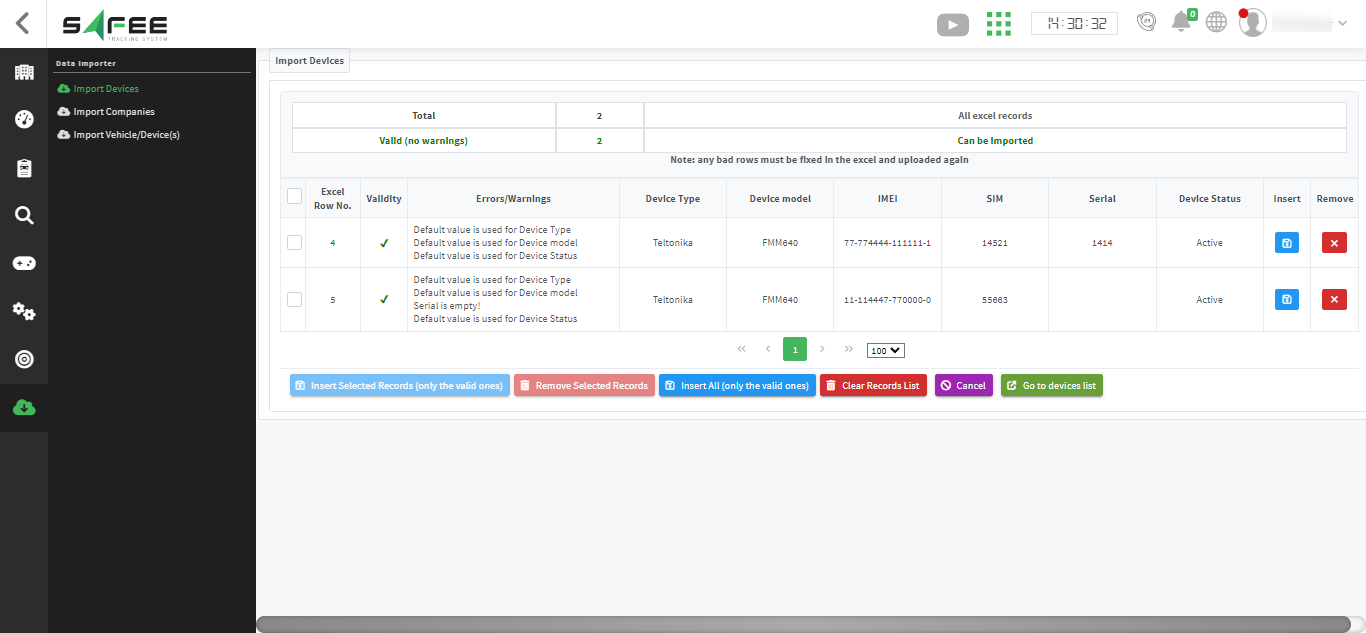
6. Insert the data that uploaded correctly, or process records with warnings one by one for full transparency.
For the official release notes, see Release 6.5.21 in the Safee documentation.
Ready to improve your fleet operations?
Tell us what you would like to improve. A Safee specialist will reply by email.
Usually replies within one business day • No sales spam
Your details are used only to respond to your request. Privacy Policy

