


Release 5.4.1: Idle Time Monitoring and Popup Notifications with Sound
Version: 5.4.1
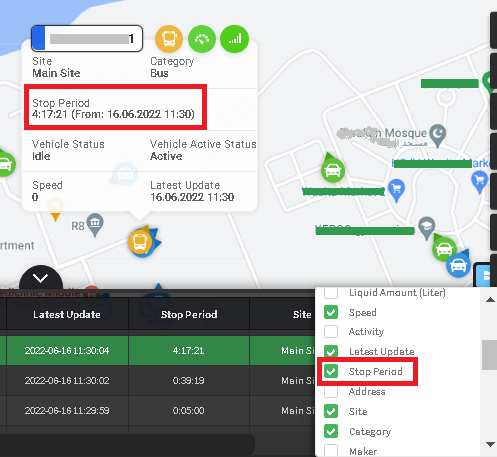
Release 5.4.1 introduces idle time monitoring and popup notifications with sound across the system.
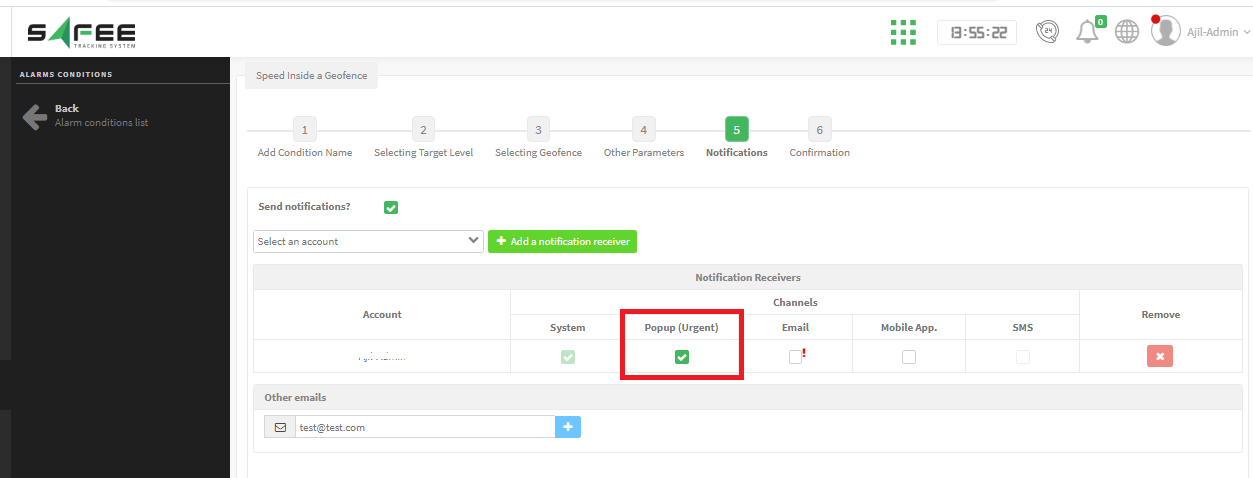
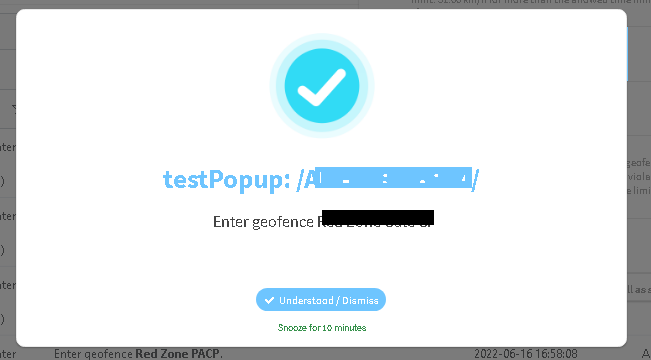
When an alarm triggers, a popup appears in all active browser tabs with a warning sound. You can dismiss individual notifications, snooze them for 10 minutes, or clear multiple alerts at once.
Note: to enable popups for specific alarms within a condition group, create an alarm-based notification generator targeting only the desired alarm and assign it the urgent notification status.
For the official release notes, see Release 5.4.1 in the Safee documentation.
Ready to improve your fleet operations?
Tell us what you would like to improve. A Safee specialist will reply by email.
Usually replies within one business day • No sales spam
Your details are used only to respond to your request. Privacy Policy

