


Release 5.2.3: Import Drivers and Performance Report Upgrade
Version: 5.2.3
Release 5.2.3 brings two features: batch driver import and an enhanced driver performance report.
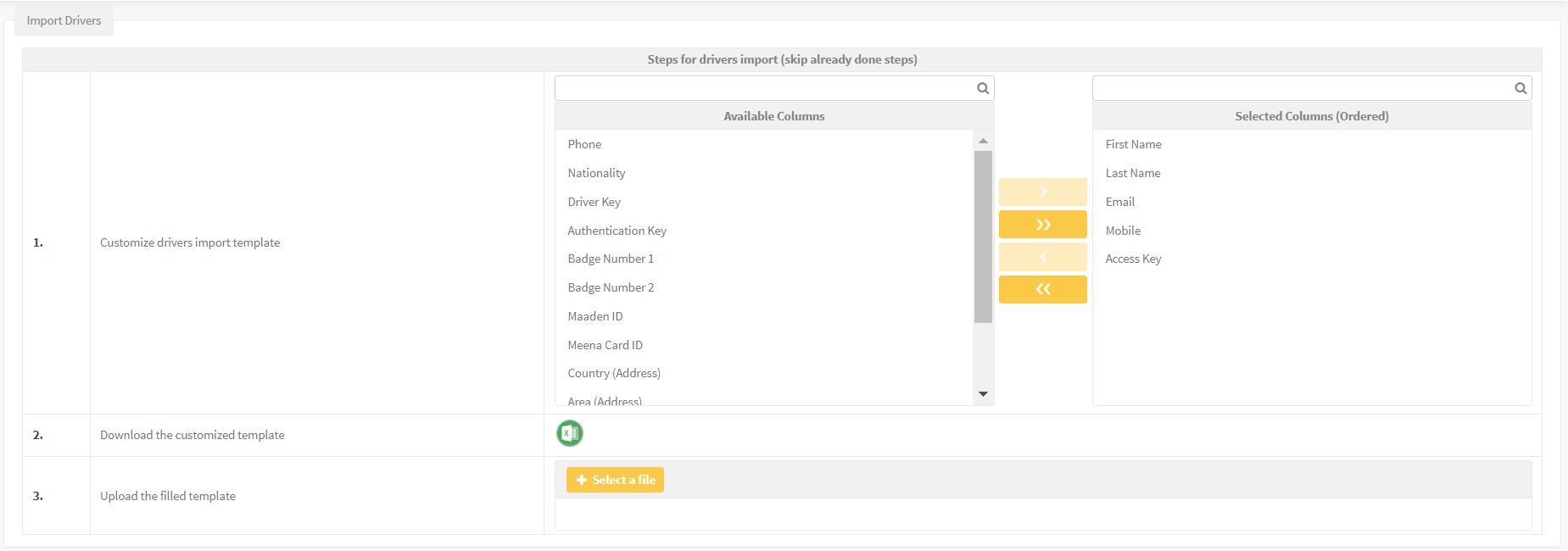
- Go to Management, then Drivers, then Import.
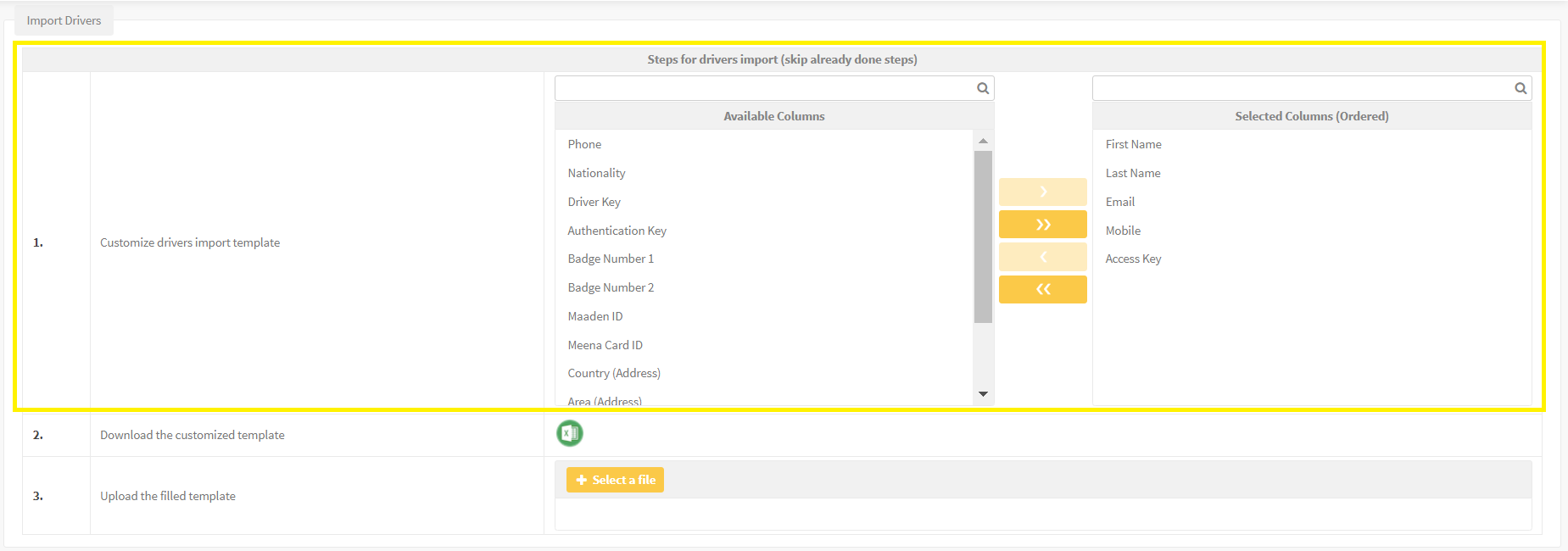
- Select the attributes you want in the import template.
- Download the template and populate it with the driver information.
Validation requirements:
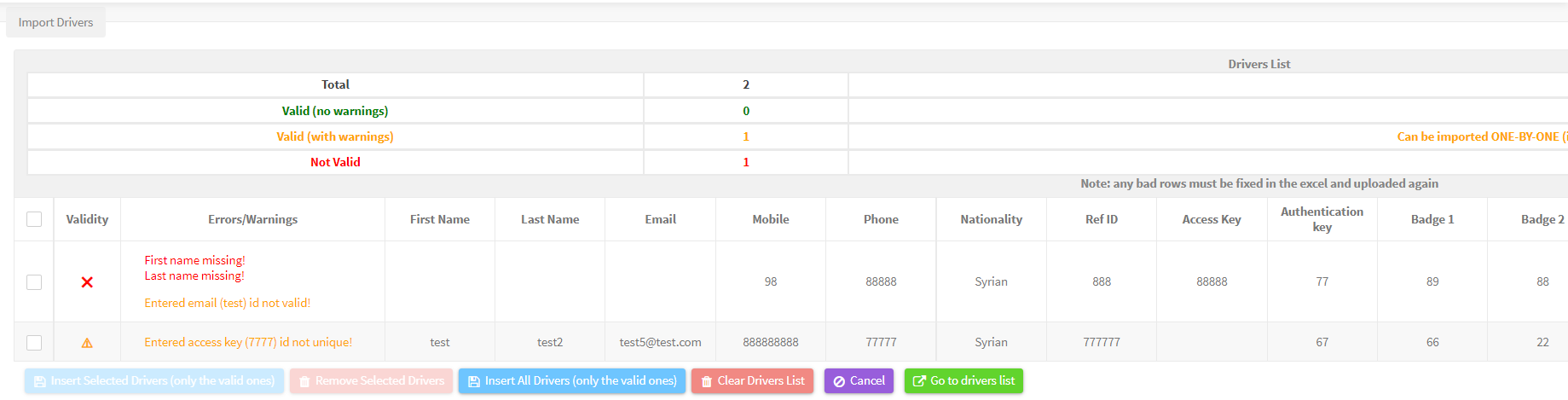
- The first name cannot be empty.
- The last name cannot be empty.
- The access key must be unique.
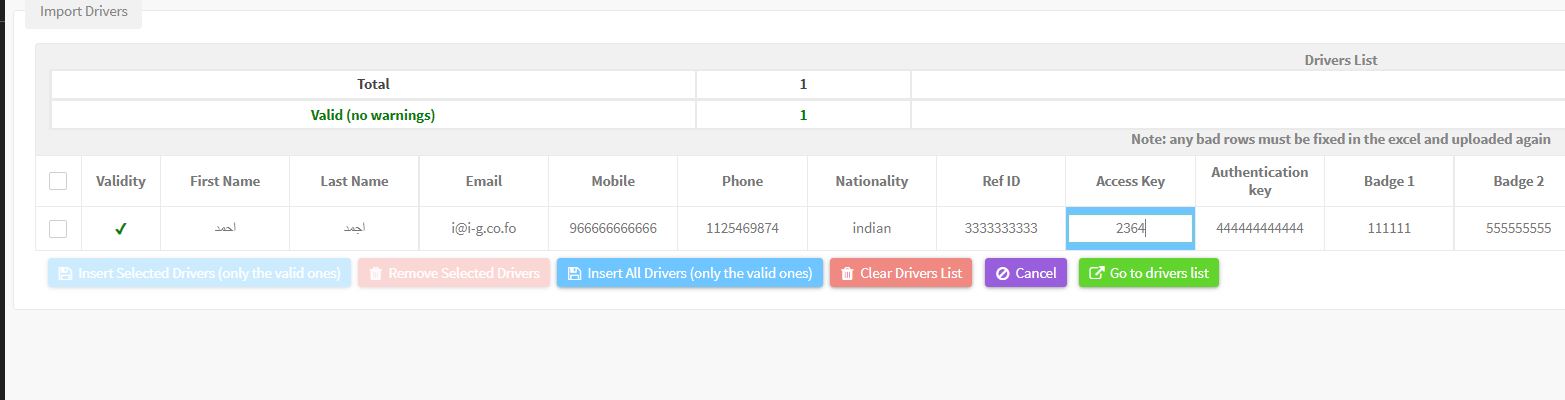
The system classifies the results into three types: Valid (no warning) for complete data, Valid (with warning) for incomplete but importable data, and Not Valid for data that fails the validation rules.
After import you can clear the driver list, insert all valid drivers, remove the selected drivers, insert only the selected drivers, open the driver list or cancel the operation.


For the official release notes, see Release 5.2.3 in the Safee documentation.
Ready to improve your fleet operations?
Tell us what you would like to improve. A Safee specialist will reply by email.
Usually replies within one business day • No sales spam
Your details are used only to respond to your request. Privacy Policy

