


Release 5.2.1: One Option to Move Vehicles Between Sites
Version: 5.2.1
Release 5.2.1 streamlines vehicle organization by moving vehicles between sites and categories with a single option, replacing the separate Release and Move to options with one Move vehicle function.
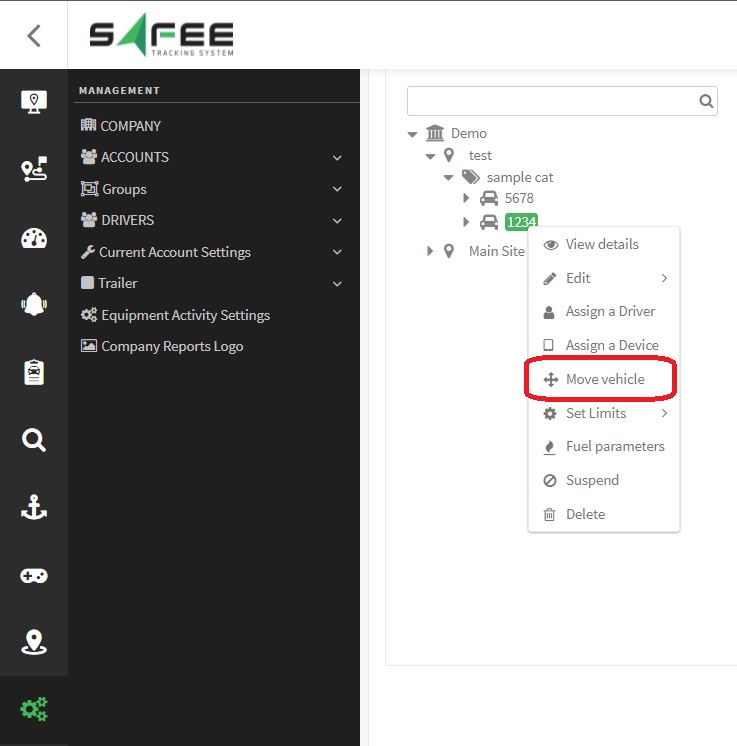
- Access the menu: right-click a vehicle in the company management tab.
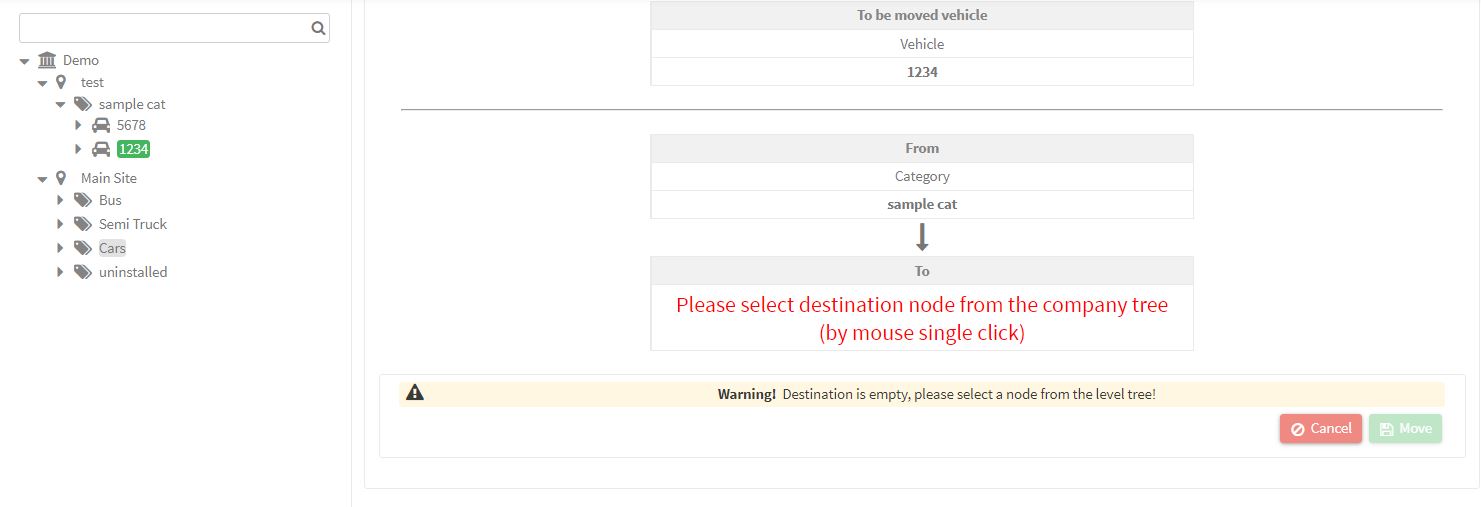
- Select the destination: click the target site or category; you can only move to sites and categories you own.
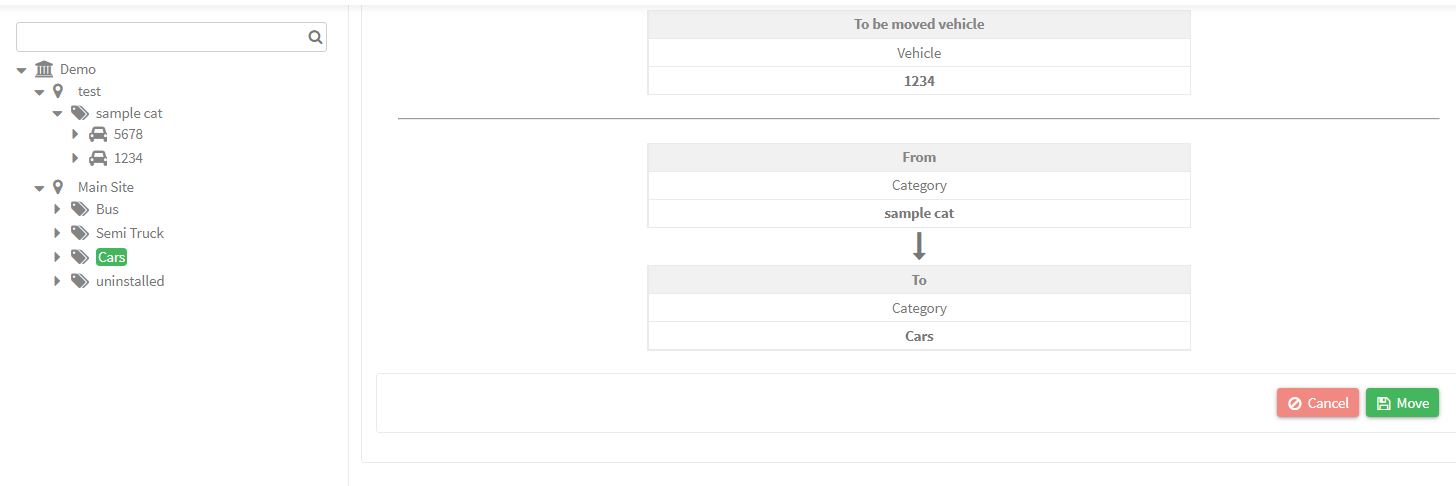
- Confirm the movement: a dialog shows the expected transfer; click Move to proceed or Cancel to abort.
The example below moves a vehicle to the “Cars” category, with a confirmation dialog displayed before the final execution.
For the official release notes, see Release 5.2.1 in the Safee documentation.
Safee Tracking System
Ready to improve your fleet operations?
Tell us what you would like to improve. A Safee specialist will reply by email.
Usually replies within one business day • No sales spam
Your details are used only to respond to your request. Privacy Policy

