


Release 4.3.1: Fuel Tracking Dashboard and RAG Report Enhancements
Version: 4.3.1
Release 4.3.1 brings a comprehensive fuel tracking dashboard, plus enhancements to the RAG report and other reports.

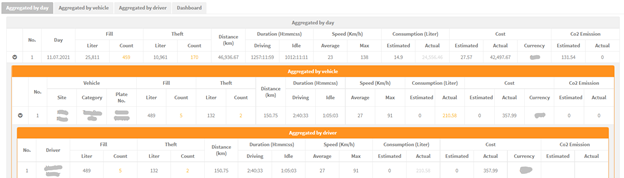
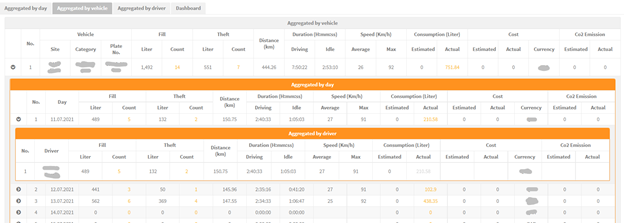
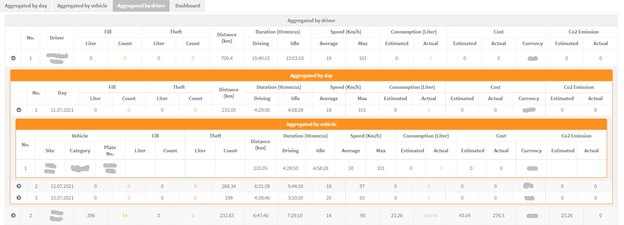
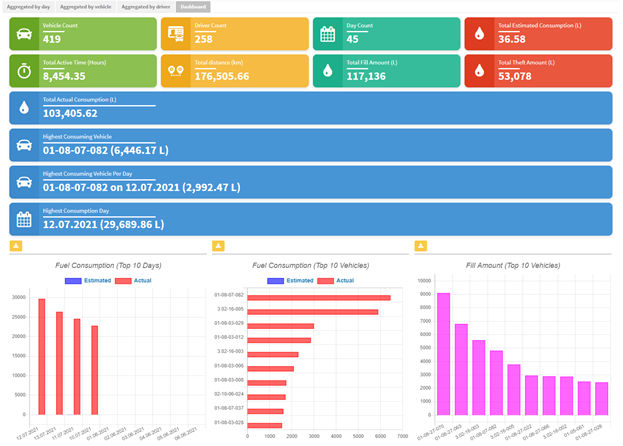
Metrics include: fill counts and amounts, theft counts and amounts, distance, duration (driving and idle), speed, consumption (estimated and actual), cost and CO2 emissions.
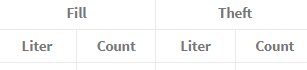
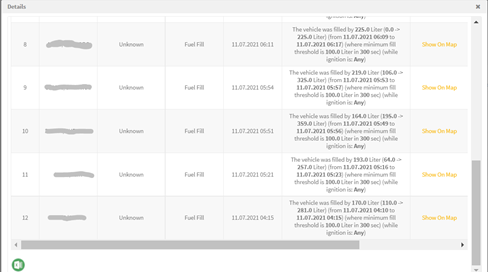
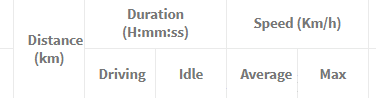
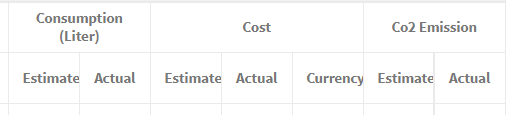
The fill and theft counts are clickable: selecting a count shows the alarms that fired and lets you export them to Excel. The report and the dashboard can also be exported to Excel, saved or scheduled.
RAG report enhancements
- Added seatbelt violation metrics (count and duration).
- Two new scoring formula options: Formula A and Formula B.
- Formula A: evaluates acceleration, deceleration, seatbelt and overspeed (a higher score means lower performance).
- Formula B: considers seatbelt, deceleration and overspeed (a higher score means better performance).
Formula A details:
- Speed score = overspeed duration / (10 × distance) × 100.
- Seat belt score = no-seat-belt duration / (10 × distance) × 1000.
- Acceleration and deceleration scores = count / distance × 100.
- Total score = the sum of the four scores.
- Green below 1, Amber from 1 to below 3, Red 3 or above (a higher score means worse performance).
Formula B details:
- Total score = ((mileage / total violations) / 100) + 65.
- Weights: seat belt 0.5 × duration, overspeed 1.6 × count, deceleration 0.25 × count.
- Green 80 to 100, Amber 66 to below 80, Red 66 or below.
- The score is 100 when there are no violations and the mileage is above 0.
SP2000 RAG enhancement
Seatbelt violation data was added to the report output.
Reports enhancements
- The Past location and Vehicle idle reports now include an address column.
- The Vehicle driving information report adds an ignition-on duration column.
Mobile app monitoring
Accounts with fewer than 50 vehicles display all their vehicles on the map.
For the official release notes, see Release 4.3.1 in the Safee documentation.
Ready to improve your fleet operations?
Tell us what you would like to improve. A Safee specialist will reply by email.
Usually replies within one business day • No sales spam
Your details are used only to respond to your request. Privacy Policy

