


Release 3.17.1: Averaged Fuel Correction and ROADEK Raw Data Explorer
Version: 3.17.1
Release 3.17.1 improves the accuracy of fuel readings, and adds an explorer for ROADEK weight sensor data and a new column in the vehicles explorer.
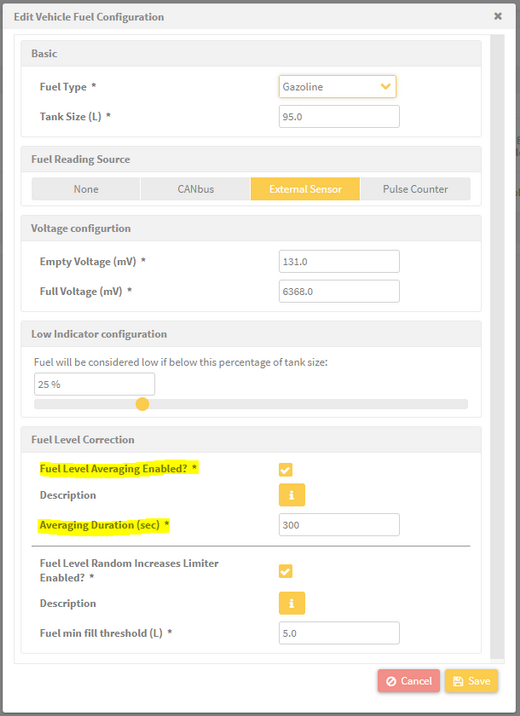
The enhancement works with the existing Random Increases Limiter correction mechanism for additional smoothing. You can now view the fuel history at multiple stages in the fuel explorer page:
- The raw fuel level reading.
- The fuel level after averaging (if enabled).
- The fuel level after the Random Increases Limiter (if enabled).
- The final fuel level.
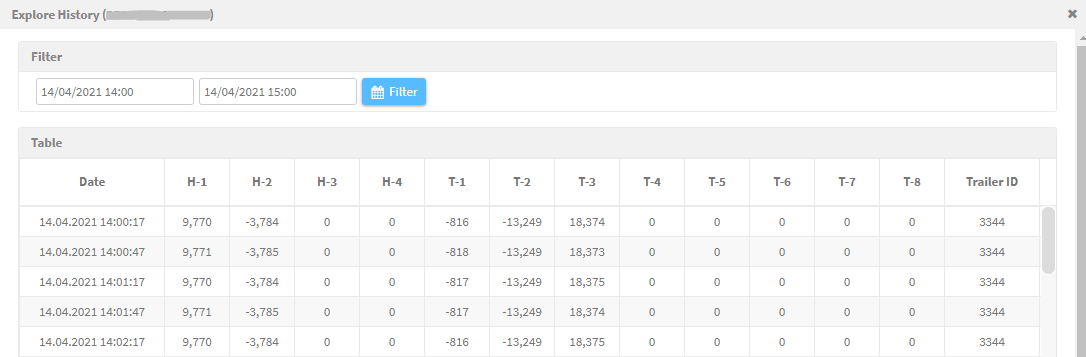
Note: when the fuel comes from a CANbus sensor, the averaging is applied to the fuel liters argument. If the option Use CANbus provided total fuel used is enabled, no improvement is expected from the averaging.
ROADEK sensor raw data explorer
The ROADEK weight sensor requires calibration using raw measurement data. The new raw data explorer displays the axle weight readings, trailer ID and tamper status during calibration.
Vehicles explorer enhancement
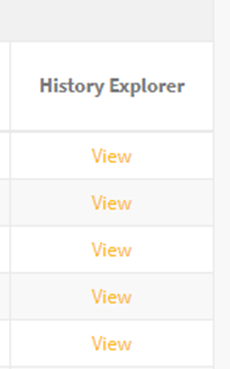
A new History Explorer column in the Vehicles Explorer lets you quickly open each vehicle’s history explorer page through a View link.
For the official release notes, see Release 3.17.1 in the Safee documentation.
Ready to improve your fleet operations?
Tell us what you would like to improve. A Safee specialist will reply by email.
Usually replies within one business day • No sales spam
Your details are used only to respond to your request. Privacy Policy

